rule.
Triggering Protocol Display the protocol of the triggering packets.
Triggering Port Display the port of the triggering packets.
Source IP Display the name of the IP object.
Incoming Protocol Display the protocol for the incoming data of such triggering
profile.
Incoming Port Display the port for the incoming data of such triggering
profile.
Status Display if the rule is active or de-active.
Click the index number link to open the configuration page.
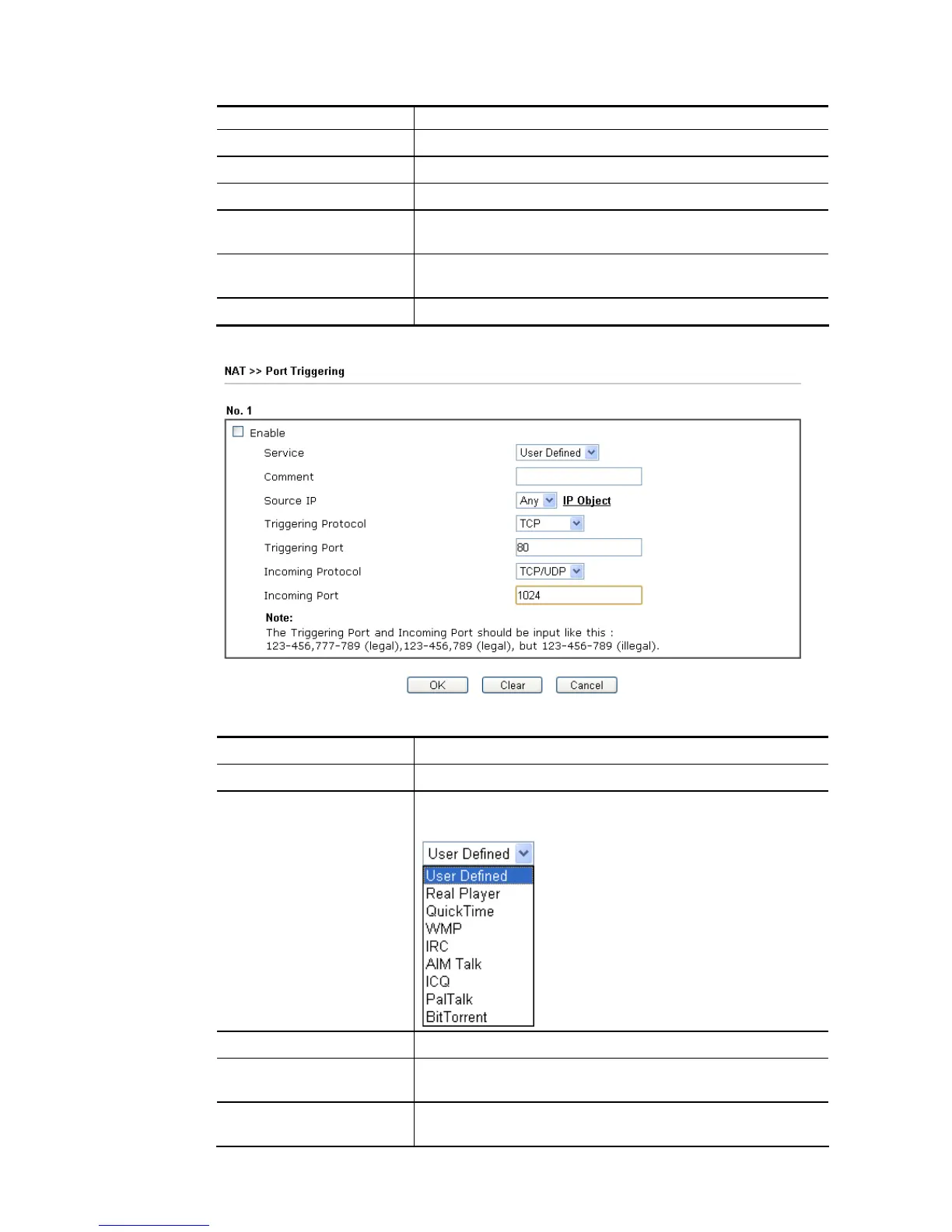
Available settings are explained as follows:
Item Description
Enable Check to enable this entry.
Service Choose the predefined service to apply for such trigger
profile.
Comment Type the text to memorize the application of this rule.
Source IP Use the drop down list to specify an IP object. Or click IP
Object link to create a new one for applying.
Triggering Protocol Select the protocol (TCP, UDP or TCP/UDP) for such
triggering profile.














 To Next Page