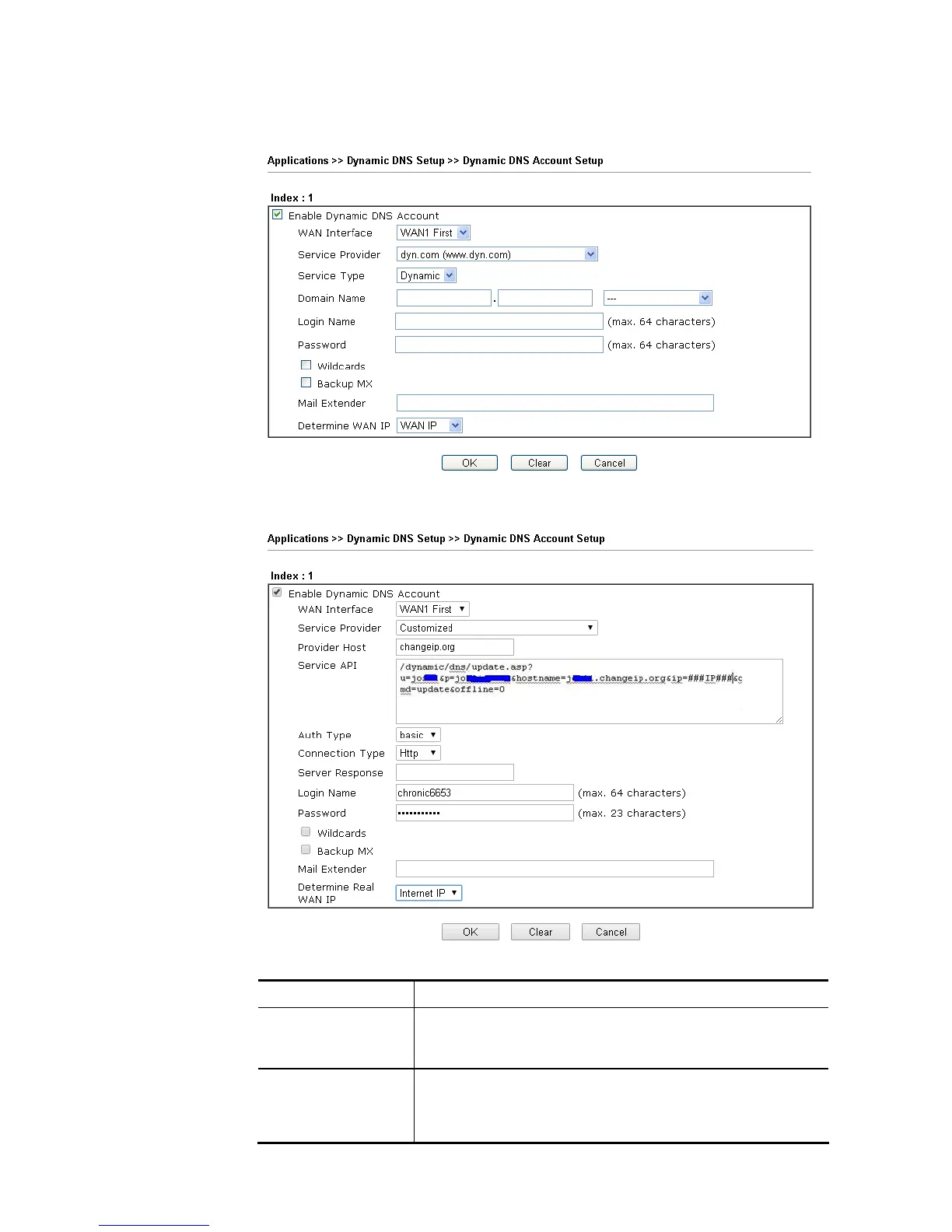
The following two blocks should be typed your account Login Name: test and Password:
test.
If Customized is specified as the service provider, the web page will be changed slightly
as follows:
Available settings are explained as follows:
Item Description
Enable Dynamic DNS
Account
Check this box to enable the current account. If you did
check the box, you will see a check mark appeared on the
Active column of the previous web page in step 2).
WAN Interface WAN1/WAN2/WAN3/WAN4/LTE First - While connecting,
the router will use WAN1/WAN2/WAN3/WAN4/LTE as the
first channel for such account. If WAN1/WAN2/WAN3
/WAN4/LTE fails, the router will use another WAN interface














 To Next Page