within 2 minutes.)
On The VPN tunnel is active.
Off VPN services are disabled.
VPN
Blinking Traffic is passing through VPN tunnel.
On The DoS function is active. DoS
Blinking It will blink while detecting an attack.
LED on Connector
On The port is connected.
Off The port is disconnected.
Left
LED
Blinking The data is transmitting.
On The port is connected with 1000Mbps.
WAN2
(Giga)
Right
LED
Off The port is connected with 10/100Mbps
On The port is connected.
Off The port is disconnected.
Left
LED
Blinking The data is transmitting.
On The port is connected with 1000Mbps.
GigaLA
N 1~6
Right
LED
Off The port is connected with 10/100Mbps
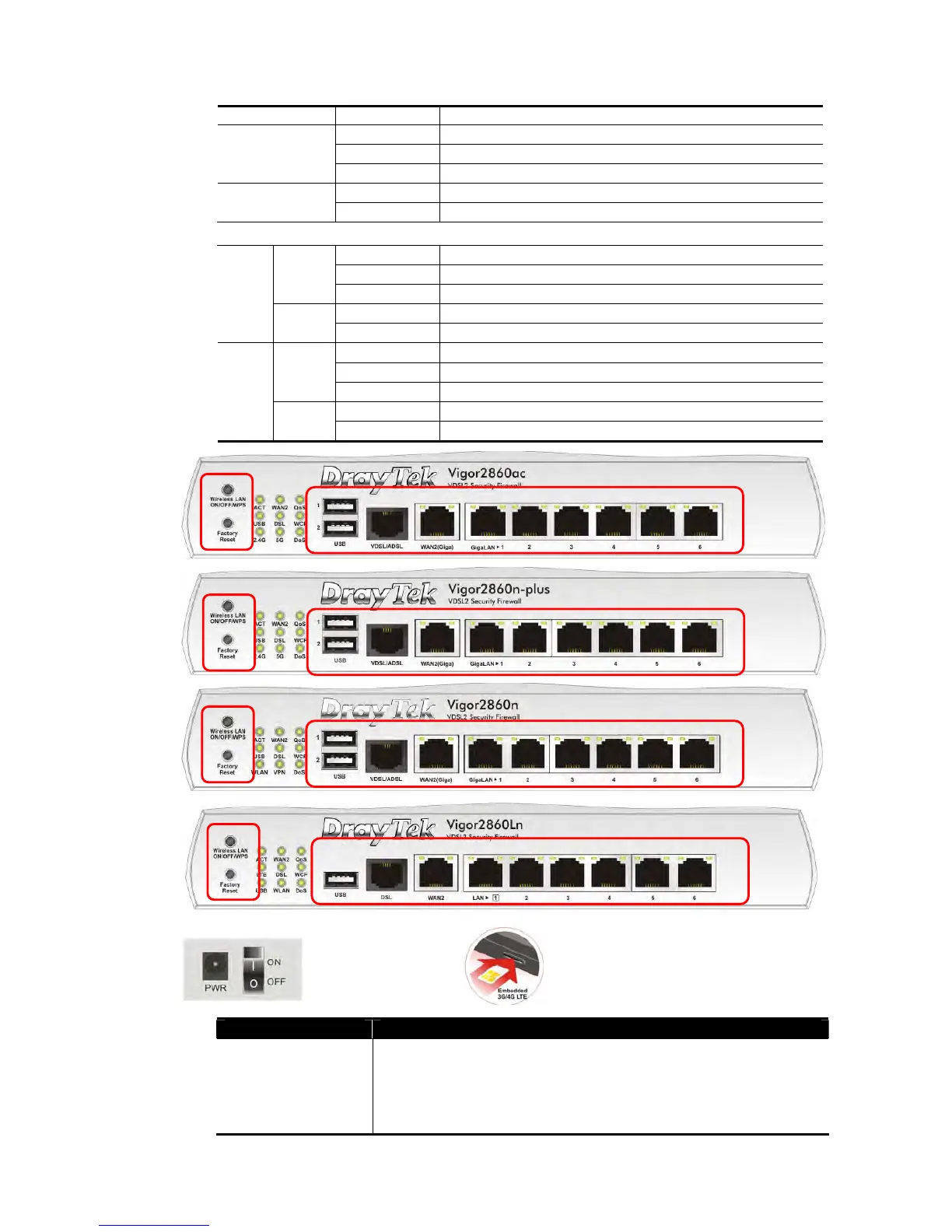
Switch on Rear Side (Available for Vigor2860Ln)
Interface Description
Wireless LAN
ON/OFF/WPS
For Vigor2860n /Vigor2860Ln:
Press the button and release it within 2 seconds. When the
wireless function is ready, the green LED will be on.
Press the button and release it within 2 seconds to turn off the
WLAN function. When the wireless function is not ready, the














 To Next Page