Index Click the index number link to access into the setting page of
schedule.
Comment Display the name of the time schedule.
Time Display the valid time period by time bar.
Days in a week Display which day(s) will be always on and which day(s) will
be always off of the schedule profile by color boxes.
- If it lights in green, it means such schedule is active.
You can set up to 15 schedules. Then you can apply them to your Internet Access or VPN and
Remote Access >> LAN-to-LAN settings.
To add a schedule:
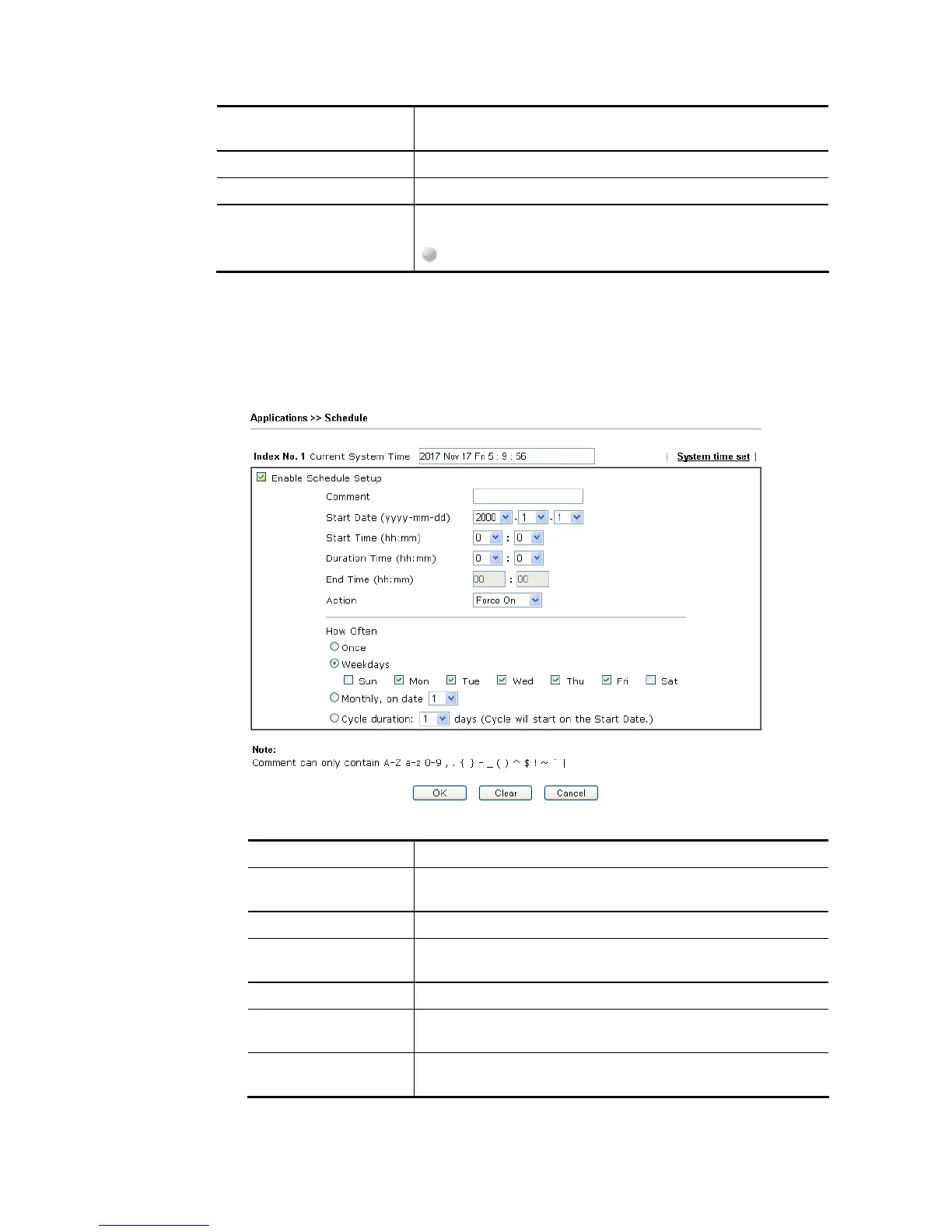
1. Click any index, say Index No. 1.
2. The detailed settings of the schedule with index 1 will be shown below.
Available settings are explained as follows:
Item Description
Enable Schedule
Setup
Check to enable the schedule.
Comment Type a short description for such schedule.
Start Date
(yyyy-mm-dd)
Specify the starting date of the schedule.
Start Time (hh:mm) Specify the starting time of the schedule.
Duration Time
(hh:mm)
Specify the duration (or period) for the schedule.
End Time (hh:mm) It will be calculated automatically when Start Time and
Duration Time are configured well.














 To Next Page