WAN IP address: 111.243.178.53
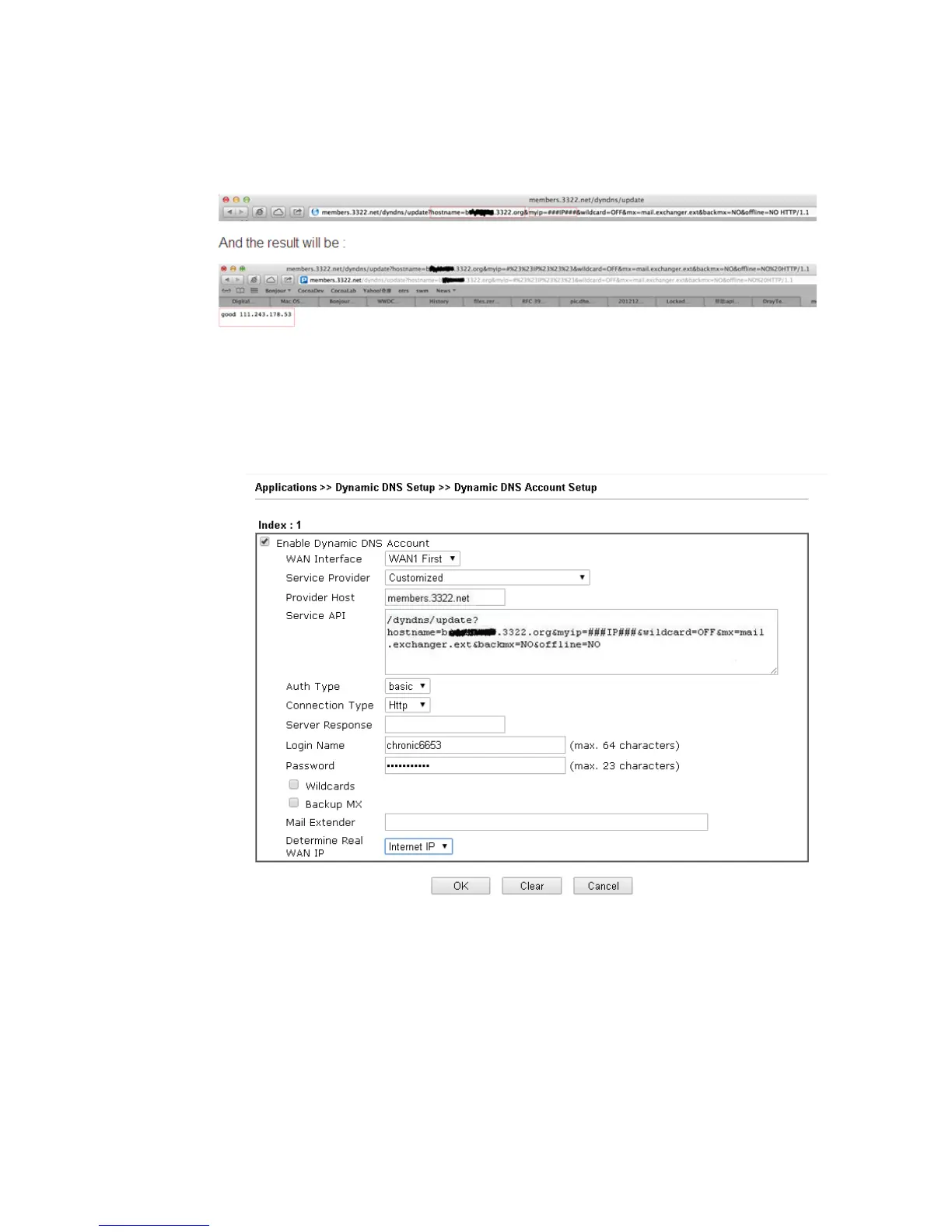
To update the IP to the DDNS server via editing the HTML script, we can type the following
script on the browser:
“good 111.243.178.53” means our IP has been updated to the server successfully.
Now we have to configure the router so it can do the same job for us automatically.
1. Please go to Applications >> Dynamic DNS to create a profile for Customized DDNS
client.
2. Set the Service Provider as Customized.
3. Set the Provider Host as member.3322.net.
4. Set the Service API as:
/dyndns/update?hostname=yourhost.3322.org&myip=###IP###&wildcard=OFF&mx=mail
.exchanger.ext&backmx=NO&offline=NO
5. Enter your account and password.
6. After the setting, the Customized DDNS service will be up, and our IP will be updated to
the DDNS server automatically.














 To Next Page