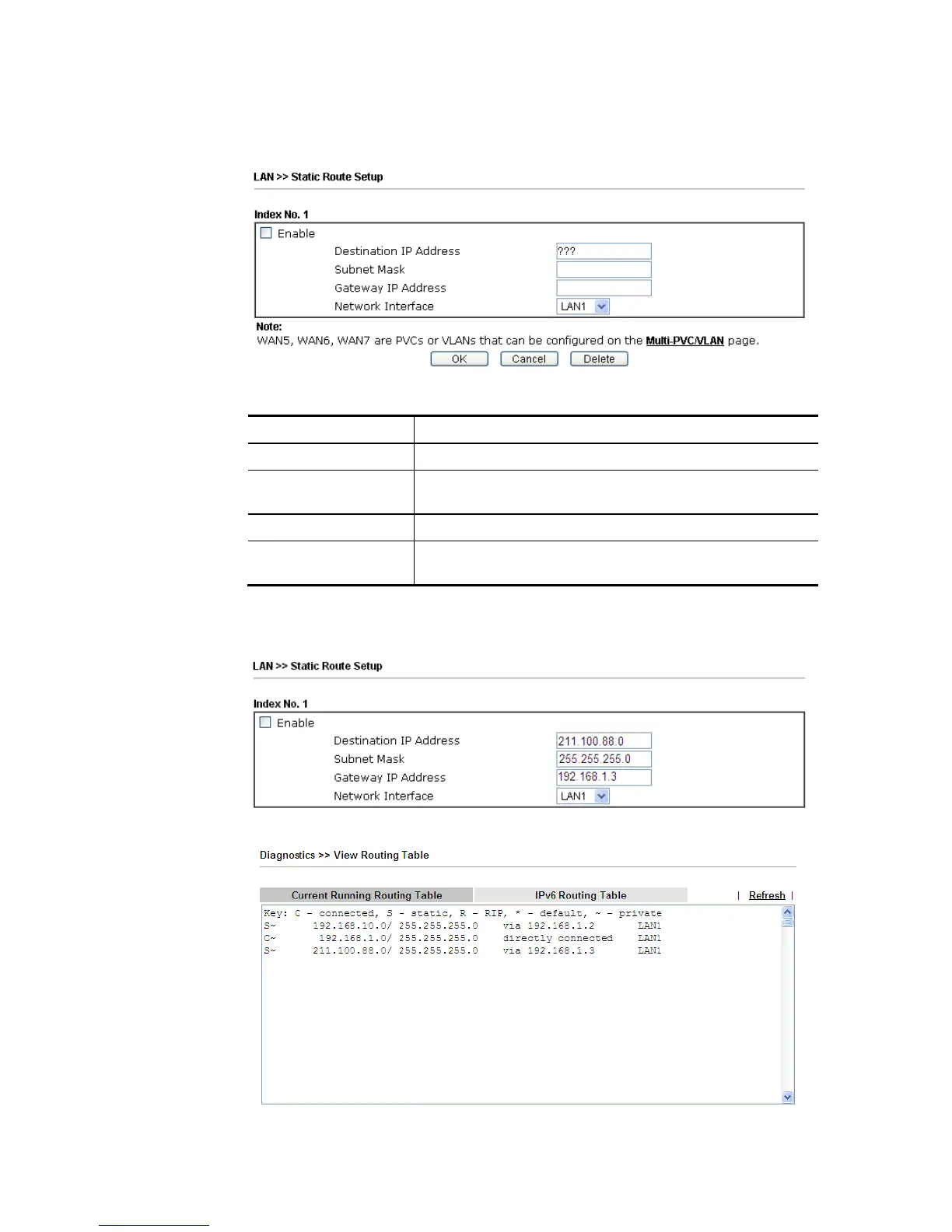
2. Click the LAN >> Static Route and click on the Index Number 1. Check the Enable box.
Please add a static route as shown below, which regulates all packets destined to
192.168.10.0 will be forwarded to 192.168.1.2. Click OK.
Available settings are explained as follows:
Item Description
Enable Click it to enable this profile.
Destination IP
Address
Type an IP address as the destination of such static route.
Subnet Mask Type the subnet mask for such static route.
Network Interface Use the drop down list to specify an interface for such
static route.
3. Return to Static Route Setup page. Click on another Index Number to add another
static route as show below, which regulates all packets destined to 211.100.88.0 will be
forwarded to 192.168.1.3. Click OK.
4. Go to Diagnostics and choose Routing Table to verify current routing table.














 To Next Page