Vigor2860 Series User’s Guide
245
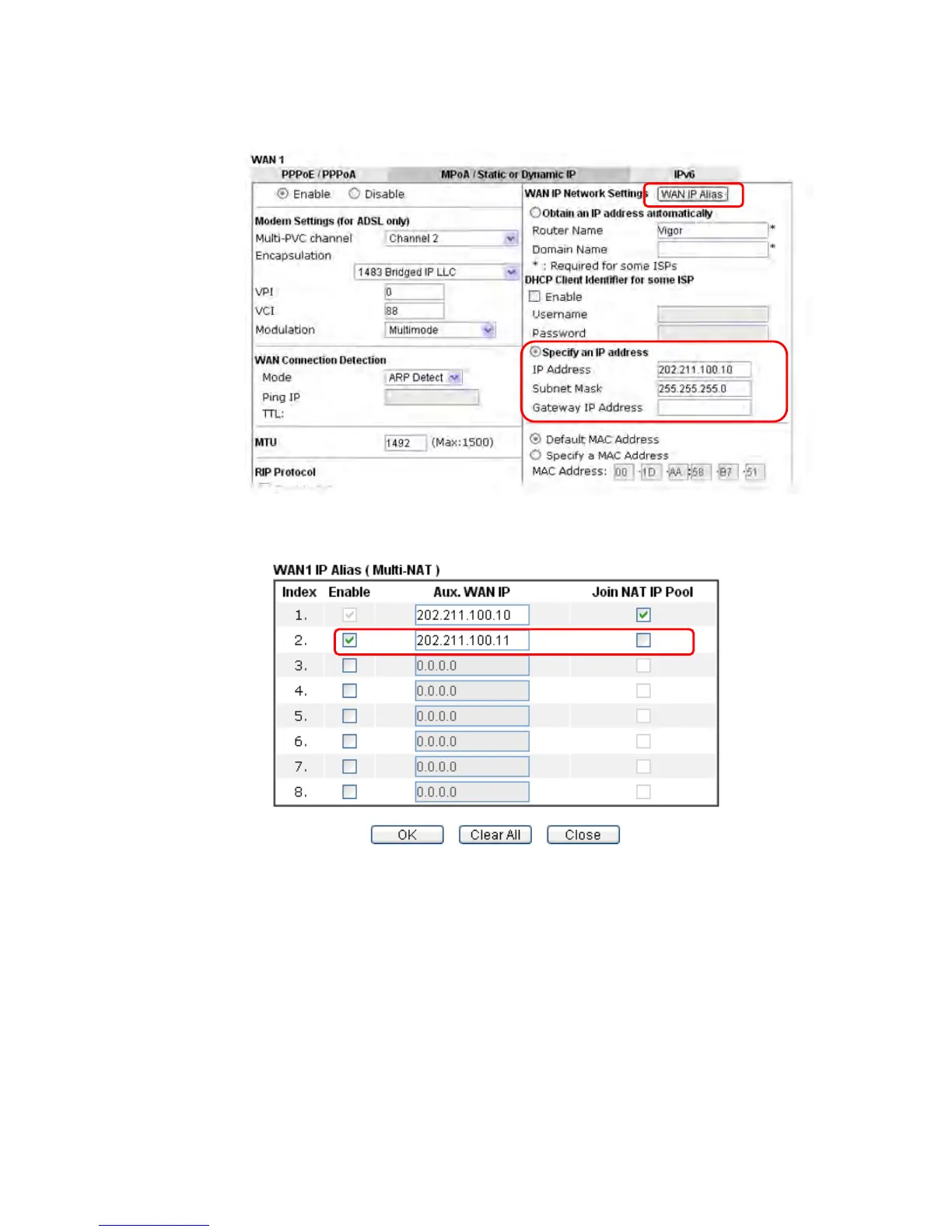
3. Click the Details Page of WAN 1 to open the following page. From the above figure, set
main WAN IP address as 202.211.100.10.
Click the WAN IP Alias button to configure the other IP address which is 202.211.100.11.
Make sure Join IP NAT Pool is not checked. Click OK to save the settings.














 To Next Page