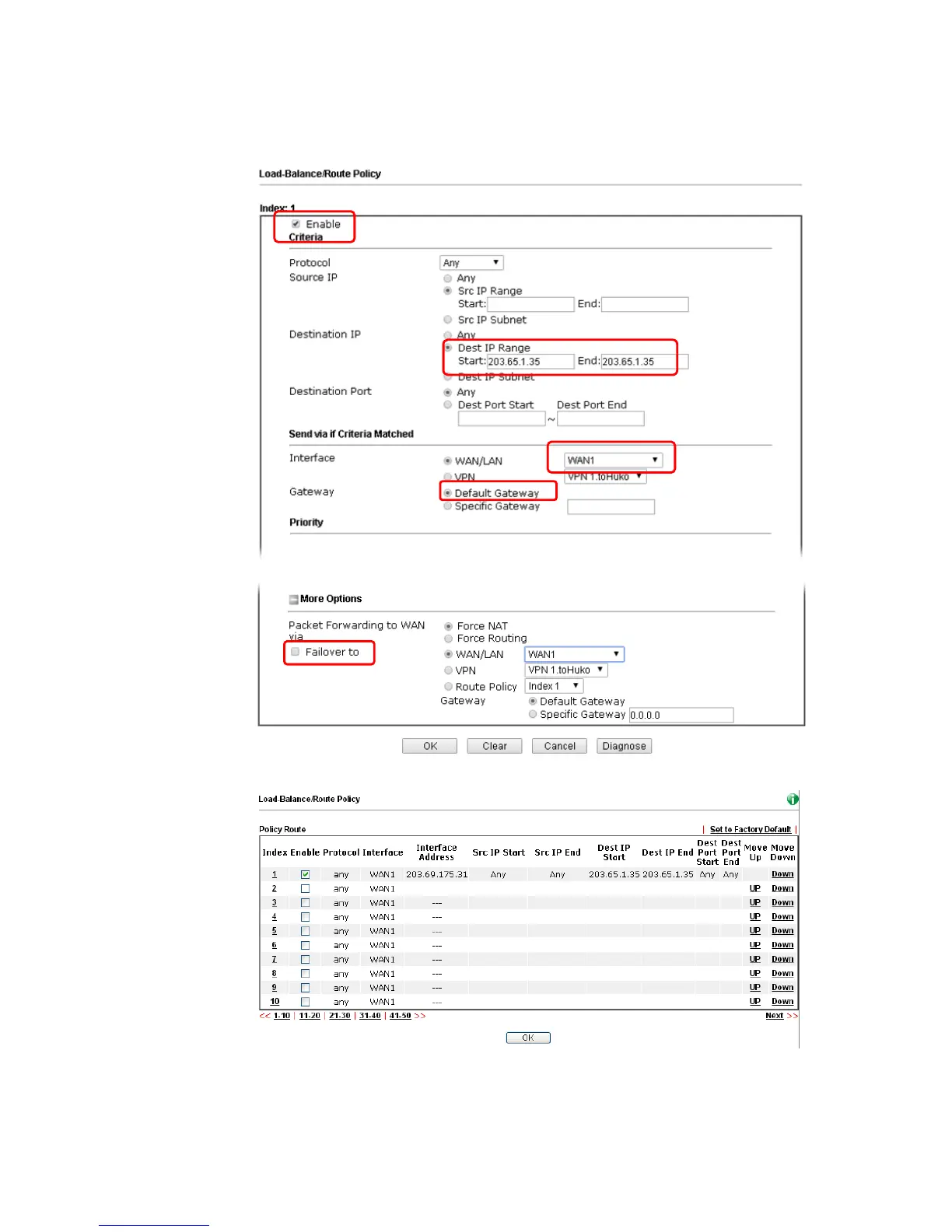
3. In the following page, check Enable; set Dest IP Start and Dest IP End with 203.65.1.35
and 203.65.1.35; choose WAN1 as the Interface; click default gateway; do not check
Failover to.
4. After finished the above settings, click OK to save the configuration.
Now, the packets sent to the remote PC (IP address: 203.65.1.35) will be forced to pass
through WAN1.














 To Next Page