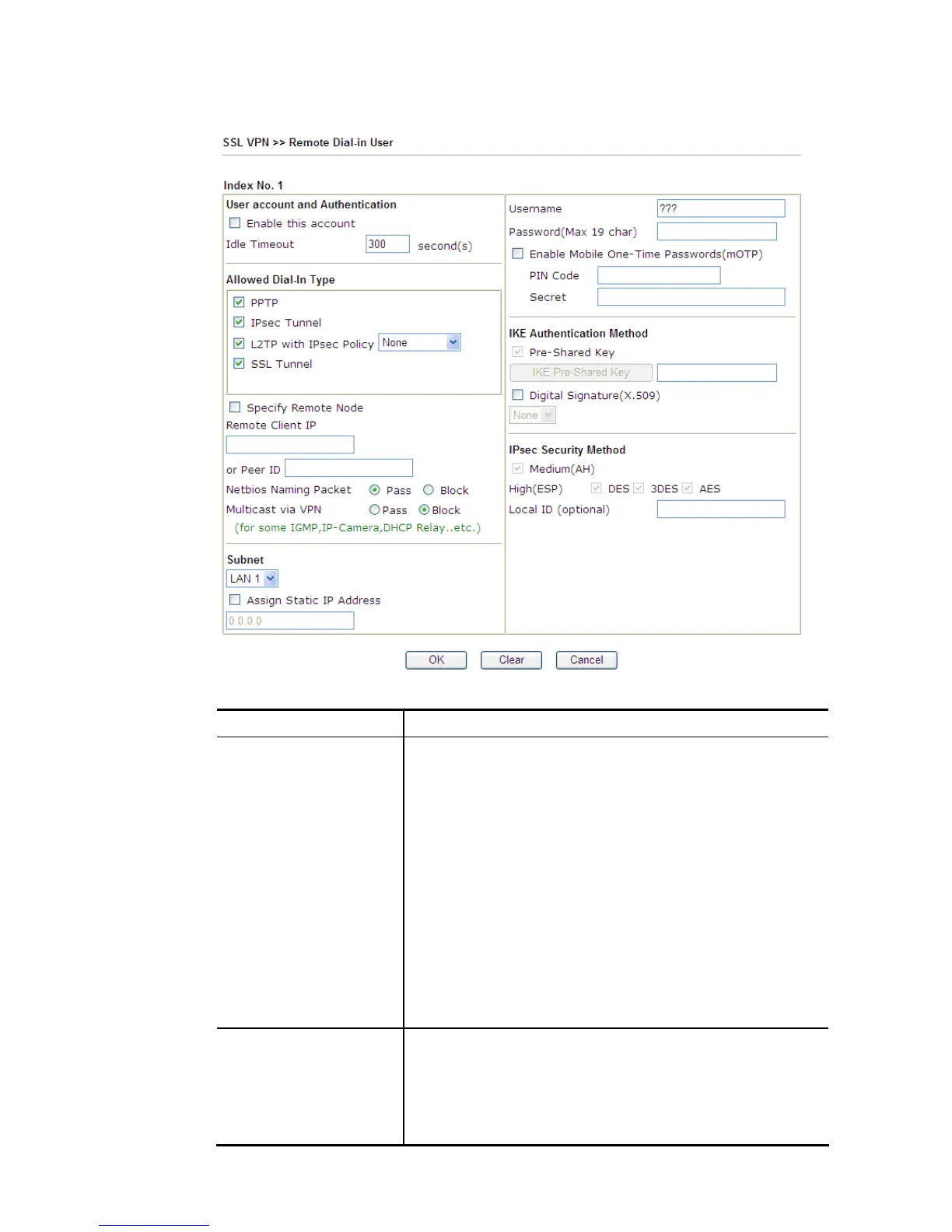
Click each index to edit one remote user profile.
Available settings are explained as follows:
Item Description
User account and
Authentication
Enable this account - Check the box to enable this function.
Idle Timeout- If the dial-in user is idle over the limitation of
the timer, the router will drop this connection. By default, the
Idle Timeout is set to 300 seconds.
User Name - This field is applicable when you select PPTP or
L2TP with or without IPsec policy above. The length of the
name/password is limited to 23 characters.
Password - This field is applicable when you select PPTP or
L2TP with or without IPsec policy above. The length of the
name/password is limited to 19 characters.
Enable Mobile One-Time Passwords (mOTP) - Check this box
to make the authentication with mOTP function.
PIN Code – Type the code for authentication (e.g, 1234).
Secret – Use the 32 digit-secret number generated by mOTP in
the mobile phone (e.g., e759bb6f0e94c7ab4fe6).
Allowed Dial-In Type PPTP - Allow the remote dial-in user to make a PPTP VPN
connection through the Internet. You should set the User
Name and Password of remote dial-in user below.
IPSec Tunnel - Allow the remote dial-in user to make an IPSec
VPN connection through Internet.
L2TP with IPSec Policy - Allow the remote dial-in user to














 To Next Page