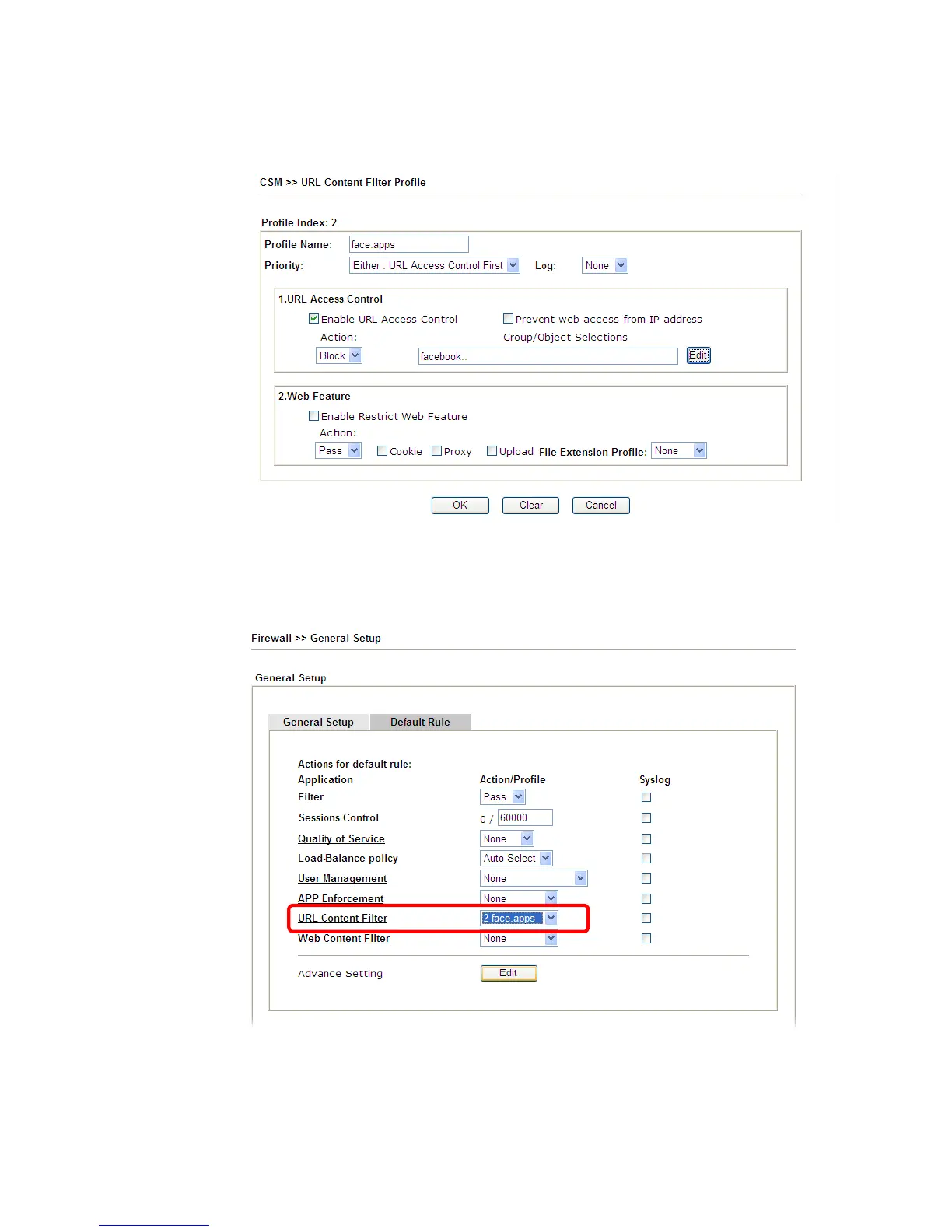
3. Open CSM>>URL Content Filter Profile. Click an index number to open the setting
page.
4. Configure the settings as the following figure.
5. When you finished the above steps, please open Firewall>>General Setup.
6. Click the Default Rule tab. Choose the profile just configured from the drop down list in
the field of URL Content Filter. Now, users cannot open any web page with the word
“facebook” inside.














 To Next Page