Next Click it to get into the next setting page.
Cancel Click it to give up the quick start wizard.
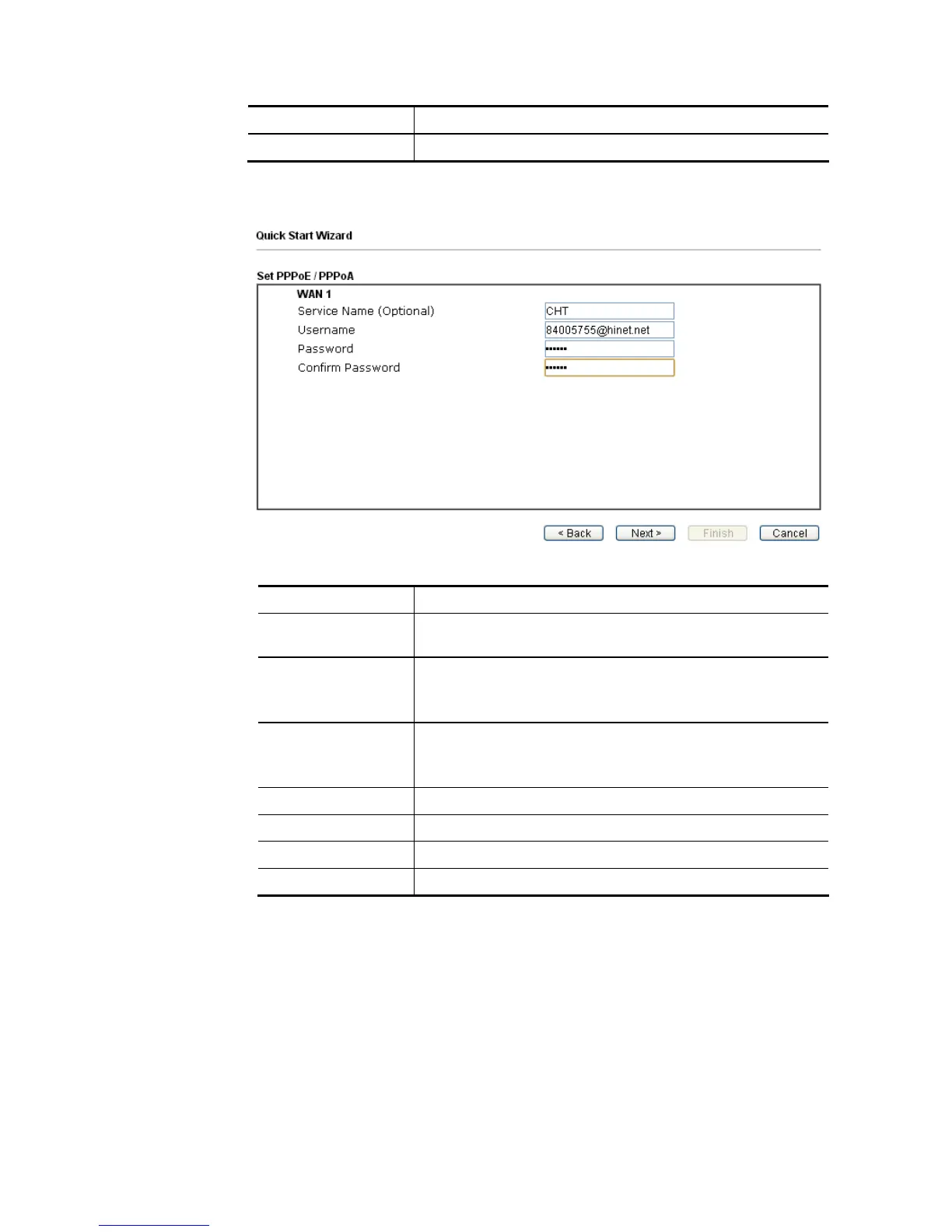
2. After finished the above settings, simply click Next. Manually enter the
Username/Password provided by your ISP
Available settings are explained as follows:
Item Description
Service Name
(Optional)
Enter the description of the specific network service.
Username Assign a specific valid user name provided by the ISP.
Note: The maximum length of the user name you can set is
63 characters.
Password Assign a valid password provided by the ISP.
Note: The maximum length of the password you can set is 62
characters.
Confirm Password Retype the password.
Back Click it to return to previous setting page.
Next Click it to get into the next setting page.
Cancel Click it to give up the quick start wizard.














 To Next Page