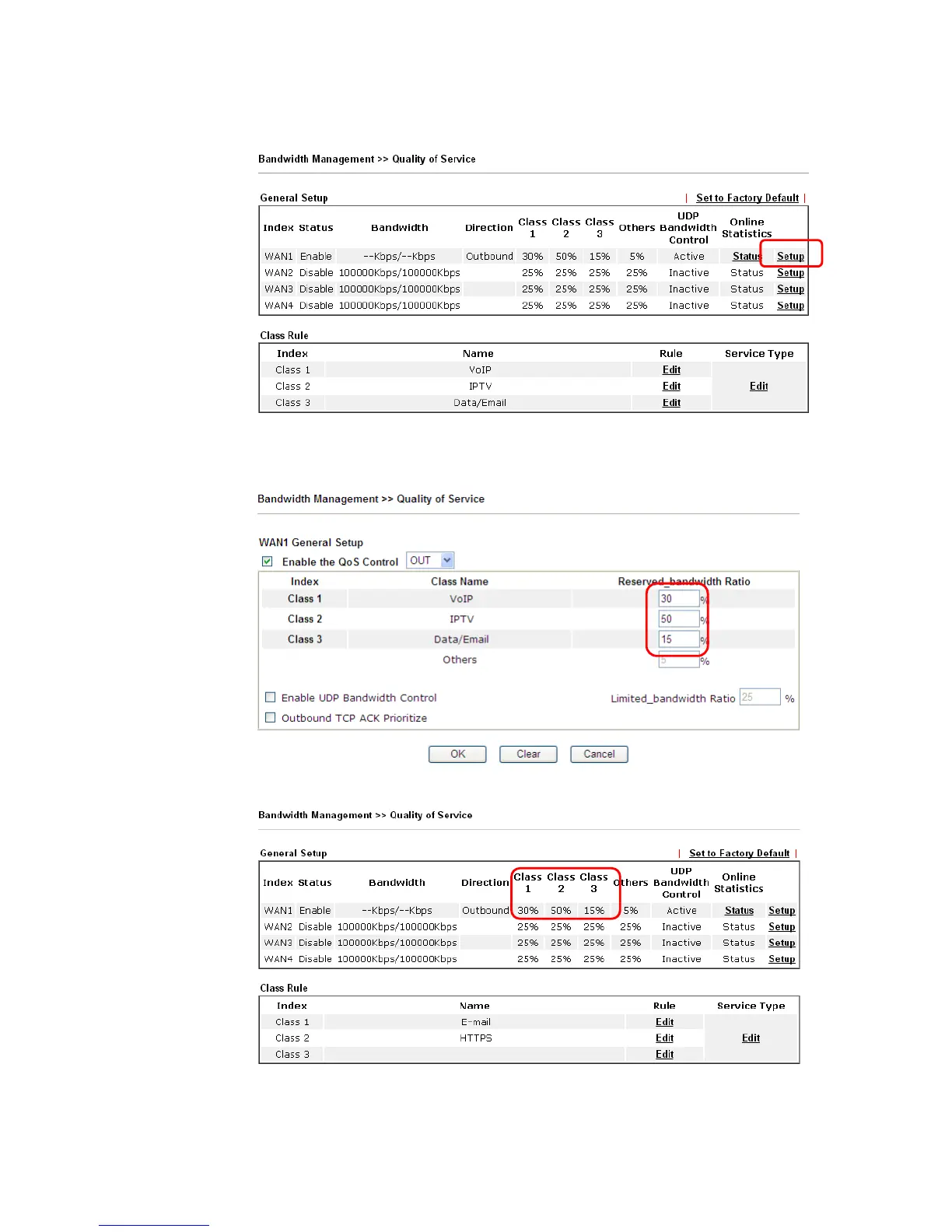
9. Assuming you get 2MB/512Kb Internet line. You can click the Setup link of WAN1 to set
up the bandwidth for different groups among VoIP, IPTV and Data/Email.
10. In the Setup page, check the box of Enable the QoS Control. Type 30, 50 and 15 in the
boxes for VoIP, IPTV and Data/Email respectively. Check the box of Enable UDP
Bandwidth Control.
11. Click OK to save the settings. The class rules for WAN1 are defined as shown below.














 To Next Page