Info The rate of outbound/inbound must be smaller than the real
bandwidth to ensure correct calculation of QoS. It is suggested to set
the bandwidth value for inbound/outbound as 80% - 85% of physical
network speed provided by ISP to maximize the QoS performance.
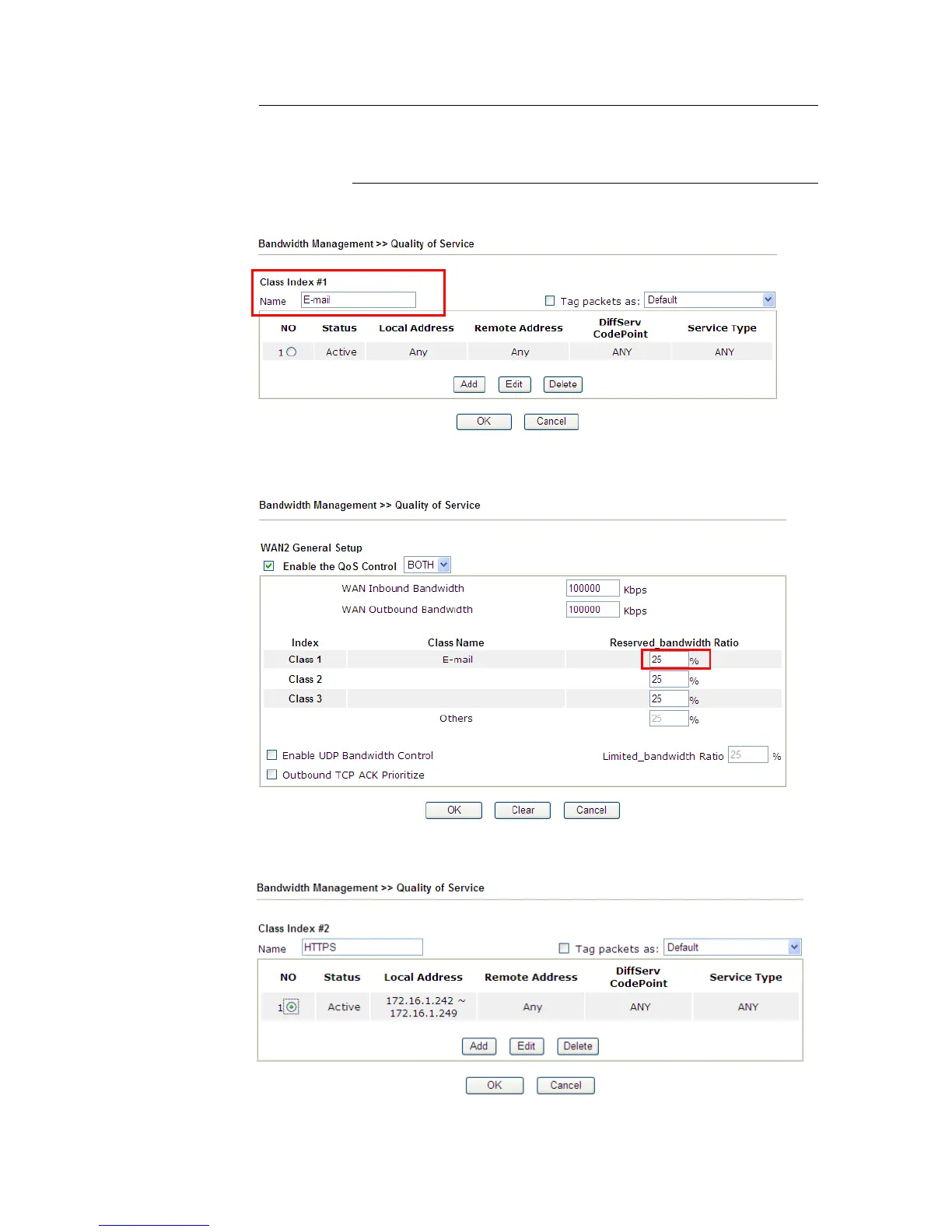
4. Return to previous page. Enter the Name of Index Class #1 by clicking Edit link. Type the
name “E-mail” for Class 1. Click OK to save the settings.
5. Click the Setup link for WAN2. The user can set reserved bandwidth (e.g., 25%) for
E-mail using protocol POP3 and SMTP. Click OK to save the settings.
6. Return to previous page. Enter the Name of Index Class #2 by clicking Edit link. In this
index, the user will set reserved bandwidth for HTTPS. And click OK.
7. Click Setup link for WAN2.














 To Next Page