E
E
t
t
h
h
e
e
r
r
n
n
e
e
t
t
W
W
A
A
N
N
2
2
-
-
P
P
P
P
T
T
P
P
/
/
L
L
2
2
T
T
P
P
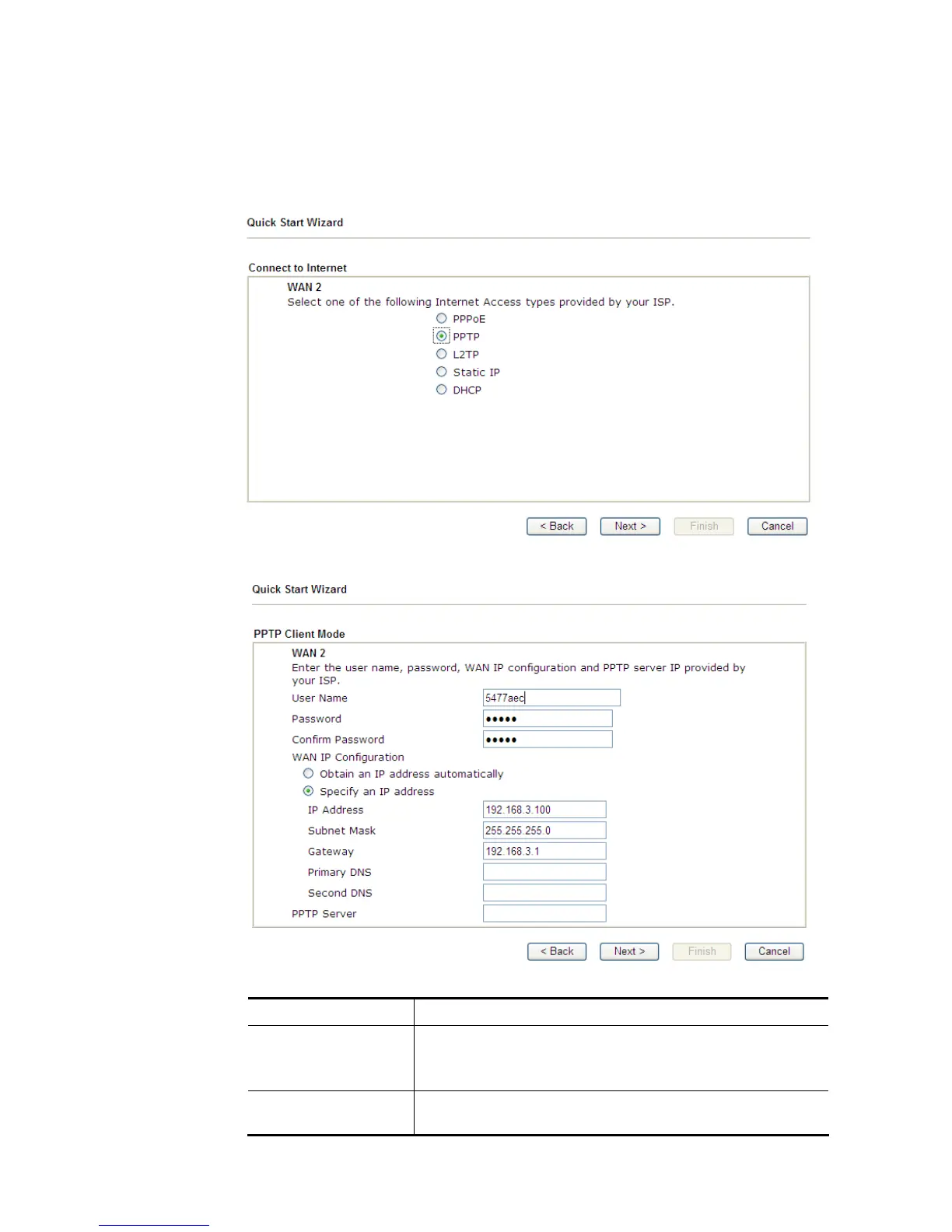
1. Choose WAN2 as the WAN Interface and choose Ethernet as the Physical Mode. Click
the Next button. The following page will be open for you to specify Internet Access
Type.
2. Click PPTP/L2TP as the Internet Access Type. Then click Next to continue.
Available settings are explained as follows:
Item Description
Username Assign a specific valid user name provided by the ISP.
Note: The maximum length of the user name you can set is
63 characters.
Password Assign a valid password provided by the ISP.
Note: The maximum length of the password you can set is 62














 To Next Page