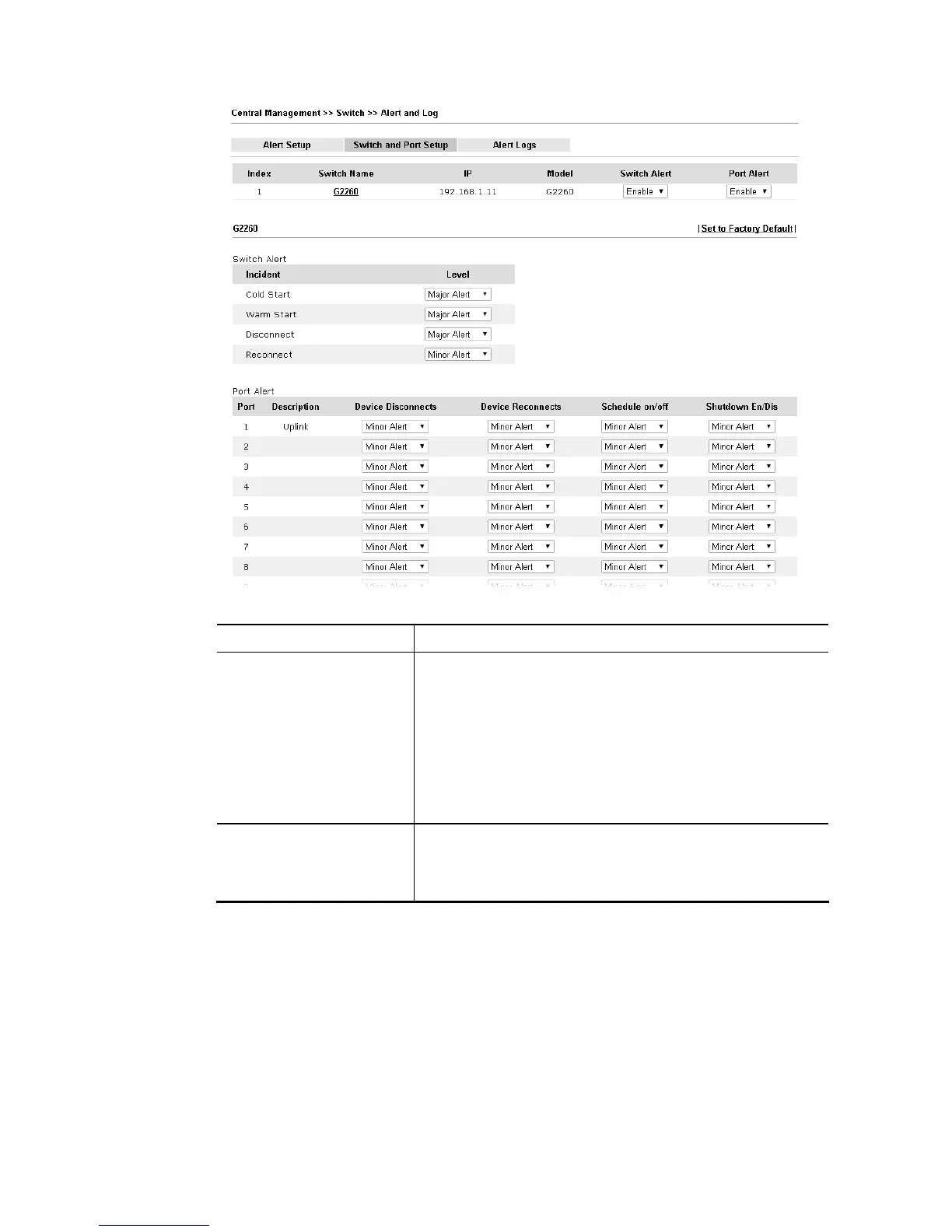
Available settings are explained as follows:
Item Description
Switch Alert When VigorSwitch encounters the following alert events,
alert mechanism will perform corresponding actions based
on the servity level of the incident encountererd.
Incident – At present, Cold Start, Warm Start, Disconnect
and Reconnect will be treated as alert events.
Level – Specify the severity level for each incident. To
defined more severity level for choosing in this page, simply
open Central Management>>Switch>>Alert and Log and
click Alert Setup.
Port Alert Port – Available Ethernet ports for the selected VigorSwitch
(e.g., G2260 in this case) will be shown on this page. Each
port can be confgiured with different alert level for diffent
alert event.














 To Next Page