Machine description
ICC424HF-CN1EN2.pdf 2012-11-23
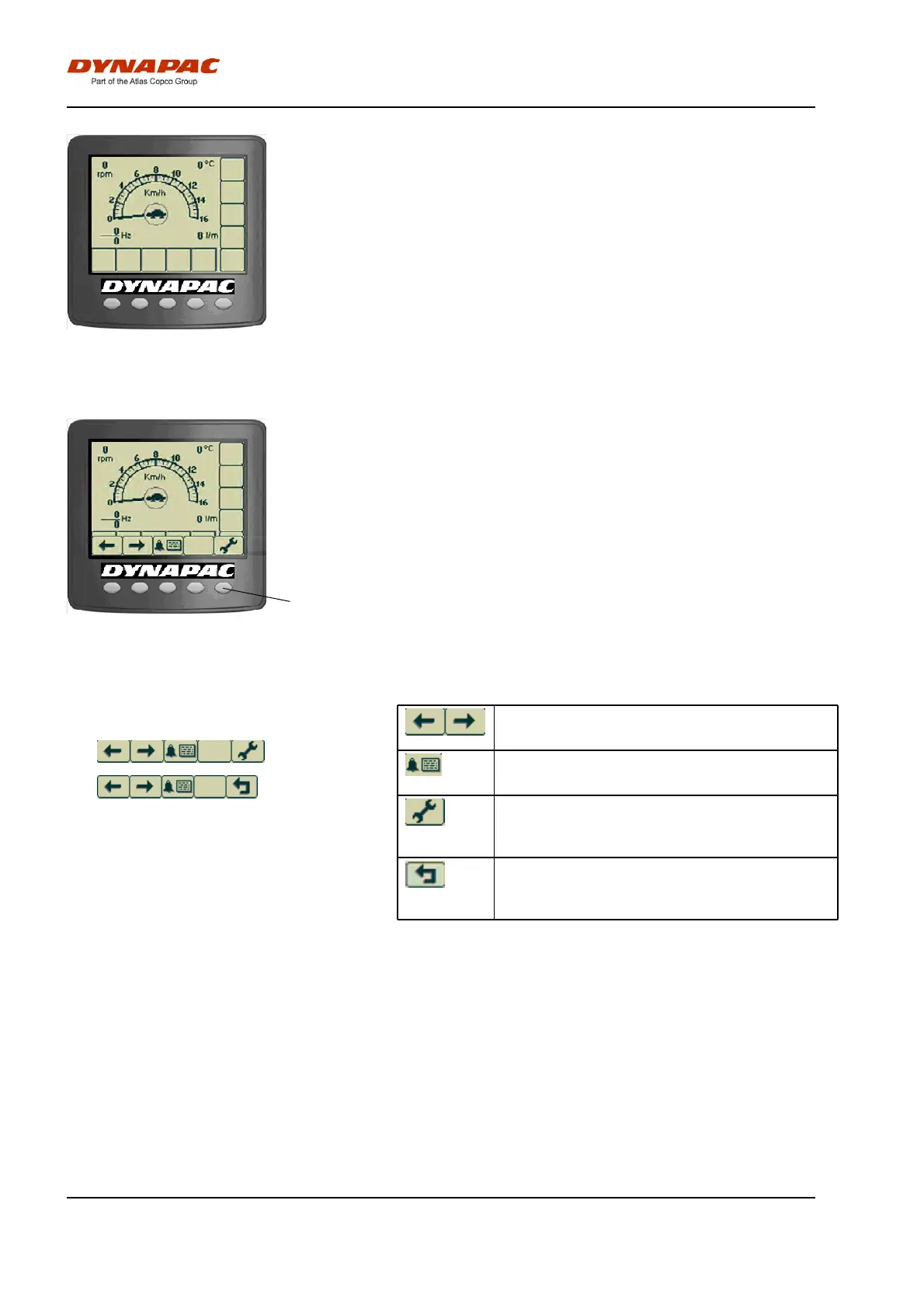
Fig. Main screen/Working screen
If the engine is started before any active screen choice
is made the display will switch over to main screen.
This screen gives an overview and is kept during work:
- The speed is shown in the middle of the screen.
- The engine speed, vibration frequencies for forward
and reverse (Option), strokes/meter - Impactometer
(Option), and asphalt temperature (Option), are shown
in the corner.
1
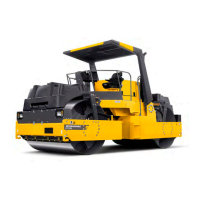
Fig. Main screen/Working screen with
menu selection buttons (1)
A menu field is shown by pressing one of the menu
select buttons. The field is visible for a short while, if
no selection is made the field fades out. Menu field will
appear again upon pressing either one of the selection
buttons (1).
Example of menu field.
Scroll/Selection buttons to choose
between available functions.
Scroll/Selection buttons to choose
between available functions.
Alarm log button to display engine and
machine alarms.
Alarm log button to display engine and
machine alarms.
Settings/Button select menu, which opens
the main menu. Settings can be changed
in the main menu.
Settings/Button select menu, which opens
the main menu. Settings can be changed
in the main menu.
Exit/Return button returns 1 step at once.
Pressing the button (approx. 2 sec.)
displays the main menu again.
Exit/Return button returns 1 step at once.
Pressing the button (approx. 2 sec.)
displays the main menu again.
30


 To Next Page