6 PKE-SWD-CP, Connection for circuit-breaker PKE
6.2 Surface mounting
140 SmartWire-DT module IP20 01/20 MN05006001Z-EN www.eaton.com
6.2 Surface mounting
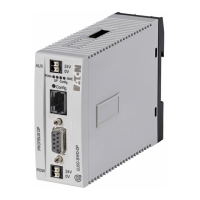
Figure 56: Connections PKE-SWD-CP
a Connection of SmartWire-DT external device plug
b Diagnostics LED
c Engagement hook for connecting to PKE basic device
d Data interface for PKE trip block
The SmartWire-DT external device plug with an installed SmartWire-DT rib-
bon cable is plugged into the PKE-SWD-CP module using connector a.
Diagnostic LED ② indicates the module’s communication status to the
SmartWire-DT system and the communication state to the PKE trip block
(→ Section 6.7, „Device status“, page 144).
The PKE-SWD-CP is fixed to the corresponding basic devices PKE with the
engagement hook ③. This must be operated before the PKE-SWD-CP is
removed. When installing the PKE-SWD-CP, the PKE basic device must not
be fitted with a PKE trip block.
PKE-SWD-CP and PKE trip block communicate through the data interface ④.
→
For detailed instructions on how to connect the SmartWire-DT
external device plug (SWD4-8SF2-5) to the 8-pin SmartWire-DT
ribbon cable, refer to the "Mount the external device plug" sec-
tion in manual MN05006002Z-EN (previously called AWB2723-
1617en).


 To Next Page
 Loading...