7 Pilot devices M22-SWD…
7.2 M22-SWD front mount
156 SmartWire-DT module IP20 01/20 MN05006001Z-EN www.eaton.com
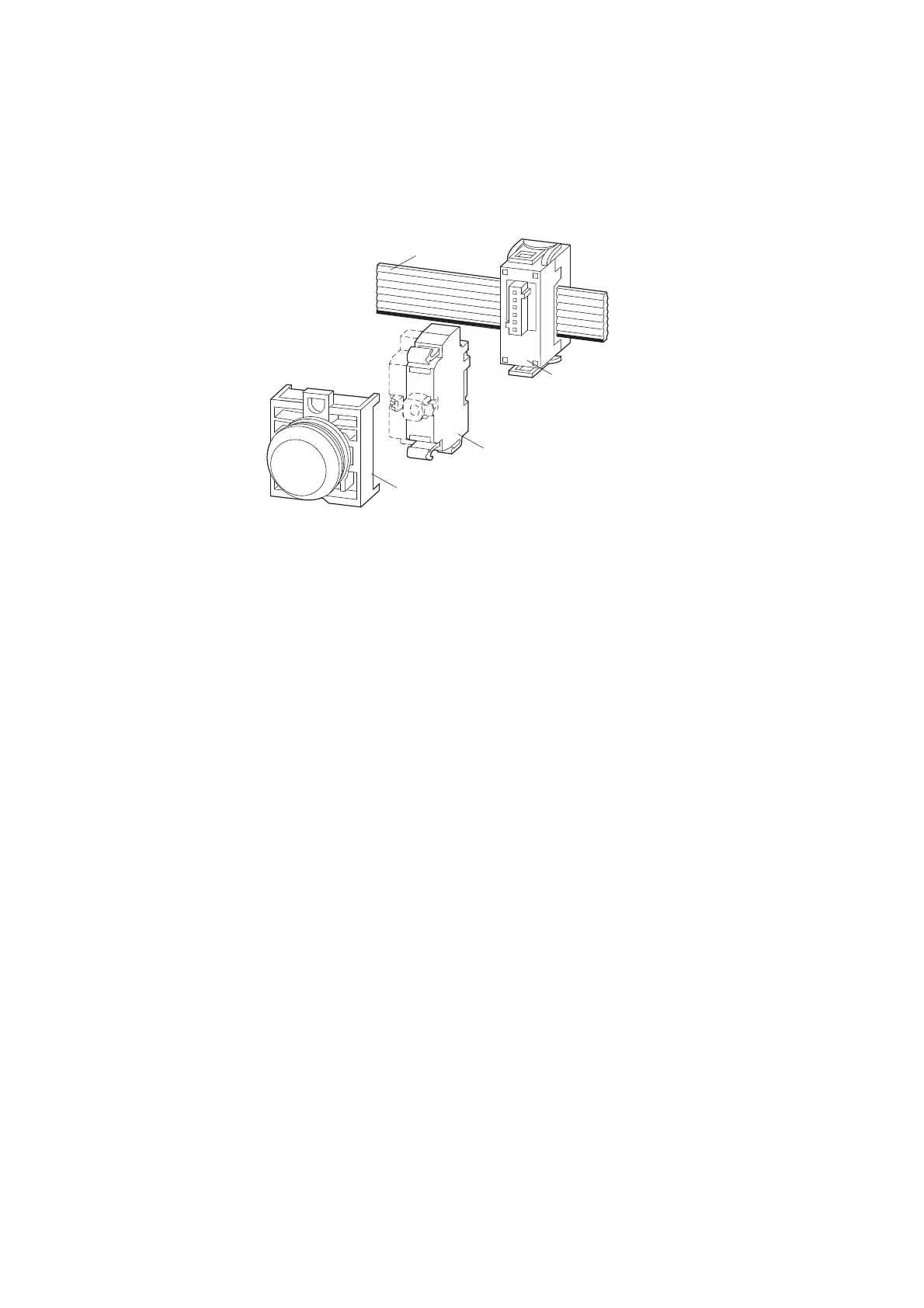
7.2.1 Surface mounting
Figure 57: Layout M22-SWD front fixing
7.2.2 Engineering
The SmartWire-DT front function elements are used instead of the previous
M22-K10-/K01 contact elements and the corresponding M22 LED....indicator
elements. The previous elements for the control circuit function are used on
the front.
One SmartWire function element is used per M22-A adapter. Mounting is
always performed in the middle position. Correspondingly more efficient
function elements are used for the combined functions of a luminous com-
mand device or for the realization of a multi-step switch. An illuminated push-
button, which previously had to be realized as a combination of several ele-
ments, can now be realized simply by means of one combination element
(LED indicator + contact element = M22-SWD-K11LED).
7.2.2.1 M22-SWD-K11
This function element replaces the previous contact elements M22-K10/K01.
It provides a changeover contact by means of which both a breaker and
maker function can be realized. The previously possible “piggy-back” combi-
nation consisting of an M22-K01 and -K10 element can also be replaced by a
single M22-SWD-K11 element. The function element is used in combination
with M22 (pushbutton) actuators.
M22-SWD-K…
M22-SWD-LED…
M22-SWD-NOP
M22-SWD-R
SWD4-8SF2-5
M22…
SWD4-…LF…
→
Further M22-K10-/01 contact elements can be installed here in
the free location of the M22-A adapter.
A possible application is, for example, conventional switching
via an M22-K... contact element and the reporting of this pro-
cess to the PLC via the M22-SWD-K11 function element.


 To Next Page
 Loading...