WaveRIDER 35
4.2.3 Data Coloring and LSL / USL
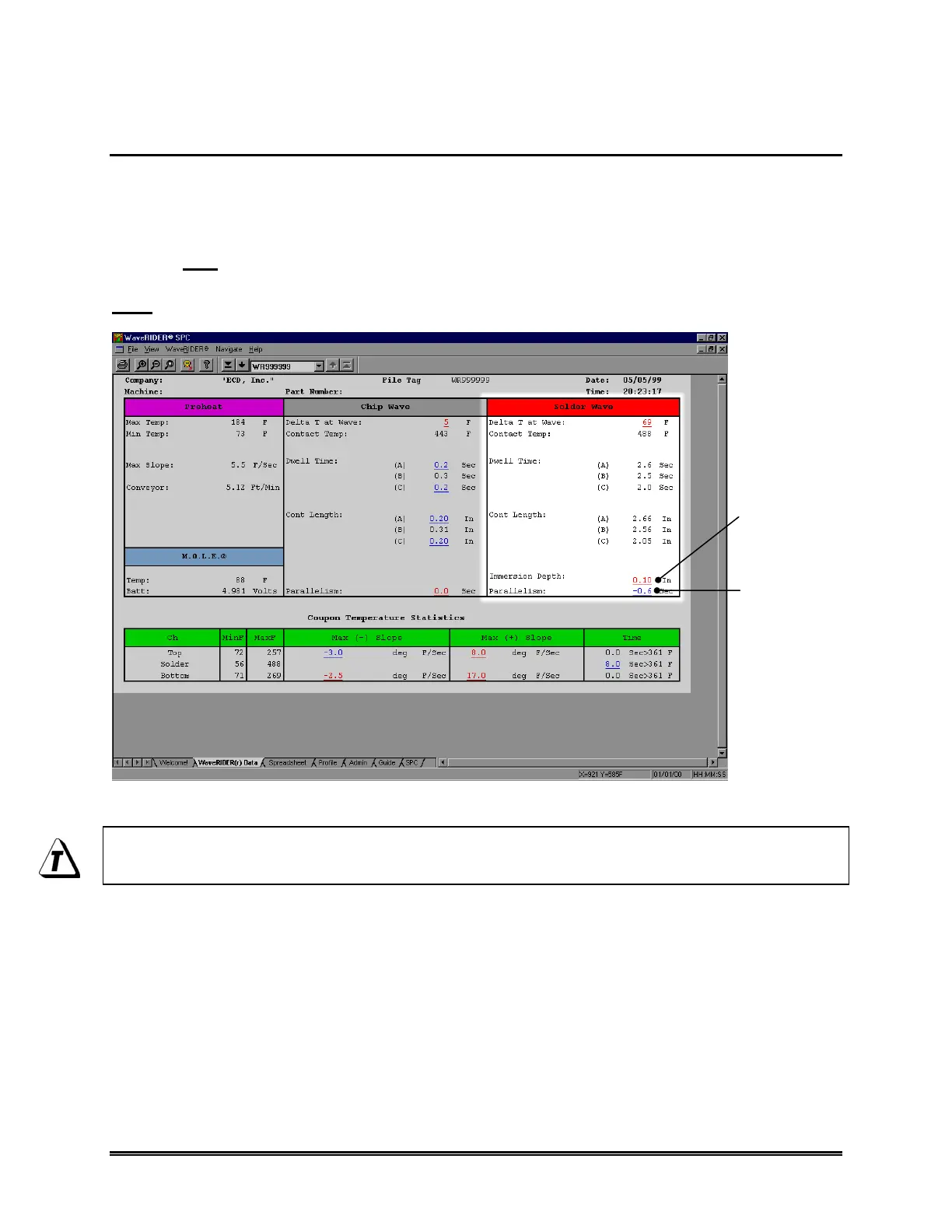
The parameter data and the user specified LSL (Lower Specification Limit) and USL
(Upper Specification Limit) text fields on the Admin (Administration) worksheet are
linked to indicate that a parameter has exceeded a user specified specification limit. If a
USL has been exceeded, that parameter will be underlined and appear on the Data
sheet in Red (indicating it is above the specification limit). If a parameter is less than the
user specified LSL, that parameter will be underlined and appear in the Data sheet in
Blue (indicating below the specification limit).
Figure 4- 7: Data Coloring
See section 4.5.4 Specification and Control Limit Cells for information on how to
enter user LSL and USL values.
EXCEEDED LSL
PARAMETER (BLUE)
EXCEEDED USL
PARAMETER (RED)



 To Next Page