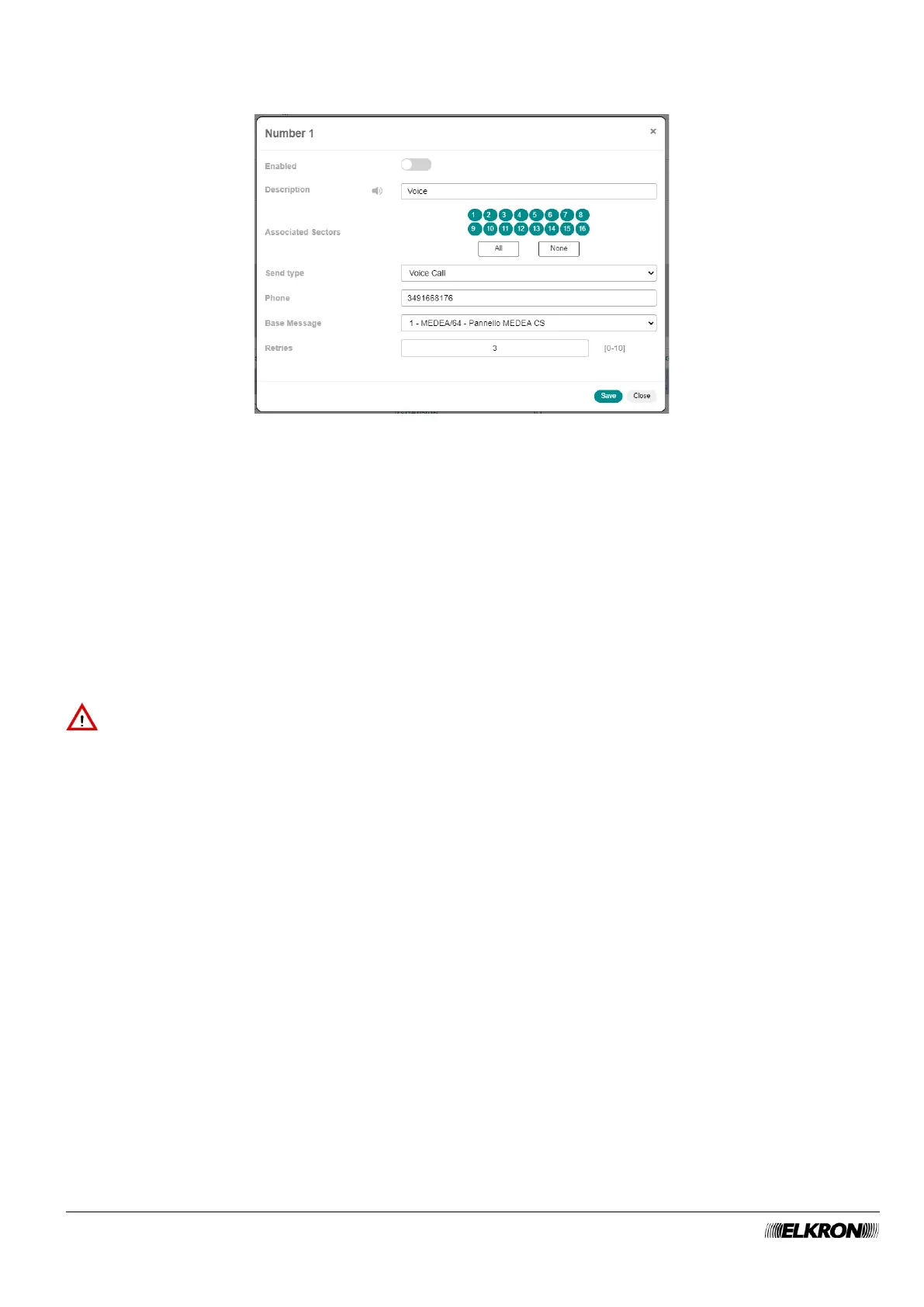
Double-click on the phone number line to open a pop-up window. The number and type of parameters in
the window changes according to the selected Format.
Figure 64 - Telephone number customisation
In the pop-up window you can:
• Enable and disable the phone number (Enabled).
• Enter the identification label of the telephone number in Description
• Associate sectors with the telephone number (Associated Sectors), by selecting them one by one or
selecting them all by clicking the All button. The None button deletes all associations. To delete a
single association, click on the sector number.
• Enter the phone number (Phone). Valid characters: numbers and +. Do not insert spaces.
• Choose the message (Base Message) used at the beginning of each text or voice message you send.
• Define the number of call attempts (Retries) to be made on the number.
If Contact-ID was chosen as Format, then instead of the Contact-ID parameter the Base Message
parameter will be shown, where to insert the identification code of the control panel.
IMPORTANT! Events can only be sent using the Contact-ID protocol if the ILT700PSTN module is
present and correctly connected to the telephone network.



 To Next Page