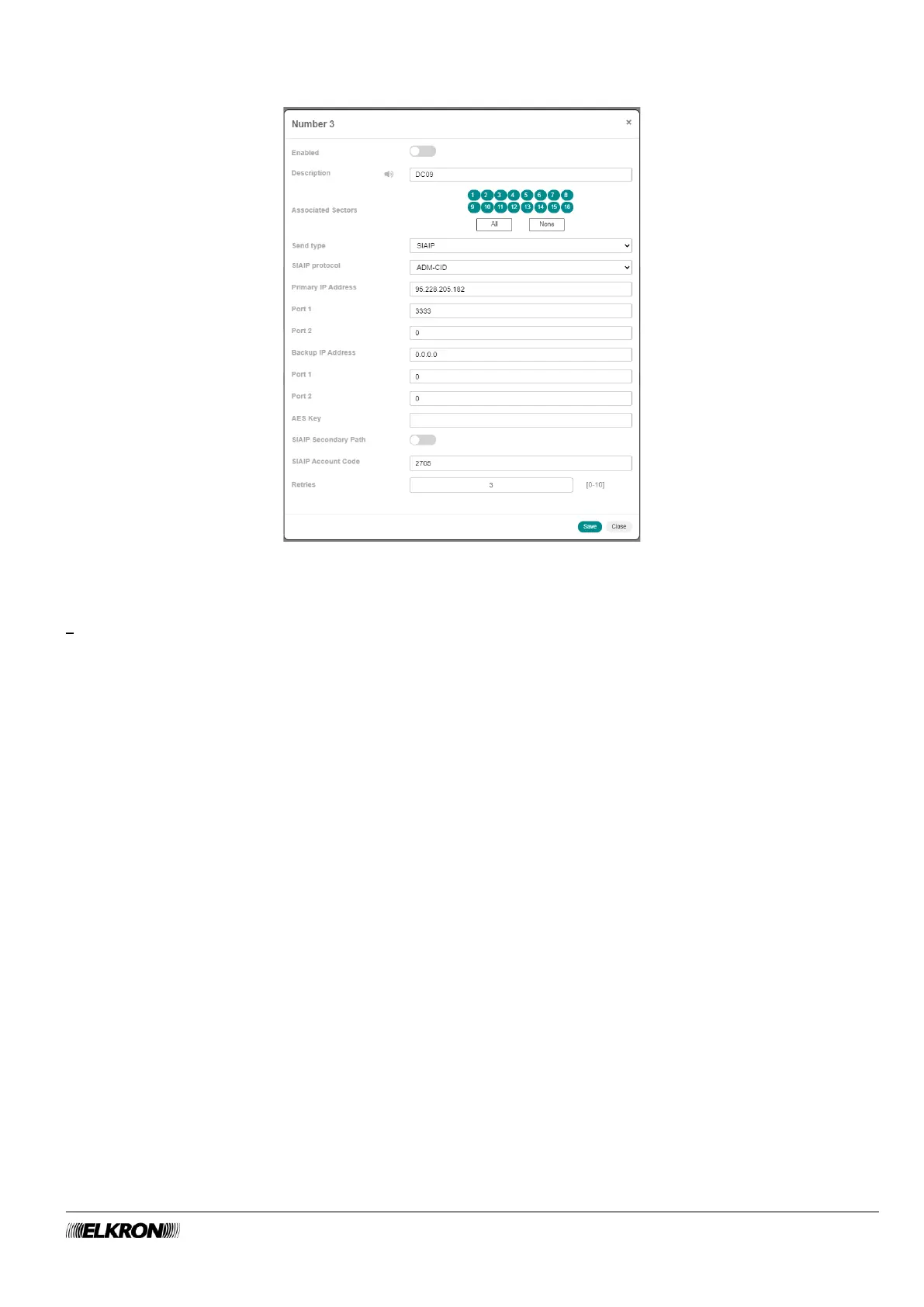
If SIAIP is chosen as Format the pop-up window becomes:
Figure 65 - Telephone number customisation for SIAIP
The new parameters can be used to:
• Define the Protocol SIAIP to be used.
• Enter the primary IP Address.
• Enter the port value (Port 1) for the primary IP address.
• Enter the port value (Port 2) for the primary IP address.
• Enter the Backup IP Address. This address is used if the primary IP address is not reachable.
• Enter the port value (Port 1) for the secondary IP address.
• Enter the port value (Port 2) for the secondary IP address.
• The encryption key (AES Key) of the transmitted data.
• Enable or disable the secondary IP address (SIAIP Secondary Path)
• Enter the code (SIAIP Account Code) with which the MEDEA control panel is recognised by the SIA
server.
This information is provided by the security company that will carry out the service.
Click on the Save button to save the changes, the Close button to close the window and not save the
changes.
The following buttons appear under the table:
• Modify: This can be used to edit telephone number highlighted in the table.
• CSV: This can be used to telephone number table to a “.csv” file, which can be opened with a
spreadsheet.
• PDF: This can be used to export the telephone numbers to a PDF file.
The < and > buttons at the bottom right are used to navigate between the pages of the telephone numbers,
if their number is greater than the number that can be displayed in a single screen.



 To Next Page