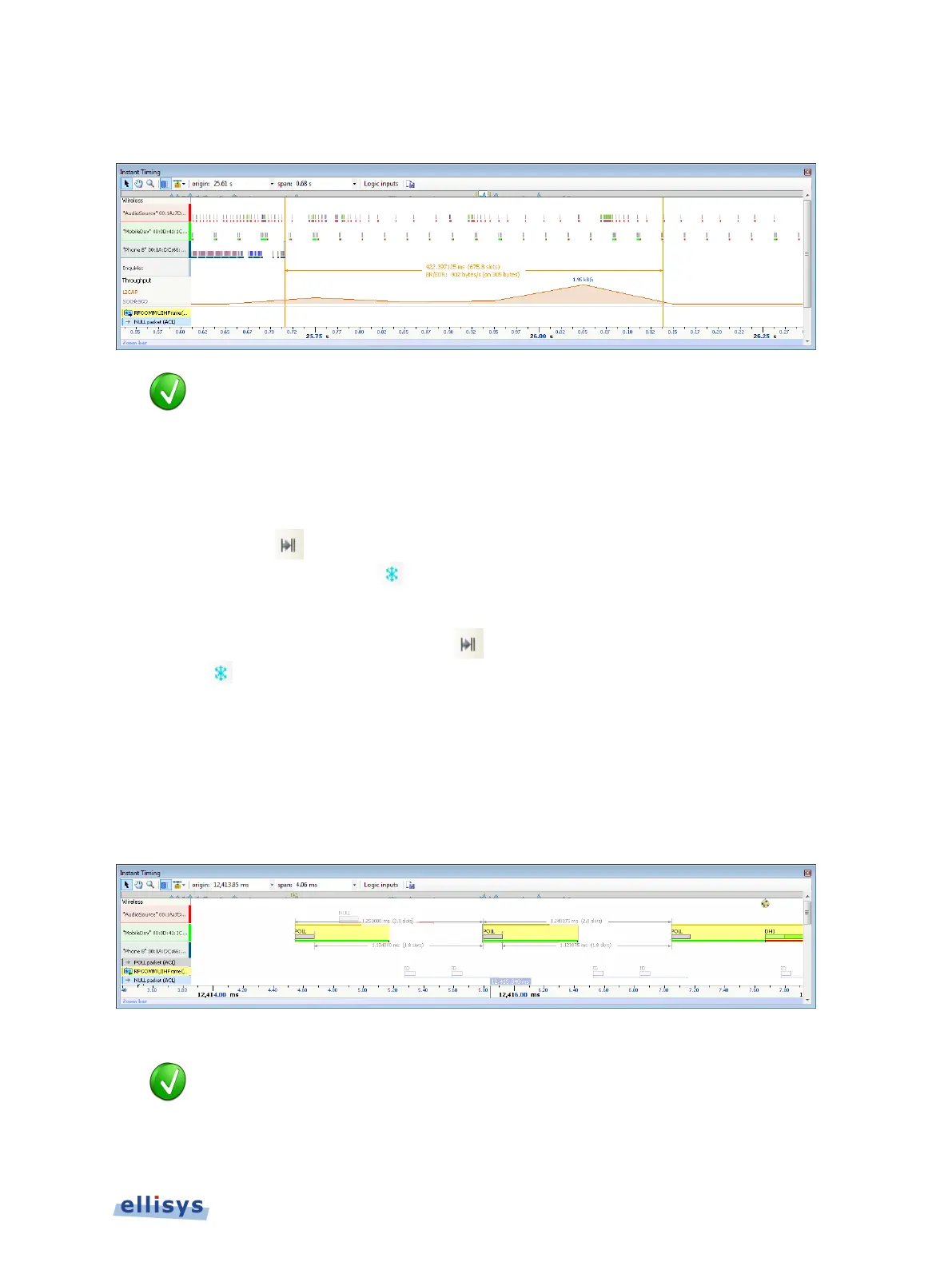
The time between the cursors is displayed along with an equivalent slot number count. A count
of payload is also provided:
The vertical position of the displayed timing information, including the
horizontal arrows, can be changed by selecting the i
nformation with the mouse
pointer, then dragging to the desired position.
To add additional cursors:
1. Right click over an existing set of timing cursors.
2. Select Duplicate
to make available another set of cursors with the exact time spread
as the original, or select Freeze to fix the current cursor and enable placement of
another cursor set as desired.
A new set of cursors appears (with Duplicate selected) and can be placed as desired.
With Freeze selected, the original cursor set is grayed out and new cursors can be installed
as described above.
To enable automated slot timing indicators:
1. To enable the automated slot timing measurement, place the mouse over any packet.
2. The number of slots from one packet to the next and to the previous (within the same
horizontal by-master line) is indicated in grey text, along with timing in seconds.
To make time measurements using the A-B cursors:
-
B cursors are especially useful when the two events being measured are
far apart
, such that one cursor can be set, then the user can scroll
or otherwise
navigate as needed to the other event to set the second cursor.
Instant Timing Pane | 119 of 201



 To Next Page