12. Instant Channels
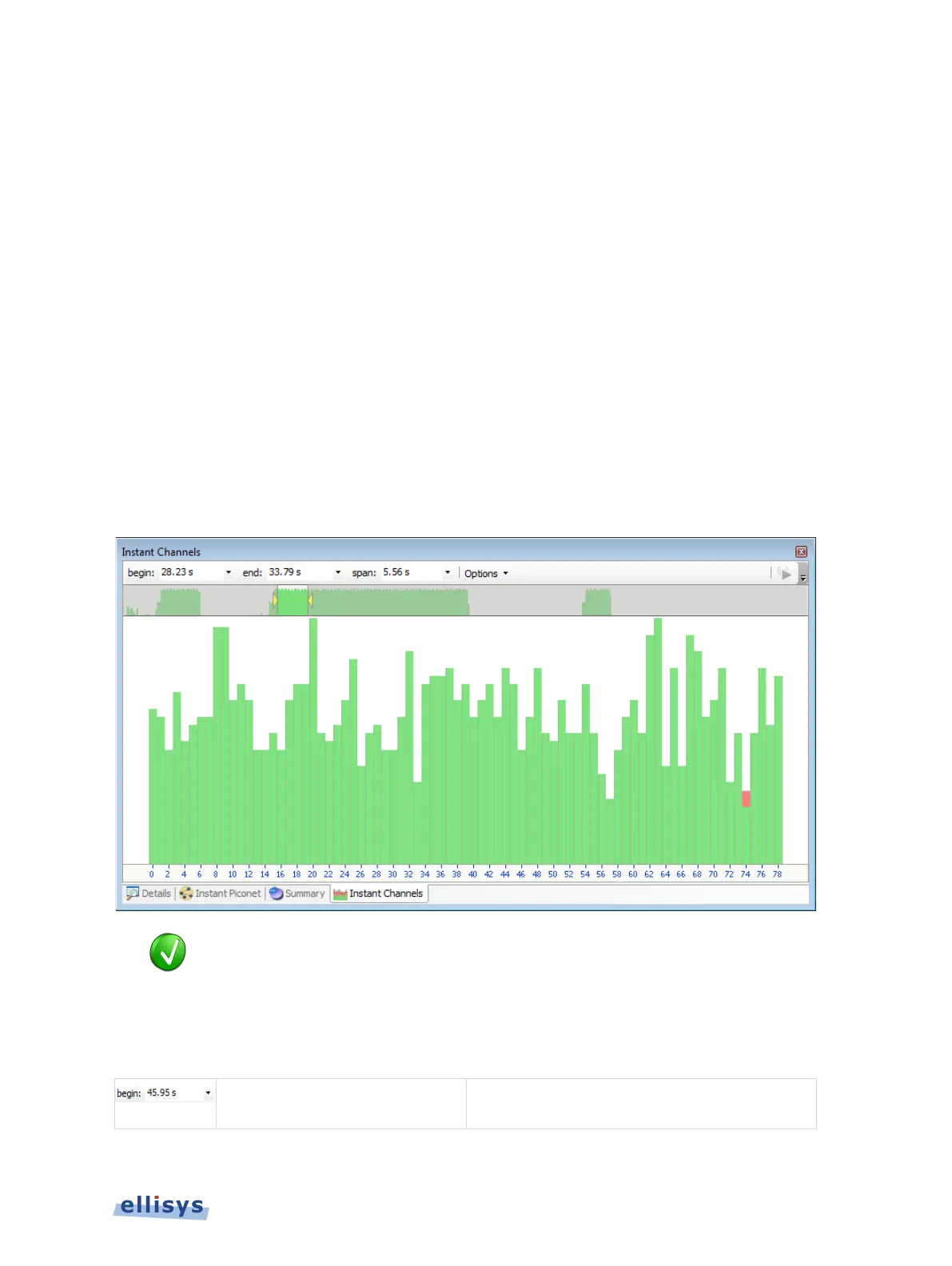
The Instant Channels feature provides visual and statistical analyses on various per-channel
transmission characteristics, including packet retransmissions, header errors, and payload
errors.
The Instant Channels pane includes a Navigator bar, which allows for global pan and zoom to
traffic concentrations of interest.
Each Bluetooth channel (0 through79) is listed across the bottom of the Instant Channels pane,
increasing left to right. A histogram is associated with each channel and is color-coded to
indicate OK packets (green), retransmissions (blue/original packet transmission and
grey/retransmitted packet), and packet header and payload errors (red).
To access the Instant Channels pane:
1. Select View | Instant Channels from the menu
The Instant Channels pane appears:
Instant Channels feature will track all packets from all devices being
isplayed in the application. To narrow the Instant Channels display down to
specific devices, use a Device Filter to show only the devices of interest. See
Section 8.4 Device Traffic Filter for more information on filtering the display.
12.1 Users Controls and Toolbar
Navigator
selection and can also be used
to manually enter a timestamp origin.
Instant Channels | 161 of 201



 To Next Page