Analyzer User Guide
7.7 Search Features
Several search features are provided to enable searching the selected Overview. These include
Instant Search, a configurable search menu, and several Go-To features.
To enable the Instant Search:
1. Type the text string desired in the Instant Search box located at the top-right of the
selected Overview, or select Search | Instant Search (Ctrl+I) from the menu to place the
cursor in the Instant Search box.
2. Select ENTER.
The line where the string is found is highlighted in the Overview.
.
Use commas to separate multiple search values. Wildcards (*) can be used.
To use the Search menu:
1. Right-click in the Overview and select Search or select Search | Search (Ctrl+F) from the
menu.
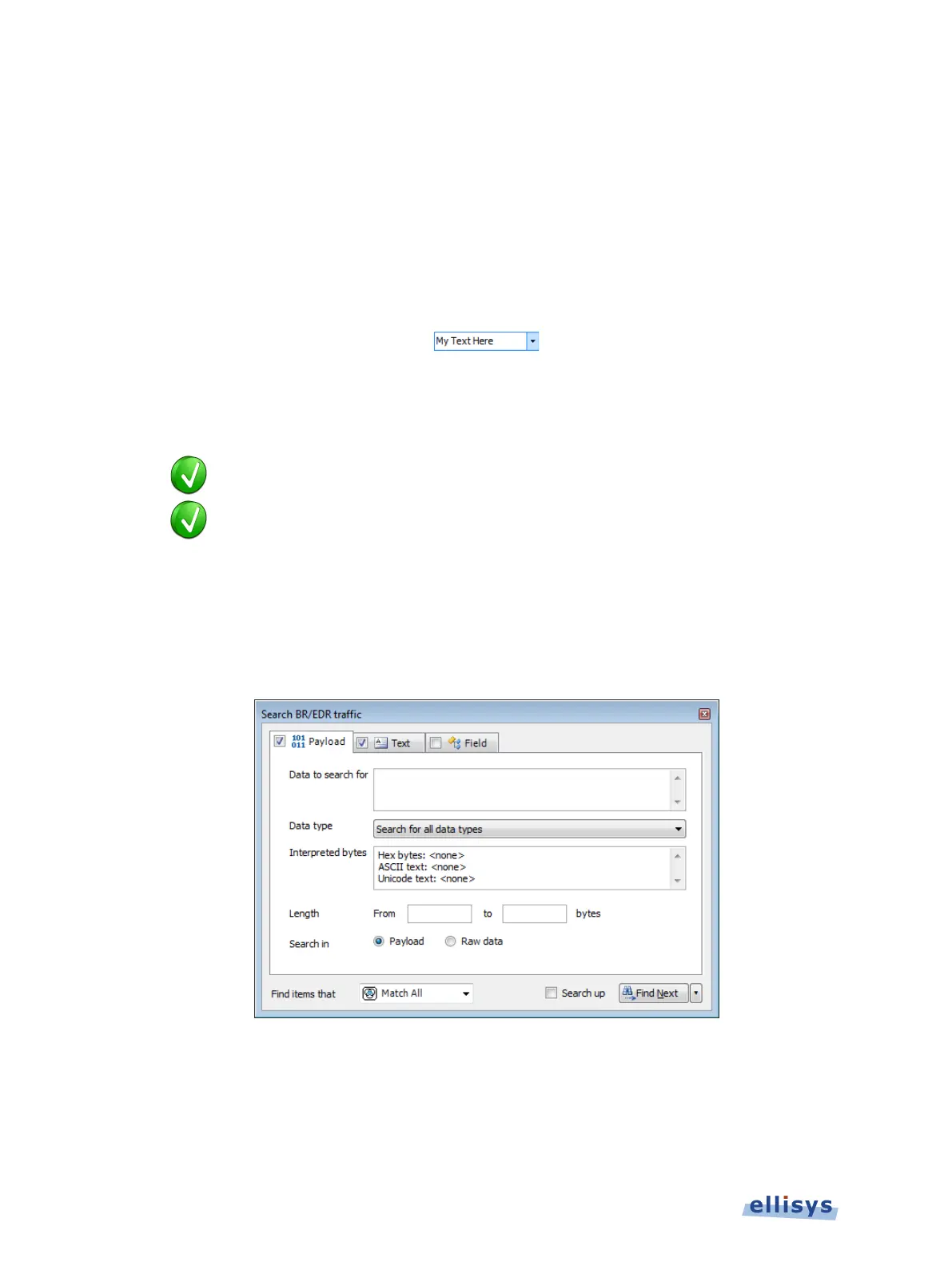
The Search Bluetooth dialog appears:
To search events by payload content:
1. Select the Payload tab.
2. Enter Data to search for and/or a payload Length range.
90 of 201 | Overview Windows



 To Next Page