are also other conditions related to RSSI, de
-whitening, HCS, FCS, decryption.
8.5 Instant Timing Display Filter
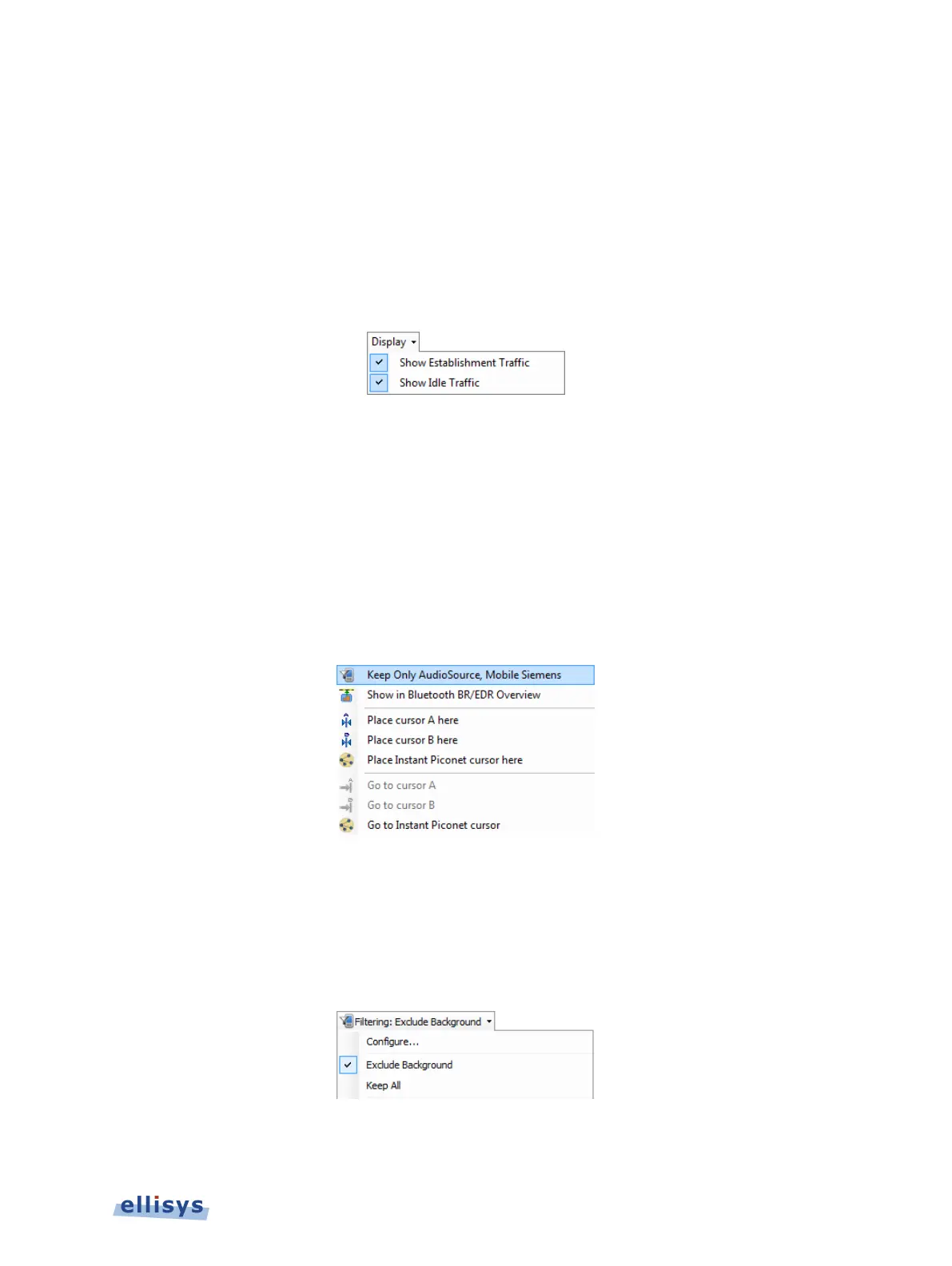
The Instant Timing pane (see Chapter 9, Instant Timing Pane) includes display filters for
show/hide of Establishment Traffic (inquiries, paging events, and advertisements) and
show/hide of Idle Traffic (ID packets, Null, Poll packets or empty packets). These filters are
available from the Display button located on the Instant Timing toolbar, below. This filter
applies only to the Instant Timing pane.
8.6 Instant Timing Keep-Only Filter
The Instant Timing pane provides a convenient Keep-Only filter that allows the user to select
specific communications for display throughout the application, while hiding all other
communications.
To enable the Instant Timing Keep-Only filter:
1. Select a packet in the desired piconet line in the Instant Timing pane.
2. Right-click and select the Keep Only option, as shown below.
All panes in the application update to show only the selected communications.
To clear the Instant Timing Keep-Only filter:
1. Select the down-arrow associated with the Filtering button on the Tool Bar.
The Filtering menu appears:
2. Select Exclude Background.
Display Filters | 109 of 201



 To Next Page