Analyzer User Guide
16. Instant Piconet Pane
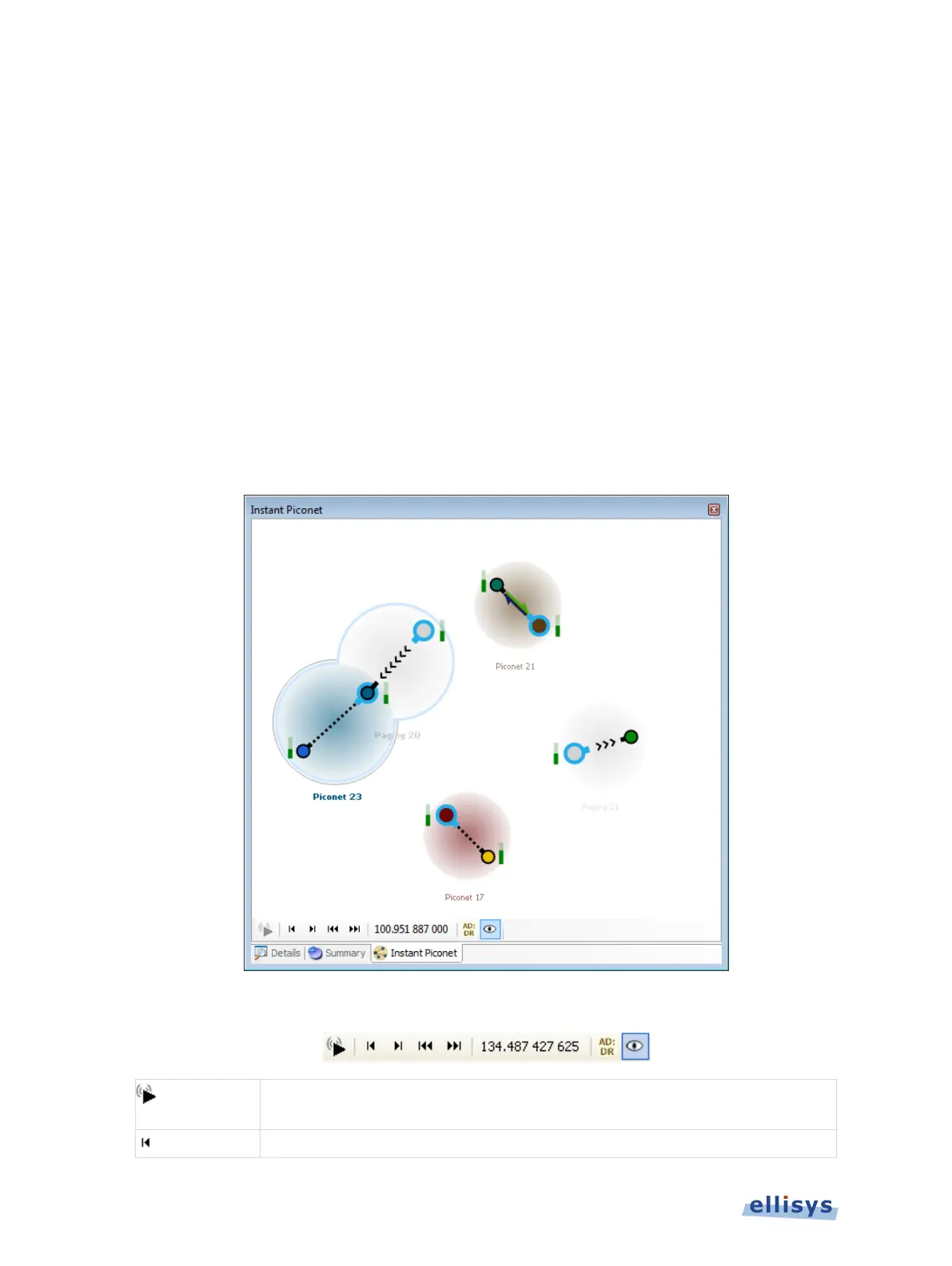
The Instant Piconet pane provides an instantaneous, dynamic, and graphical depiction of
Bluetooth devices, events, and topologies captured by the analyzer. The Instant Piconet pane
updates as traffic is captured, and can also be used on saved captures to step through topology
changes.
Features are provided to show/hide labels (BD ADDR, LMP name, or user-defined name) and to
show/hide broadcast events. Mouse fly-over will present master/device information. A
selectable timestamp is provided to force the Overview to align to the present Instant Piconet
location.
To access the Instant Piconet pane:
1. Select View | Instant Piconet from the menu.
The Instant Piconet pane appears:
Instant Piconet pane toolbar:
live. Instant Piconet tracks topology while capturing.
Note: When active, Instant Piconet cursor in Instant Timing is disabled.
176 of 201 | Instant Piconet Pane



 To Next Page