If a recording is initiated without having first selected an analyzer, the
Available analyzer
s
dialog will pop up to request the user to select an analyzer.
Selecting the default chec
kbox in this dialog will conveniently force the
automatic selection of the specified analyzer on each new recording.
6.4 Injection API
The Bluetooth Explorer 400 application supports an HCI Injection API, selectable in the
Available Analyzers dialog in the Record menu. The Injection API uses UDP (User Datagram
Protocol) to push HCI traffic to the Bluetooth Explorer 400 software, which is displayed live in
the HCI Overview (Injection), just as if this traffic was being captured on one of the standard
HCI capture ports on the analyzer.
In addition, injection of the user’s log messages is supported. This feature allows for the user’s
“printf” debug messages to be displayed in the Message Log Overview, concurrent with any HCI
traffic being captured by the BEX400 hardware. The BEX400 hardware is not required to
capture injection sources.
Use the link below to download helpful documents on the Injection API, including samples.
http://www.ellisys.com/better_analysis/bex400a_injection_api.zip
To enable the Injection API:
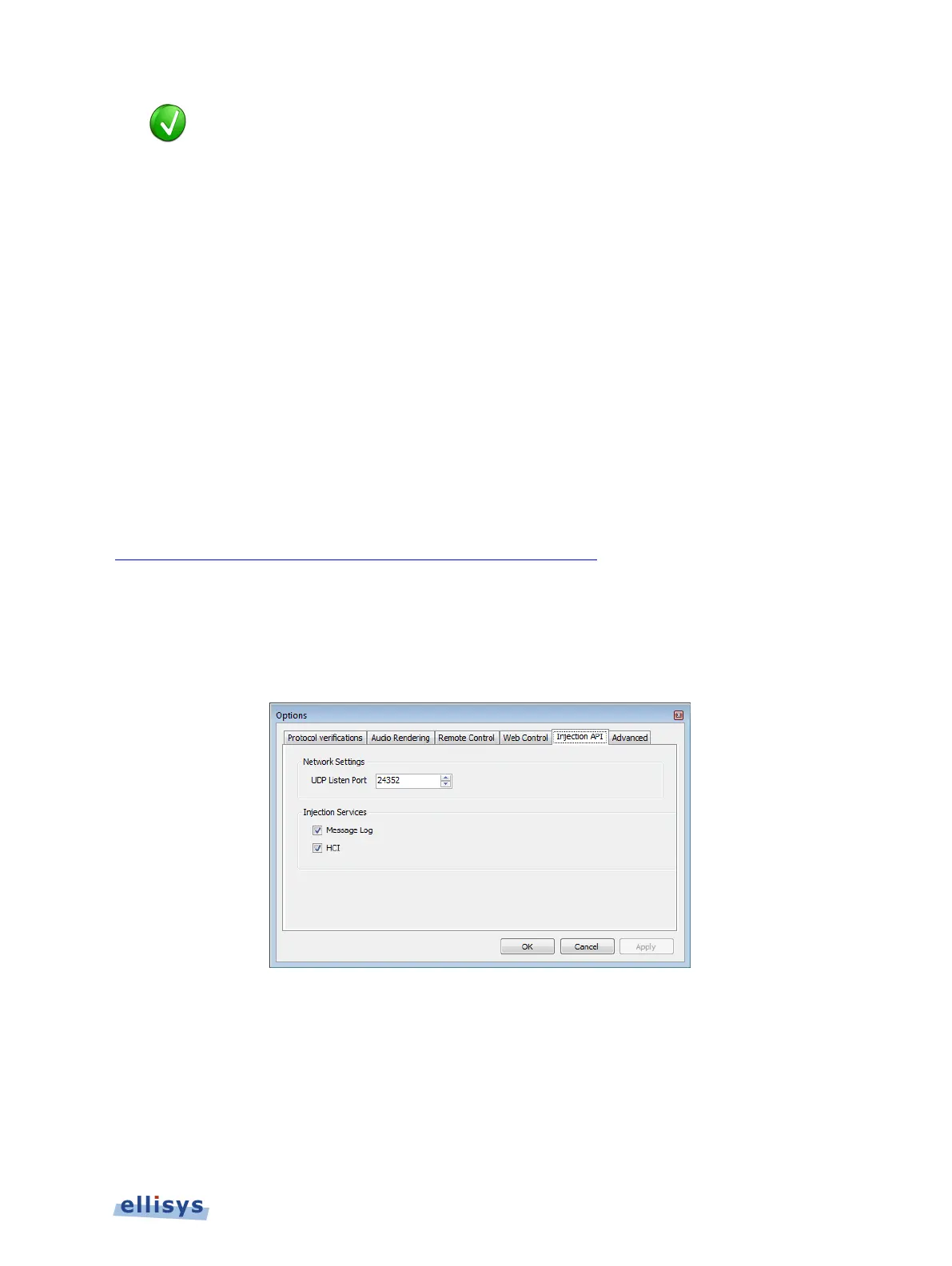
1. Select Tools | Options from the menu, then select the Injection API tab.
2. The Injection API tab appears:
3. Under Network Settings, specify the UDP Listen Port.
4. Under Injection Services, check Message Log and/or HCI as desired.
5. Click on OK.
Capturing Traffic | 67 of 201



 To Next Page