18. Raw Data Pane
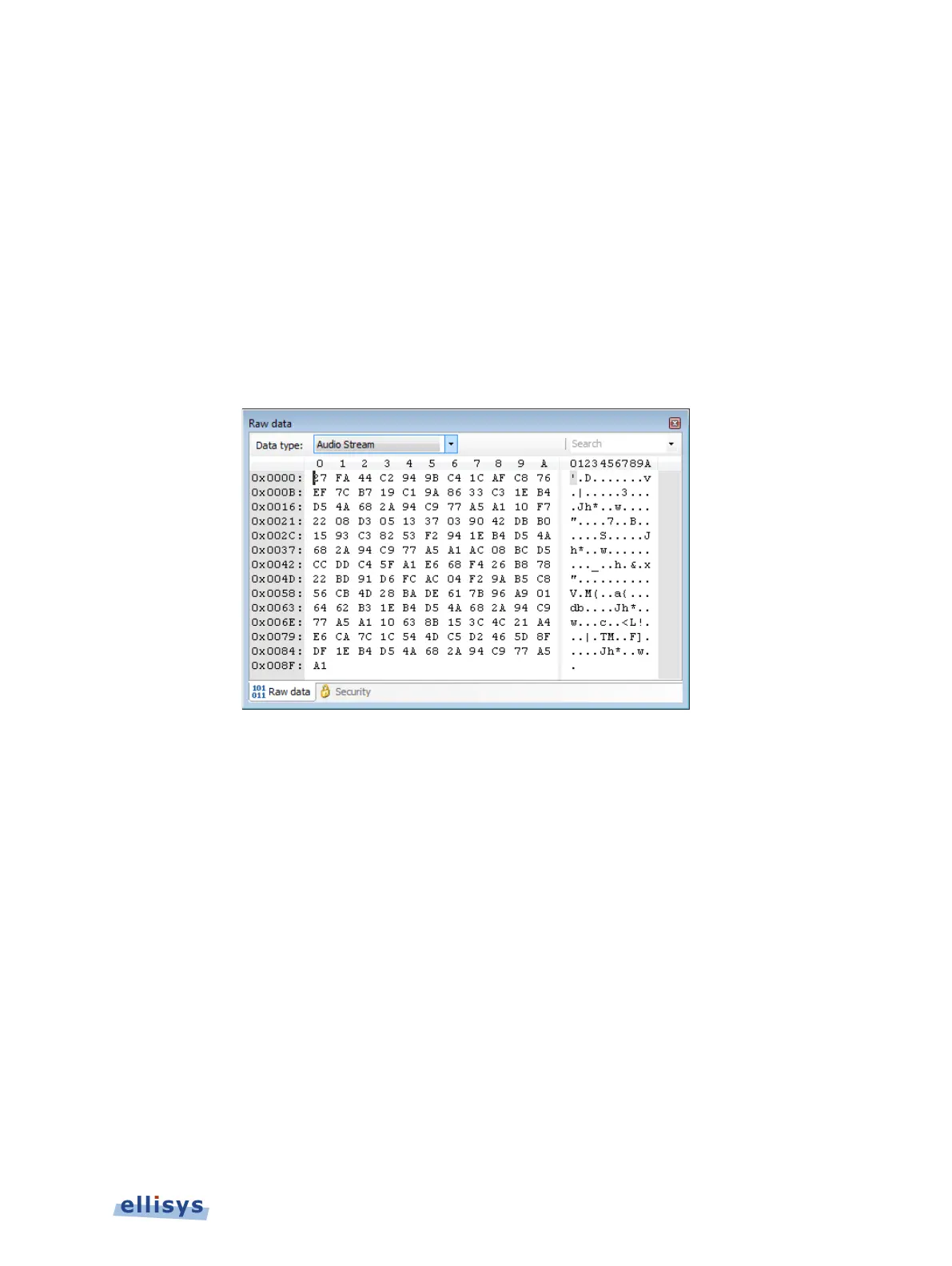
The Raw Data pane provides a low-level data view of items selected in the Overview and
includes various format and copy options. The Raw Data pane is linked to the Details pane, as
fields selected in the Details pane are highlighted in the Raw Data pane, and therefore it is
indirectly linked to the selection in the active Overview. Fields selected in the Details pane are
highlighted in the Raw Data pane. The Raw Data pane also includes a search mechanism.
To access the Raw Data pane:
1. Select View | Raw Data from the menu.
The Raw Data pane appears, showing data from the item selected in the Overview:
18.1 Synchronization to Details Pane and Overviews
To highlight Details pane fields in the Raw Data pane:
1. Select the desired item in the Overview.
The Details pane displays all fields applicable to the item selected.
2. Select the desired field from the Details pane.
The selected field is highlighted in the Raw Data pane.
18.2 Searching the Raw Data Pane
To search the Raw Data pane:
1. Enter the desired text or hex value string in the Search box.
2. Press ENTER.
Raw Data Pane | 187 of 201



 To Next Page