3. Select Data Type as needed.
4. Select Search in Packets or Search in Transactions to search packets or transactions.
5. Select the desired match type in the Find items that drop-down menu.
6. Click on Find Next.
The next event matching the search criteria is highlighted in the Overview.
To search events by text string:
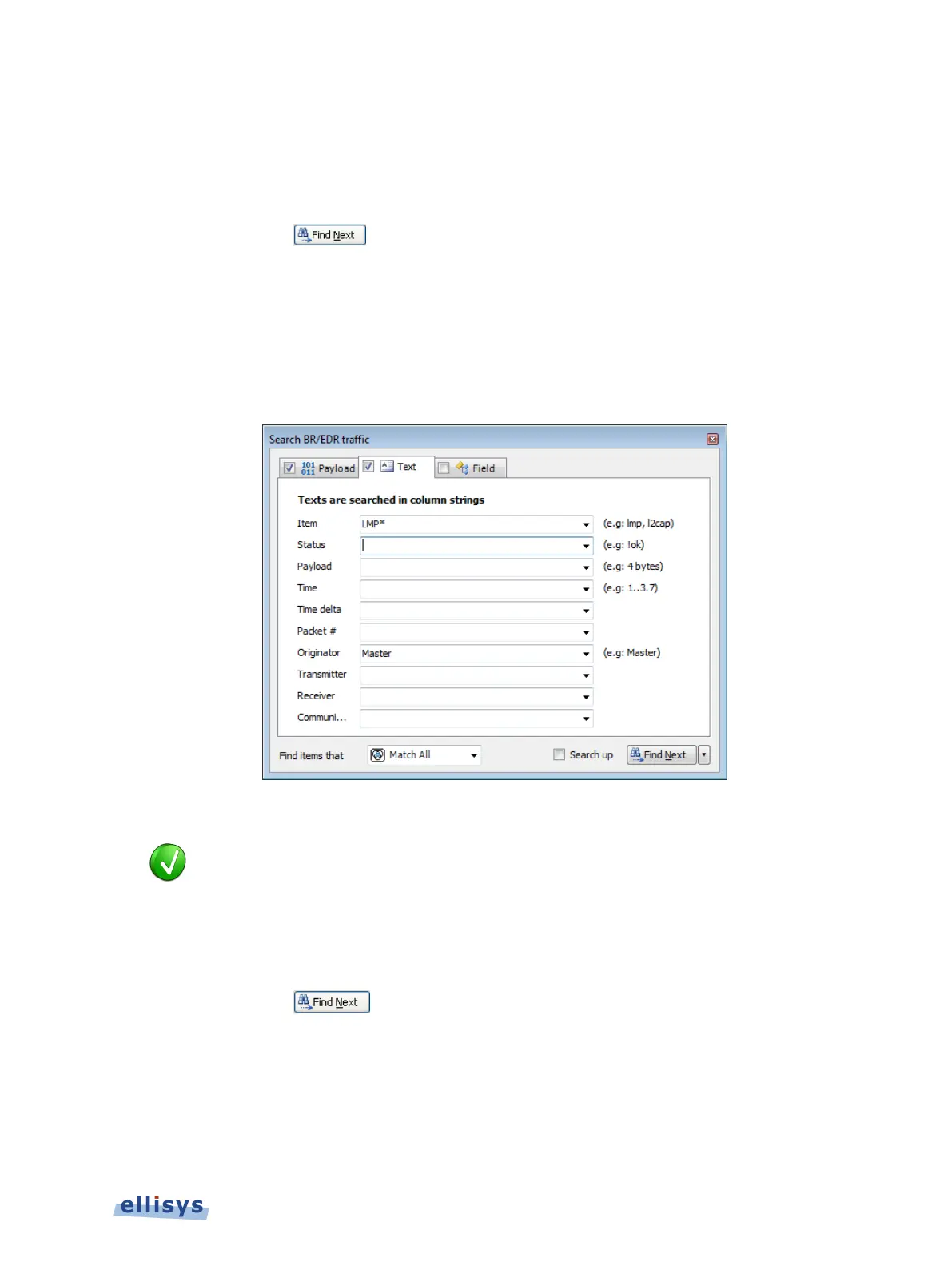
1. Select the Text tab.
The Text tab appears:
2. Use one or more text string drop-down menus provided to characterize the search.
Text entered into the various boxes by selecting an item in the drop
-down
menus can be edited, or text may simply be entered directly into the boxes
without selecting the drop
-
down menus. Use commas to separate OR items on
any line. The “!” (not) symbol will exclude a text string from the search.
3. Select the desired match type in the Find items that drop-down menu.
4. Click on Find Next.
The next event matching the search criteria is highlighted in the Overview.
To search events by field value:
1. Select the Field tab.
Overview Windows | 91 of 201



 To Next Page