To search markers:
1. Click on the Markers button (F9) on the toolbar.
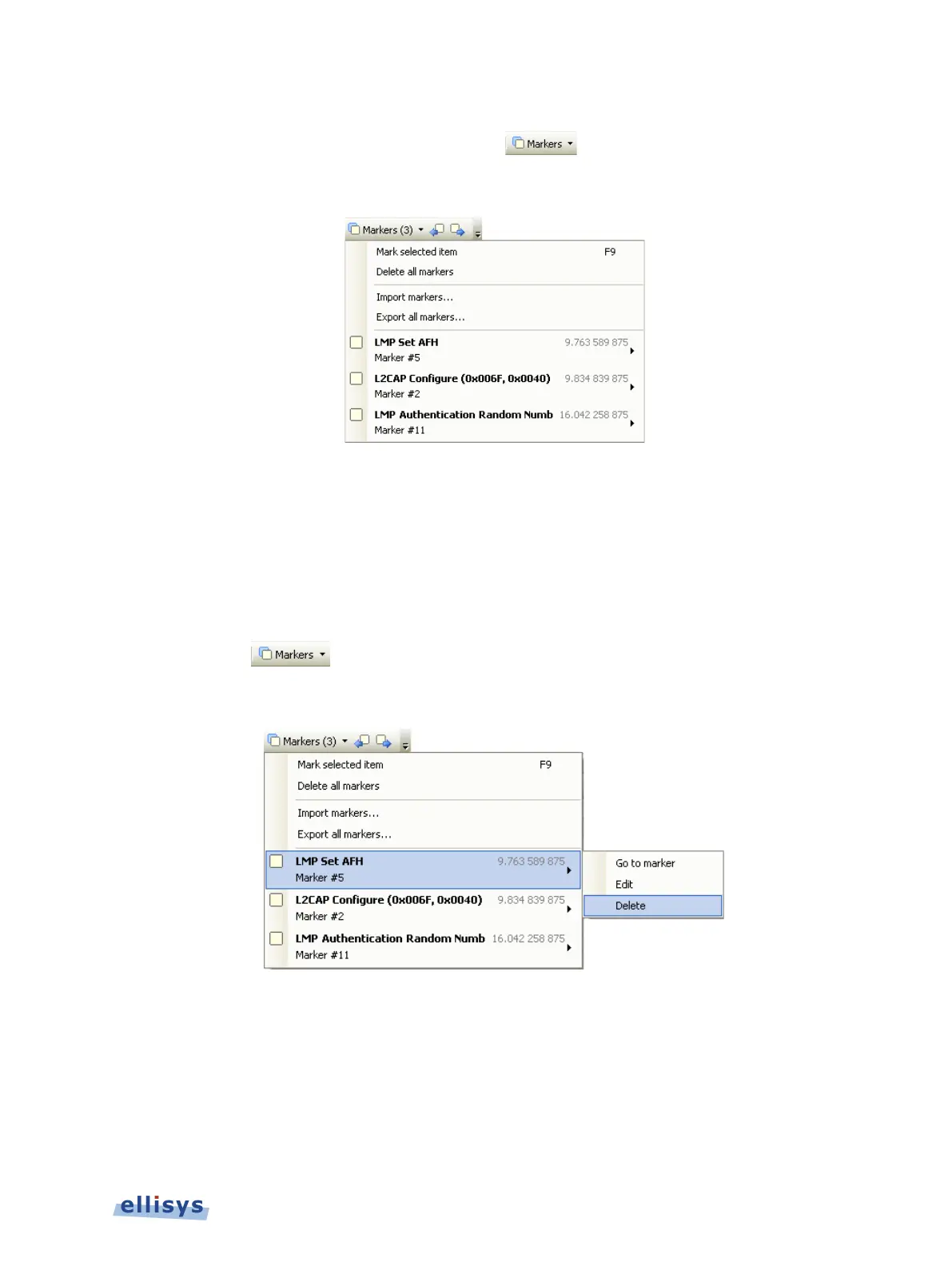
A list of all markers installed appears:
2. Select the desired marker from the list.
The Instant Timing pane jumps to the selected marker.
To delete a marker:
1. Position the mouse pointer over the marker to be removed.
2. Right-click and select Remove marker or alternatively, click on the Markers button (F9)
on the toolbar
.
3. Position the mouse pointer over the desired marker:
4. Select Delete.
The marker is removed.
To edit a marker:
1. Position the mouse pointer over the marker to be edited and left-click the marker, or
alternatively right-click and select Edit Marker or select the Marker button on the toolbar.
Instant Timing Pane | 123 of 201



 To Next Page