Operating of the Machine
4-76 © Essemtec AG Paraquda Startup & Safety
0000003/11 / November 4, 2014
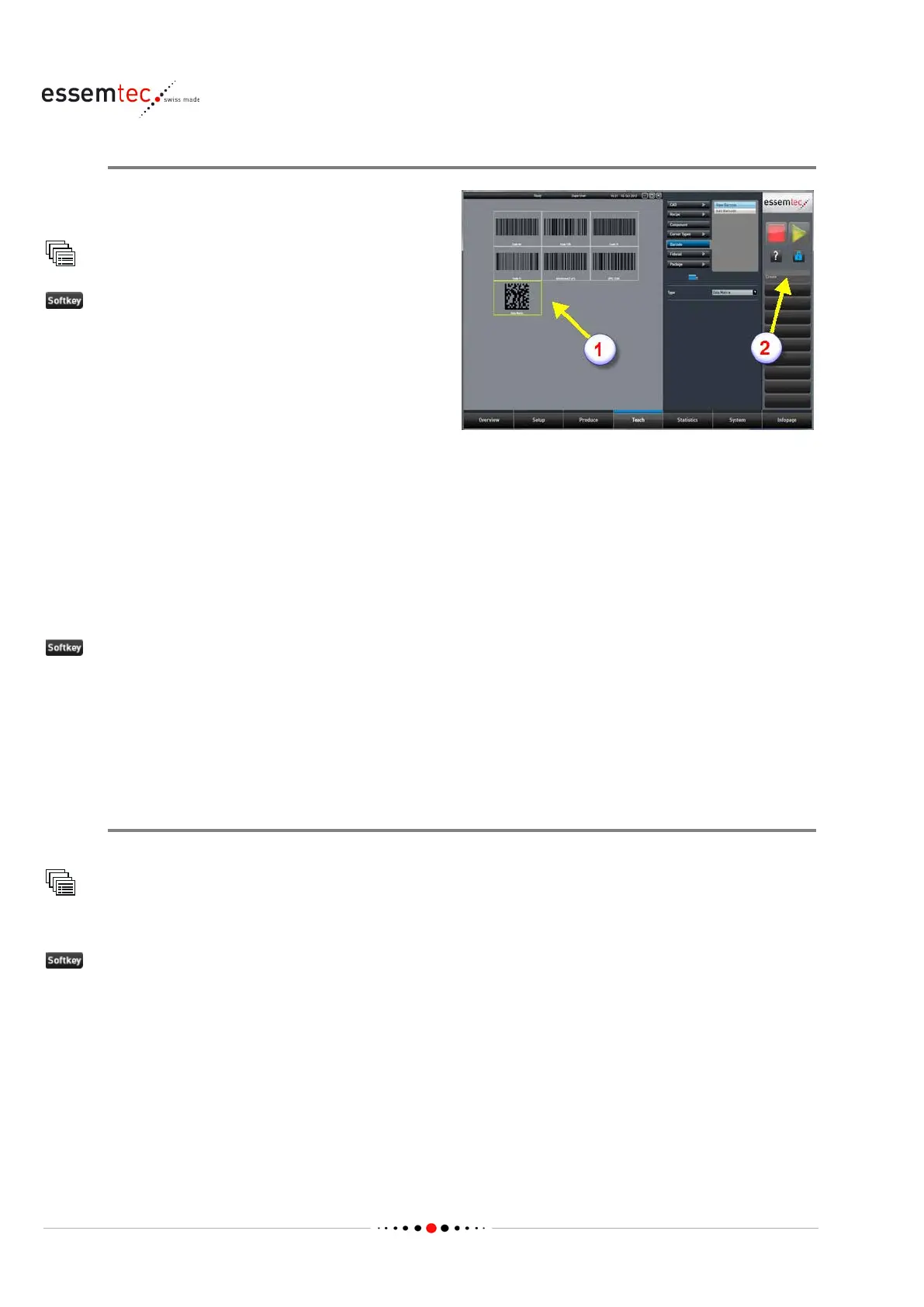
Create Barcode
Create a barcode which define
s the physical size
of the barcode and the code type.
Barcode
to create a new barcode. The screen Teach
Barcode - New Barcode opens.
Select the desired barcode type (1) and press
Create
to create a new barcode (2), the screen
o Teach - Barcode - Edit barcode
Define the following data (see online context
help for details):
• X length [mm], the barcode length in X
• X width [mm], the barcode width in Y
• Light profile
•
Background, the background of the barcode
If the ideal light profile is not known, do the following (barcode must be present on the PCB):
Find best light profile
The machine is searching the best light profile for the current barcode. The found settings are
compared with existing light profiles. The machine lists the existing light profiles which are close to
the found settings. Choose one of the found profile.
The created barcode will be stored in the next step.
Add Barcode to Recipe
First of all, the above created barcode has to be saved.
Teach
Recipe
The dialog pops up to save the created barcode.
Yes to save the new created barcode.
In the Save as dialog, type in a name for the barcode and press Save



 To Next Page