Operating of the Machine
Paraquda Startup & Safety © Essemtec AG
4-13
0000003/11 / November 4, 2014
4.3.1 Prepare the Production
Load a Job
Job
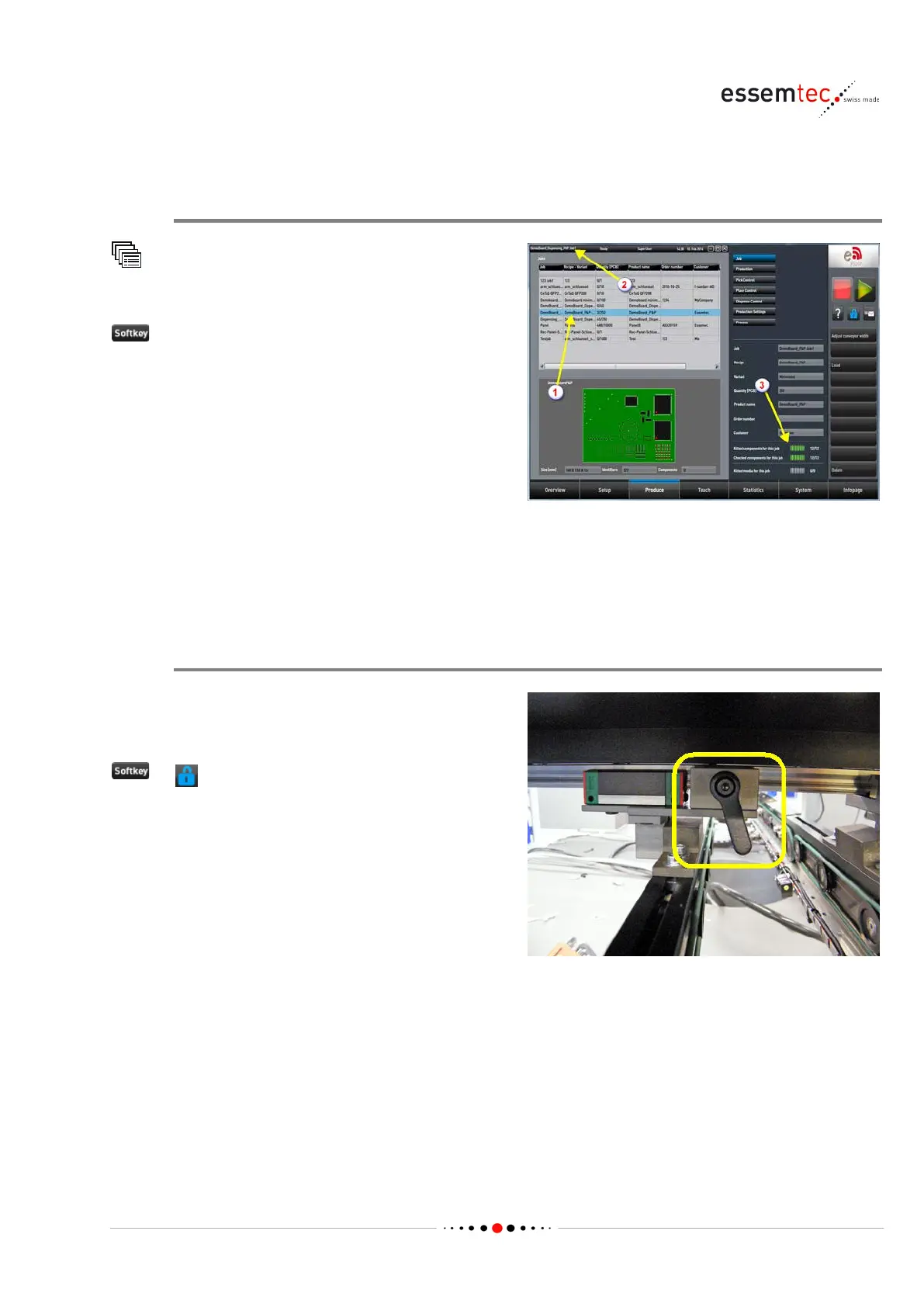
Select the desired job (1)
Crosscheck title bar for correct job loading (2).
-and-place processes, check if all
components are kitted and the progressbar
appears green (3). Otherwise assign components
to the feeder (see page
4-48).
r dispense processes, check if all media are
kitted and the progressbar appears green (3).
Kitted means, a taught medium is logically
attached to a dispense head valve. Otherwise
assign a medium to the dispense head valve (see
page
4-50).
Adjust Conveyor, if installed (inline system, manual adjustment)
The conveyor back rail must be adjusted to the
PCB width of loaded job. This has to be
done
manually on non automatic conveyor backrails.
to unlock the cover. Open the cover.
Loosen the lever screws on both sides of the
conveyor backrail (see picture). If there is any
rea
son the lever screw cannot turn all around,
pull it out slightly and turn it back.
Move the backrail to its final position, using the
correct PCB as spacer. Make sure the PCB can
move smoothly on whole length of conveyor.
Tighten the lever screws on both
sides of the
conveyor backrail (see picture). If there is any
reason the lever screw cannot turn all around,
pull it out slightly and turn it back.



 To Next Page