Operating of the Machine
Paraquda Startup & Safety © Essemtec AG
4-31
0000003/11 / November 4, 2014
4.3.7 Handle Trays
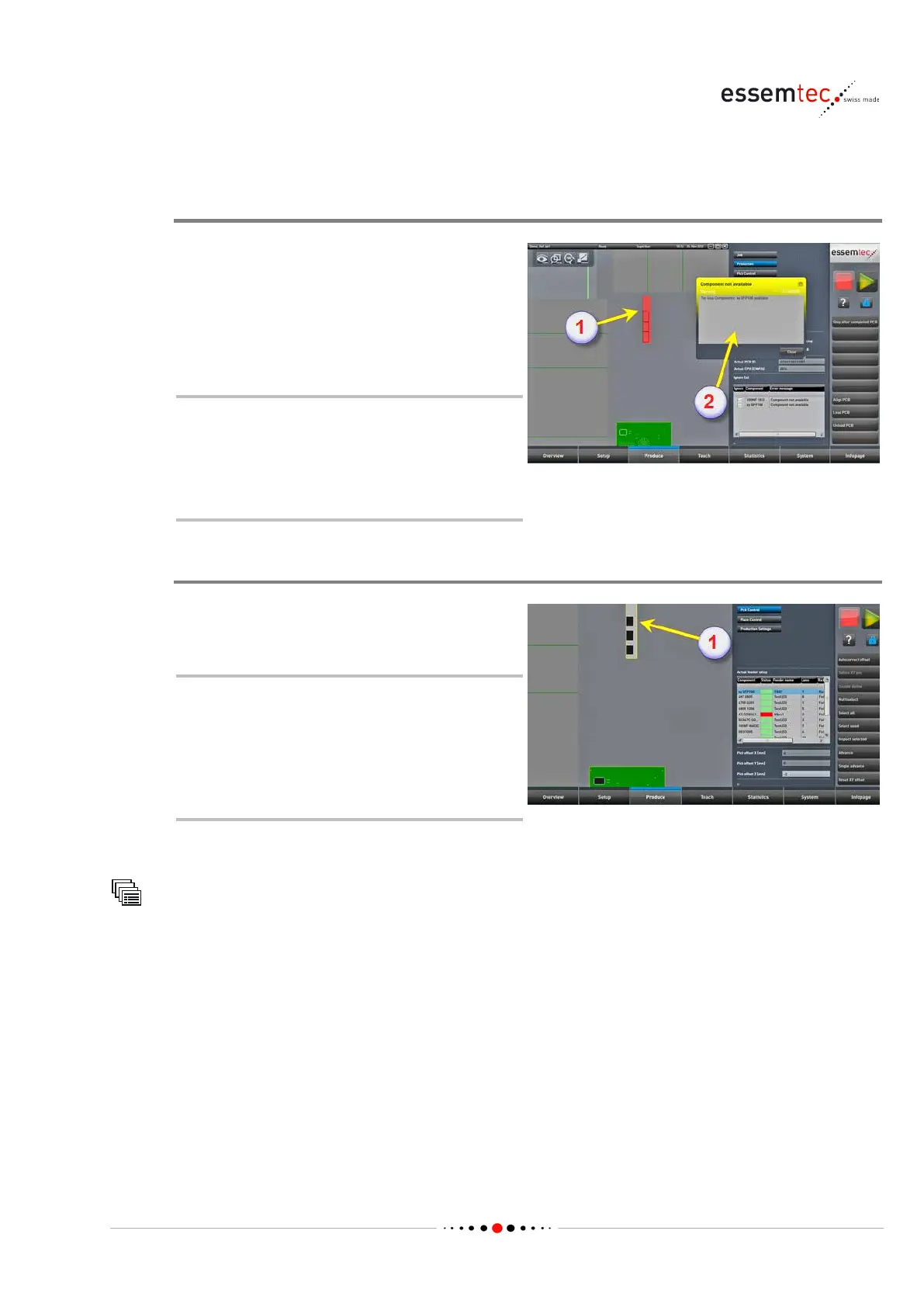
Detect empty Tray
An empty tray is indicated by the graphical user
interface (GUI) or detected very simple by
looking at the tray. On GUI the color of the
empty tray is changing to red (1). Depending on
the progress of the component placeme
nt, a
-up additionally (2).
An empty tray indication could also
stand for a bad pick position
(X/Y/height). After a certain amount of
faulty repicks (default 3), the machine
indicates an empty tray.
Change Tray of components which are off
Simply take out the empty tray and exchange it
with a full one.
Pay attention to the orientation of the
components. The components have to
have exact the same or
ientation as
before. It is recommended to detect the
correct orientation before the last
component is placed.
In case of the orientation is not known, do the
following steps:
Pick Control
In the graphical section zoom in a pick position
of the
appropriate tray to detect the required



 To Next Page