Operating of the Machine
4-50 © Essemtec AG Paraquda Startup & Safety
0000003/11 / November 4, 2014
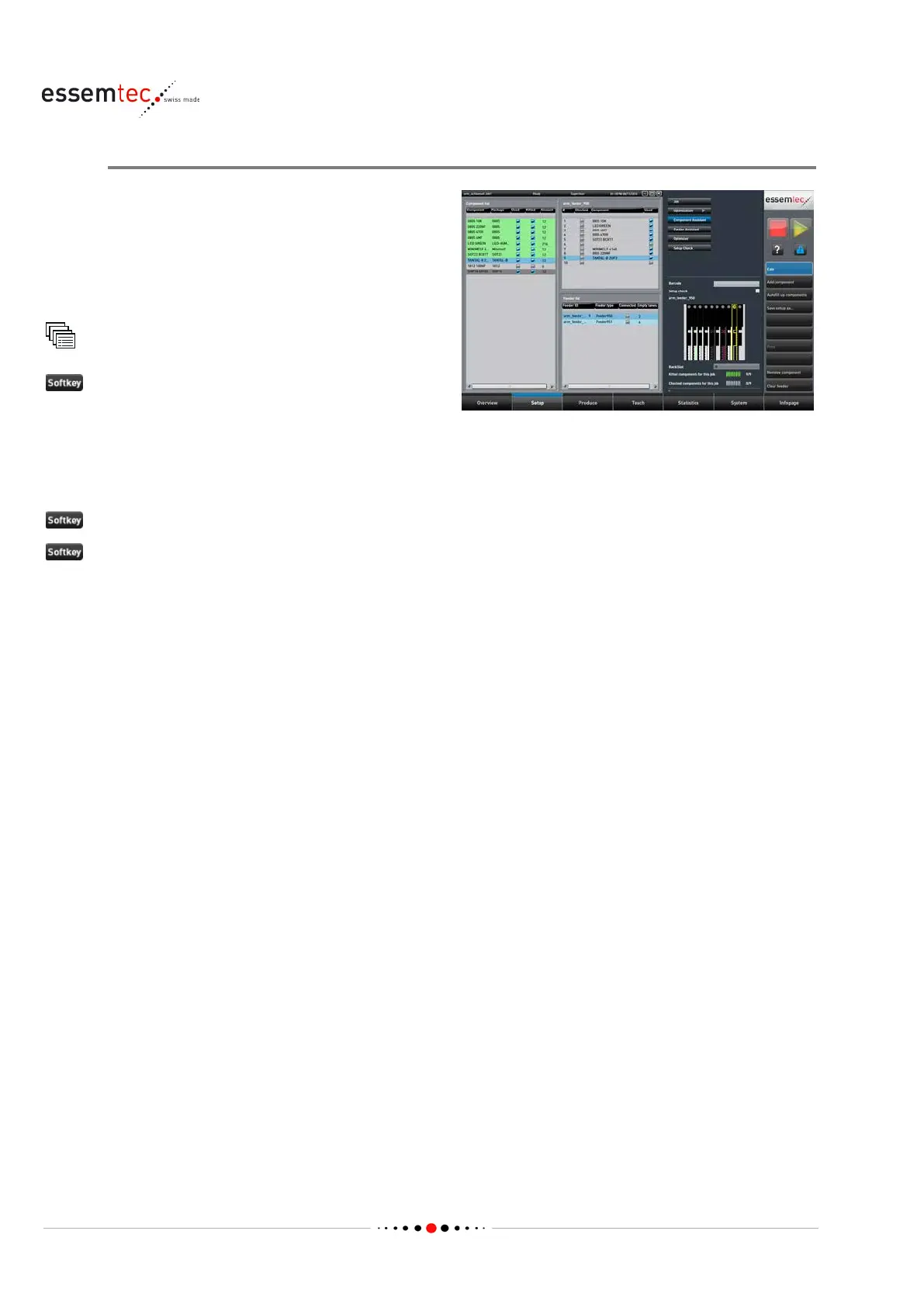
Assign Components
The component assistant is used if the
optimization was not satisfying or generally to
assign components to feeder lanes and feeders
manually. If the optimization has been done
before, the component assistant provides
support at the bes
t.
Component Assistant
to handle the existent setup.
In the graphical section a list of all components (used and not used), a list of the feeders and a list
of the feeder lanes of the selected feeder are displayed. Assign the 'used' components to the
desired feeder lanes (see online help for assistance). The component will be kitted afterwards
(logical assignment of component to a feeder lane).
Save setup as... if the setup must be stored. Type in a name and confirm with Save
Print to get a printout for the physically setup of the feeders.
4.5.3 Assign Medium to Dispense Valves
First of all a dispense set has to be created to assign to the dispense module mounted on the head.
A dispense set consists of:
• the dispense module (e.g. DSV / DTP / Jet Vermes QC etc.)
• the valve model with all its parameters
• the suitable tip (if needed)
• the medium
• the process (e.g. glue / solder / dam etc.)
Steps 1 to 3 are preparation steps in case of non existent medium and dispense set. Step 4 is the
real kitting procedure.



 To Next Page