Install and Configure Software
Paraquda Startup & Safety © Essemtec AG
5-5
0000003/11 / November 4, 2014
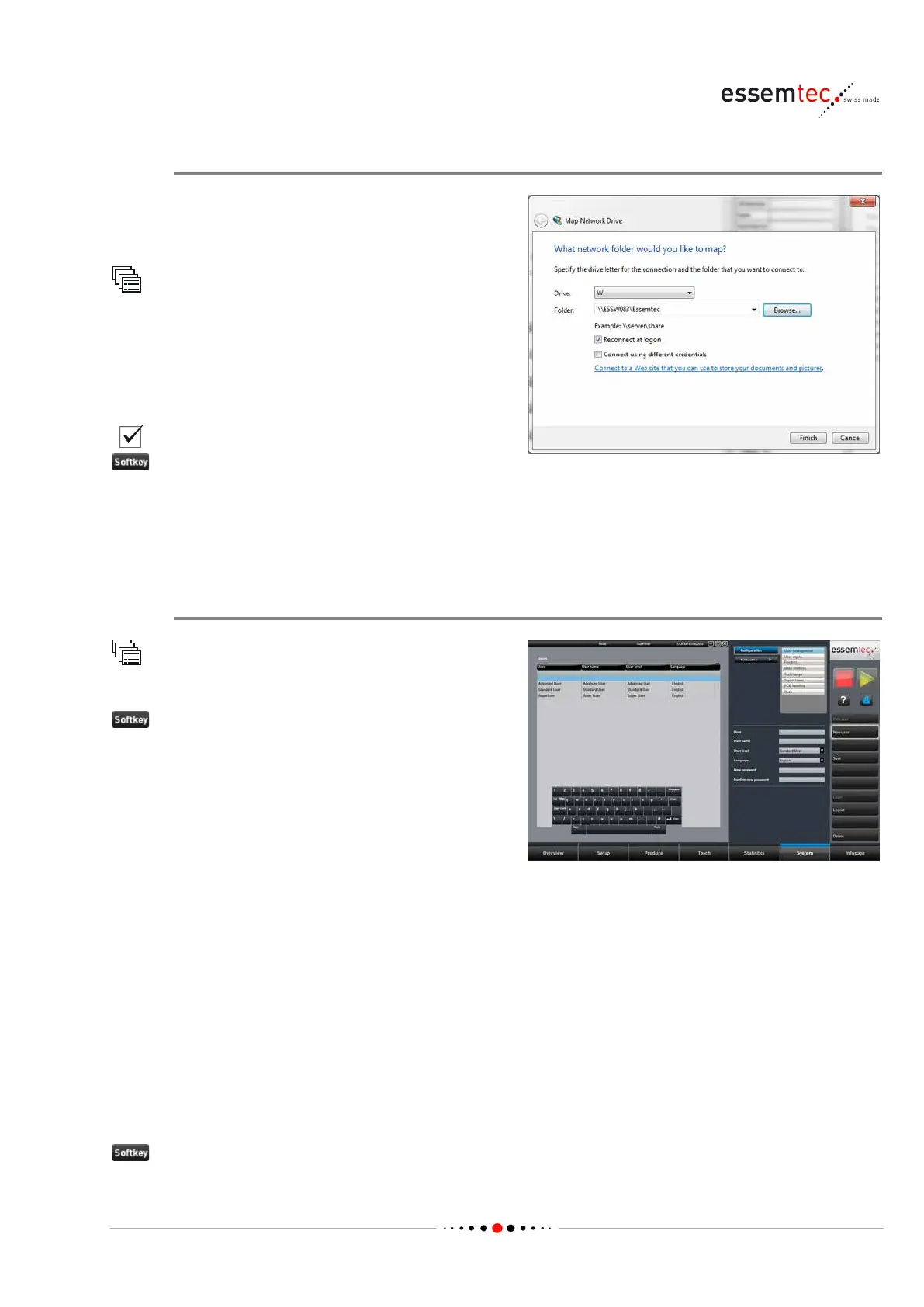
Map the shared Directory to a Network Drive
On the PC, on which the drive letter sha
ll be
created, start the Windows Explorer (File
Explorer).
Map network drives...
Select the desired drive letter (e.g. W:)
Browse the network to find the drive/directory
(on a PC in the network), which shall be linked to
the drive letter.
Reconnect at logon.
.
5.4 Configure the User Management
New User
Configuration
User management
• Enter User name (e.g. name in full etc.).
• Enter User (a unique identifier for each user.
The same user ID may exist only once within
the system (one or more machines), e.g.
initials, shortname etc.).
• Select User group (the selectable user
group depends on the level of the logged in
user, only same or lower level is possible;
this choice has an impact on user rights, see
step 'Edit User Rights').
• Select Language (this choice has an effect
on the displayed language as soon as the
user has been logged in).
• Enter New password (the password is
optional, can be omitted).
• Confirm new password (if a password is
used, otherwise leave it blank).



 To Next Page