Operating of the Machine
4-8 © Essemtec AG Paraquda Startup & Safety
0000003/11 / November 4, 2014
After the mentioned check has been done and the air pressure is available again, the production
can be continued. Press
(START) to start the machine. The machine continues with the next
cycle.
Power Failure
Usually the remaining energy for a very short time is sufficient for a controlled stop of the axes. The
started process cycle cannot be finished. That means process failures can occur.
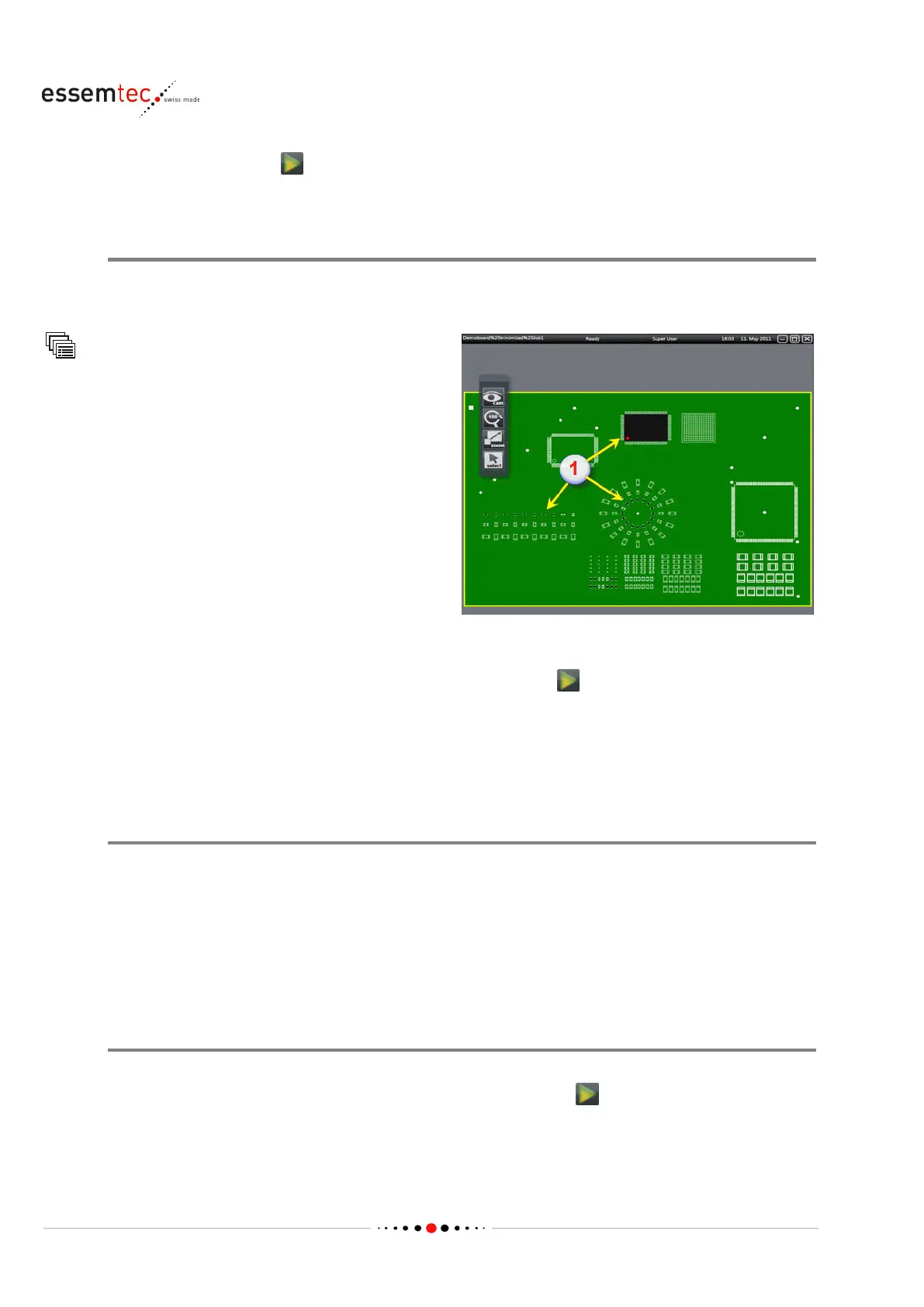
Place Control
The 'logical map' (1) of the machine has to be
compared with the real appearance on the PCB.
In case of any differences between the picture of
the machine and the real appearance on the
board, detailed information how to pr
oceed can
be found in chapter 'Solve Malfunctions / Handle
unordered Stops' on page
4-37
After the mentioned check has been done and the electricity is available again, the production can
be continued. For this purpose start ePlace again and initialize the machine again (described in
chapter 'Power up the Machine' on page 4-1). Afterwards press
(START) to start the machine.
The machine continues with the next cycle.
4.2.4 Unordered Stops
Cause of unordered stop
If during normal production, the machine stops for any reason, the signal lamp lights up (depends
on signal tower configuration) to indicate that the machine has stopped and requires operator
intervention.
This may happen for a number of reasons, e.g. due to a shortage of material or a jammed PCB.
What ever the reason for the stop is, an error message, warning or notification will always be
displayed showing the cause of the stop.
Problem Solving
The action to solve a problem depends on the cause of the stop. If the machine stopped due to a
material shortage, simply replenish the missing material and click
(START button) to continue
production.
If the problem is more serious an error message or warning will be displayed giving detailed
information for troubleshooting.



 To Next Page