Operating of the Machine
Paraquda Startup & Safety © Essemtec AG
4-7
0000003/11 / November 4, 2014
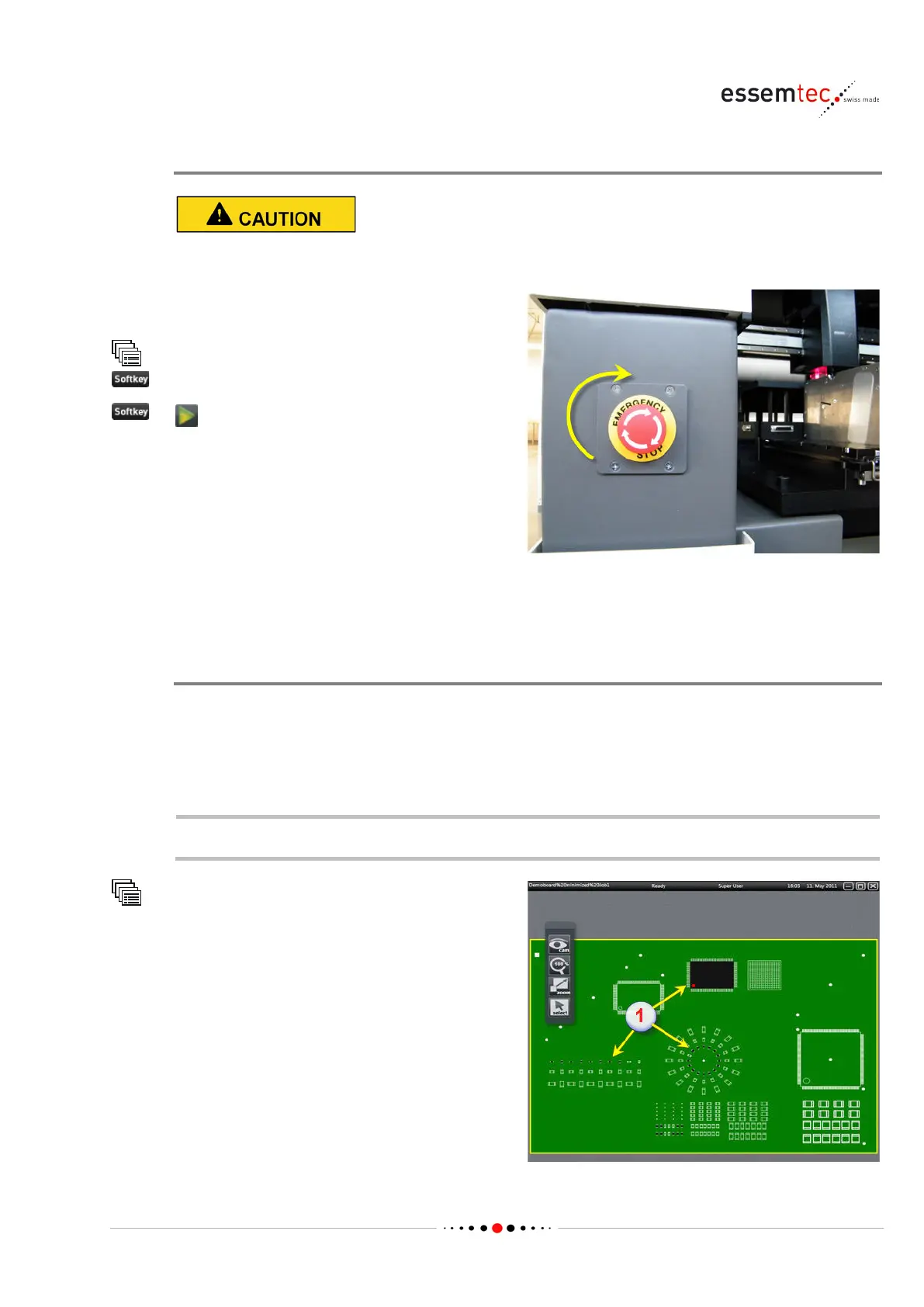
Releasing the Emergency Stop and Restarting the Machine
Never restart the machine before rectifying the cause of the emergency stop.
Turn the emergency stop button clockwise to
release.
(START button)
4.2.3 Power Loss
Air Pressure Drop
The machine completes a started placing or dispensing cycle and stops the production afterwards.
That means it tries to place all the picked components or to dispense the current dot / pattern on
the PCB before it stops.
The alarm message Air Pressure not sufficient pops up on the monitor.
Before continuing the production, the air pressure has to fulfill the required specification.
Place Control
The air pressure drop during the last process
cycle might have led to failure. Therefore the
'logical map' (1) of the machine has to be
compared w
ith the real appearance on the PCB.
In case of any differences between the picture of
the machine and the real appearance on the
board, detailed information how to proceed can
be found in chapter 'Solve Malfunctions / Handle
unordered Stops' on page
4-37



 To Next Page