ER1 User Guide A-3
Getting to Know the Parts
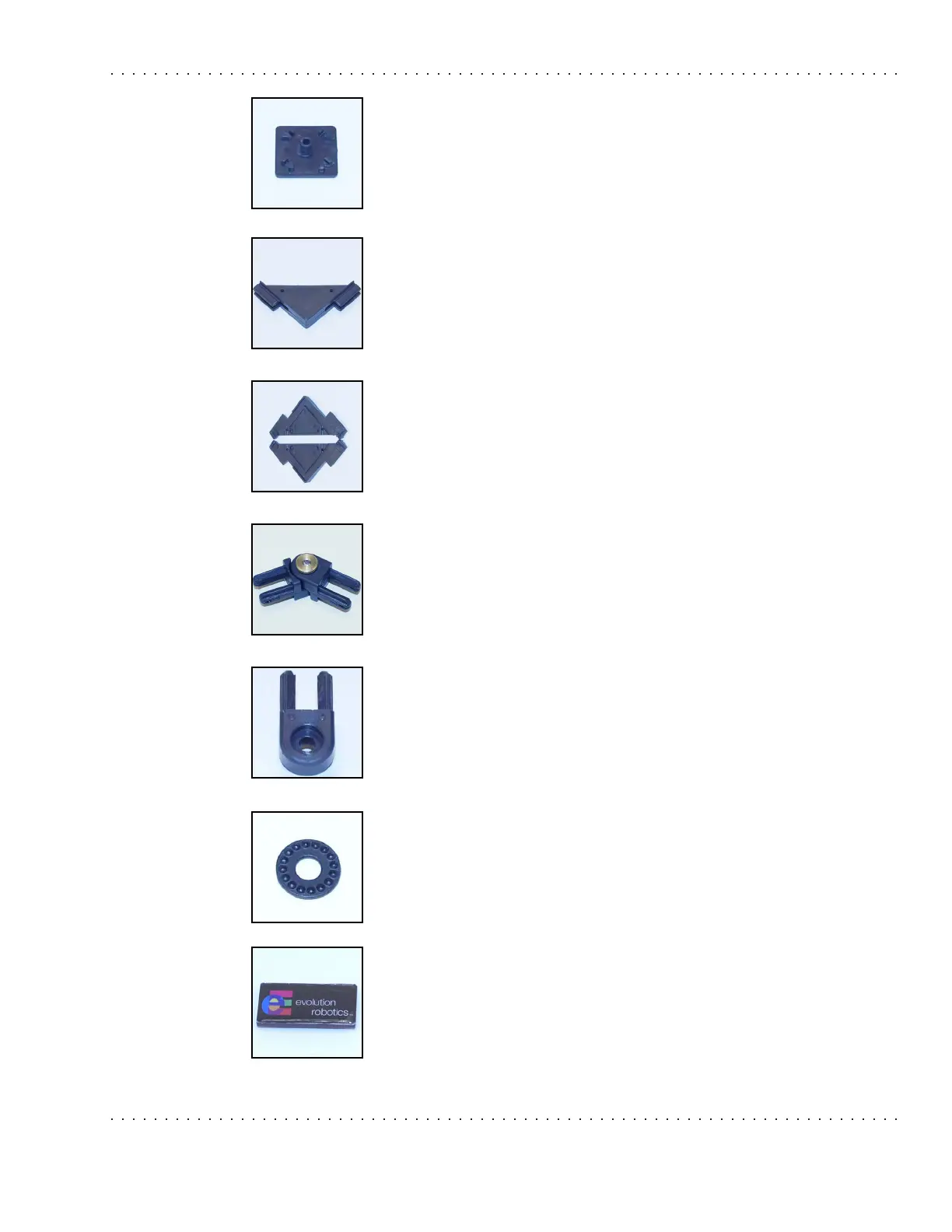
End Cap
The end caps are used to cover the ends of the aluminum beams on your
ER1. These will help protect you from any sharp edges. Be very careful
attaching them to the aluminum beams. You may need a small hammer to
get these to seat properly. There are four endcaps in your kit.
Gusset
The gussets are used to help support the camera arm. Remember to use
set screws to tighten the connection.
Gussets come in halves. Press the two pieces together before inserting
them into the aluminum beam. There are four gusset halves in your kit.
Hinge
This is a fully assembled hinge. A locking washer is located between the
two halves to prevent unwanted rotation. A hinge is used in the camera
arm. Remember to tighten the connection between these and the XBeam
using set screws.
The hinge halves, when paired, make a hinge. These can also be used
separately to attach an XBeam to the robot. There are four hinge halves in
your kit.
Locking Washer
The locking washer is used to lock joints into a certain position. This is
particularly desirable in such cases as positioning the camera. There is
one locking washer in your kit.
Logo Plate
The logo plate goes on the front of your ER1. There is one logo plate in
your kit.



 To Next Page