Appendix A Assembly Instructions
A-16 ER1 User Guide
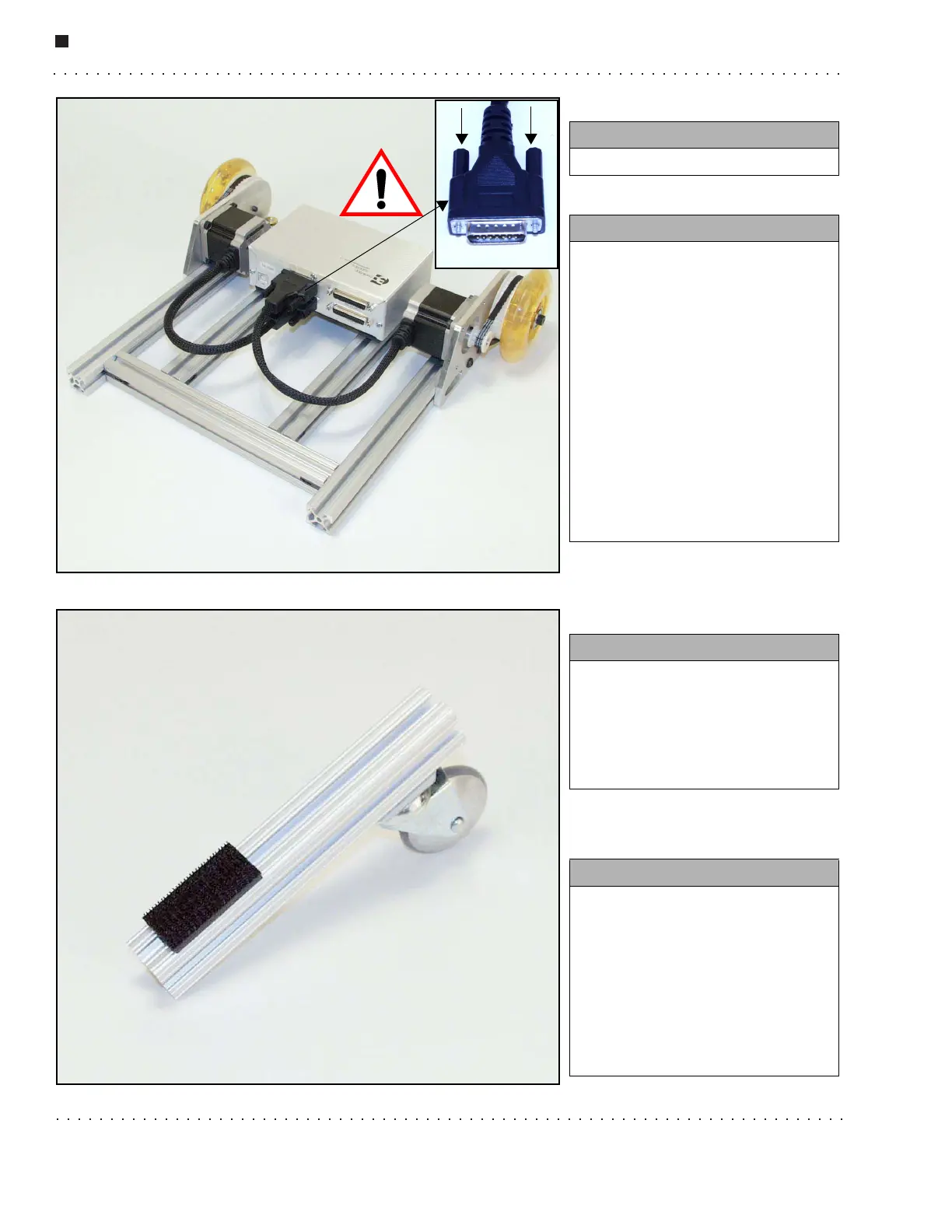
Step 10.
Step 11.
You need:
• The parts in front of you
Instructions:
• Plug the right (as seen here)
motor cable into the slot labelled
Motor 1. Plug the left (as seen
here) motor cable into the slot
labelled Motor2.
• Tighten the screws on either
side of each motor cable
connector (see arrows).
WARNING: If the motor cable
connectors should become
loose, they will cause SEVERE
damage to the RCM, so double
check that the screws are
completely secure.
You need:
• 7'' XBeam
• 1 Caster wheel with two 3/8''
Allen screws and T-nuts attached
• 1x2 mounting plate with
mushroom headed fastner tape
Instructions:
• Slide the 1x2 mounting plate
onto the beam.
• Loosen the T-nuts on the caster
and slide them into the track on
the X-beam.
• Position the caster mount plate
~1/2'' from the end of the beam
as shown. Tighten the screws.



 To Next Page