Test Results
Power Blazer 531
Summary / Client Summary
Summary / Client Summary
Note: Available with Transport, and Ethernet (EtherBERT, Through Mode, Smart
Loopback, FlexE BERT (Client Summary)), and Wireless test applications.
For other test applications see the corresponding test summary page.
From the Test menu, tap Results, and the Summary tab; additionally for
FlexE BERT, type the magnifying icon of the Client ID.
For Dual Port topology, depending on the application, results may be
displayed either globally or for each port individually. In this case select the
port to be displayed or Global for a brief test summary of both ports.
Client ID and Size (Gbit/s) are available with FlexE BERT.
Client ID allows selecting the client ID to be displayed.
Size (Gbit/s) indicates the size of the client ID.
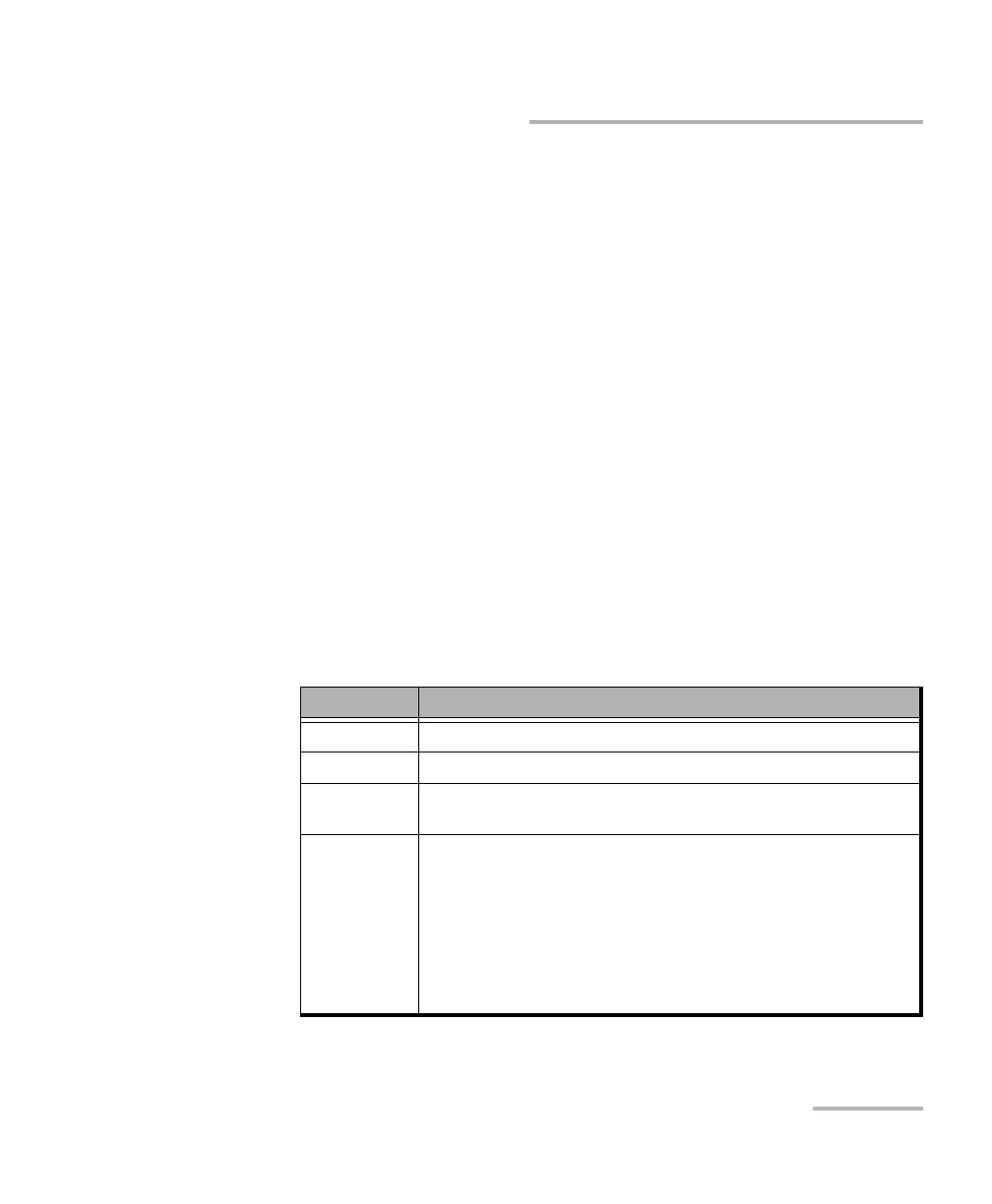
Test Status displays the current status of the test. The global test
pass/fail verdict is displayed next to the Test Status field when
enabled.
Test Status Description
-- Idle state, the test is not running or results are not available.
In Progress The test is running.
Completed The test is completed, stopped at the planned time, or manually
stopped when there is no set timer.
Aborted The test is interrupted; stopped before the set timer.
LOPPS-L: For eCPRI BERT in One-Way Latency mode, the test is
interrupted due to a failure of synchronization with the 1PPS clock
(LOPPS-L).
Not Ready-R: For eCPRI BERT, the test is interrupted because the
Measurement Role of the peer is either Mismatch-R or Inactive-R.
Check the eCPRI Flow at each end of the eCPRI circuit to determine the
fault.













 To Next Page