Test Control
Power Blazer 741
Start/Stop|TX Button
Start/Stop|TX Button
The Start/Stop|TX button allows starting or stopping manually any test as
well as enabling traffic generation.
To start the test:
Tap the Start button to start the test. Start is available when the test is
not running.
To stop the test:
Tap the Stop button to stop the test; the traffic generation also stops if it
was enabled (TX button). Stop is available when the test is running.
By default, a message is displayed when the test stops asking to
generate a report. To disable this feature, see Turn on Report
Generation on page 733. Nothing prevents the configuration and
alarm/error injection setup while the test has been stopped; thus, if a
report is required, it should be saved before changing any test
parameters to avoid discrepancy between the configuration and
results. See Report Button on page 731 to generate and save a report.
To enable traffic generation:
Tap the TX button to enable traffic generation; the test is also started if
it was not running.
Note: While the test is running the TX button is available to enable/disable traffic
generation.
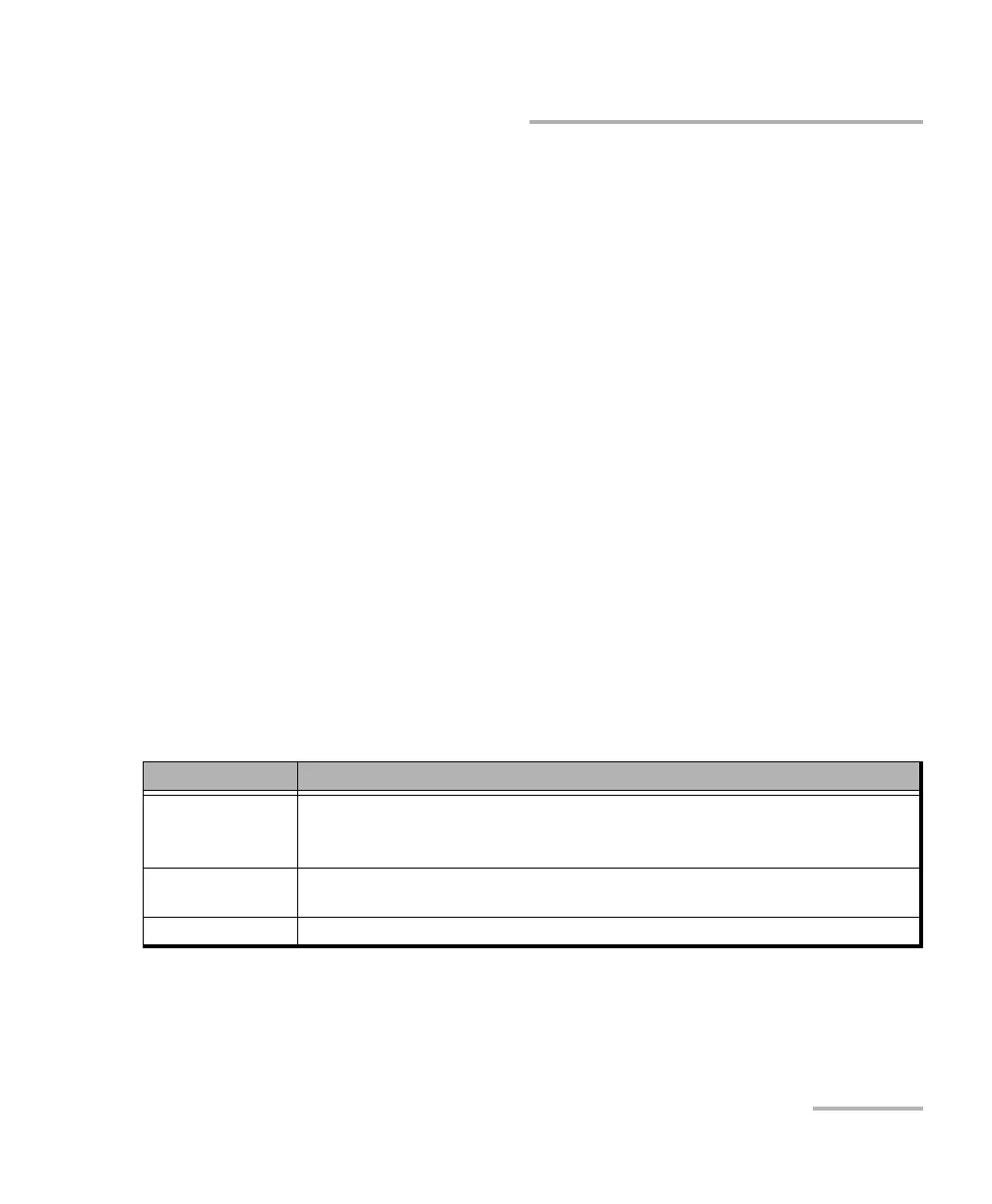
Test Application Descripton
Traffic Gen & Mon Enables traffic generation for all enabled streams.
Some conditions, such as ARP not resolved, link down, etc., may prevent the stream to
be transmitted.
FlexE BERT Enables traffic generation for all enabled clients (refer to Enable TX from Clients -
Profile on page 166).
eCPRI BERT Enables traffic generation.













 To Next Page