Test Results
Power Blazer 561
Summary (iOptics)
Summary (iOptics)
From the Test menu, tap Results, and the Summary tab.
Start Time indicates the date and time the test was started. The date and
time reset every time the test is restarted.
When necessary for power consumption monitoring the Calibrating
progress message is displayed. If at any point during this process or during
a sub-test execution an unexpected condition is detected, an abort
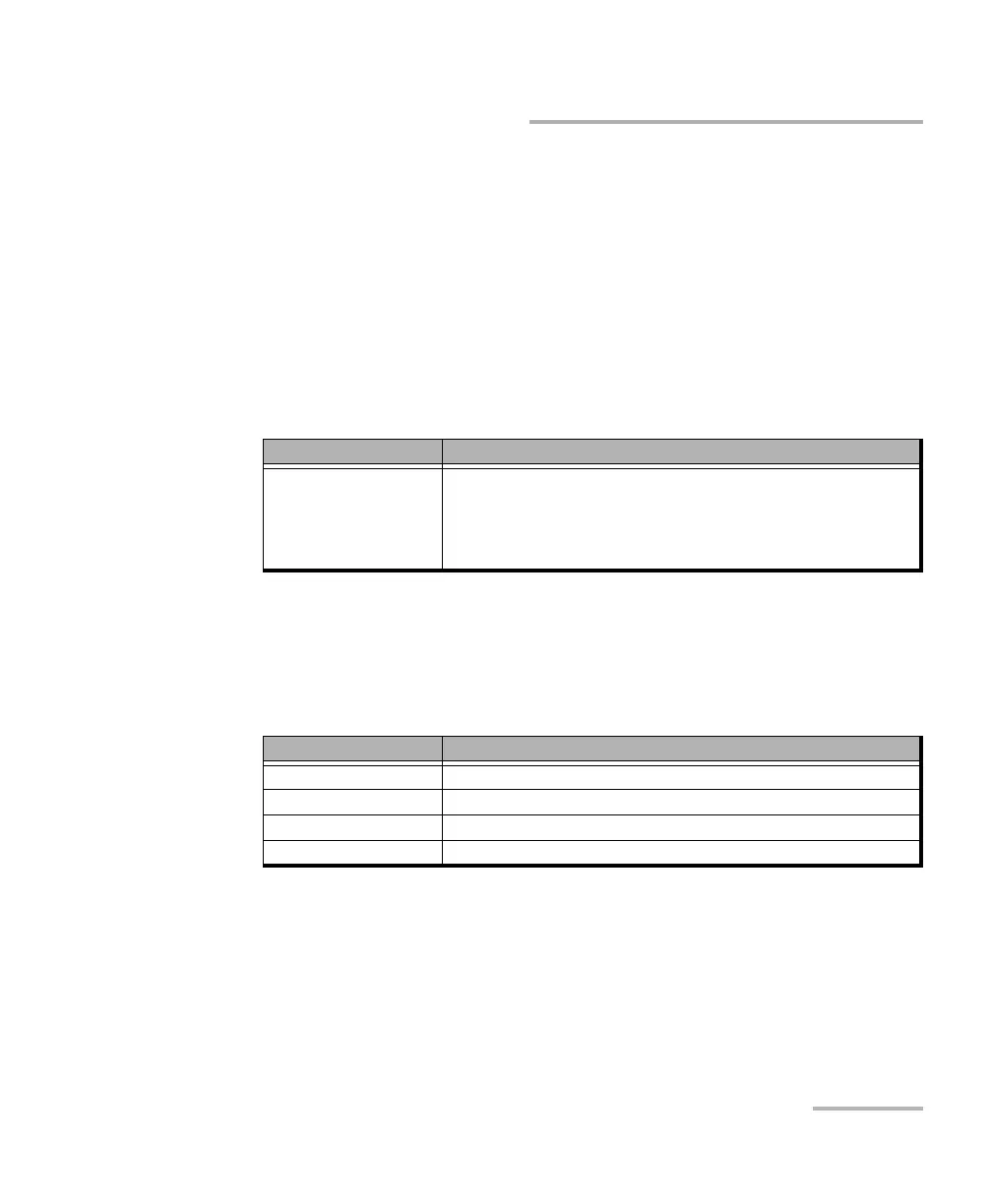
message is displayed as follows:
Sub-Test Sequence
The progress status and pass/fail verdict are displayed for each sub-test
sequence as follows:
I/O Interface Quick Check:
Validates the operation of the MDIO/I2C interface by sending
specific commands to the transceiver.
Validates the information provided by a status pin and stimulates a
control pin of the transceiver.
Test Status Description
Aborted, <reason> Sub-test sequence has been aborted and a reason is displayed:
Missing Transceiver System, Invalid Transceiver System,
Missing Device Under Test, Invalid Device Under Test, Link
Down, Laser Off, LOS, Device under Test Ovrld (overload),
Device Pulled, Failed, or User Stopped.
Test Status Description
“--” Sub-test is not running or results are not available.
Running <details> Sub-test is running and progress details are displayed.
Completed, Pass/Fail Sub-test is completed with Pass or Fail verdict.
Aborted, Fail Sub-test sequence has been aborted with a fail verdict.













 To Next Page