Test Results
560 88000 Series
Summary (FlexO BERT)
BER
Note: See BER on page 396 for a description of each alarm/error.
Receiving Live Traffic - RX Pattern Analysis Disabled when
displayed, indicates that the No Pattern Analysis (Live) check box is
selected and in this case no other information/statistics are available.
BER Threshold is available when Pass/Fail Verdict is enabled
1
. This
setting is global and applies to all Client ID.
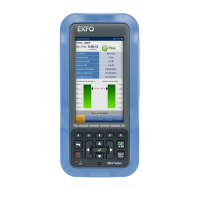
Bit/Pattern Error Rate/Count graphically displays a meter
representing either the bit/pattern error rate or the bit/pattern error
count depending on the Pass/Fail Verdict selection
1
.
When the verdict is enabled
1
, the values under the threshold are
presented in green while the values above are in red.
When the verdict is disabled, the bit/pattern error rate is displayed in
blue.
The arrow pointer indicates the current received bit/pattern error
rate/count.
The Pass/Fail verdict is displayed just on top of the meter when
enabled
1
.
Bit/Pattern Error, Amount/Rate, and Inject: The bit/pattern error
injection and settings are coupled with the Inject Button on page 473.
1. Refer to
BERT and Unframed BERT
on page 155.




 To Next Page