Test Results
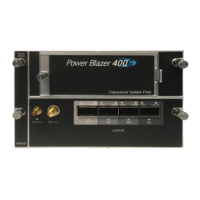
Power Blazer 533
Summary / Client Summary
Restart Sequence button, available with multi-pattern, clears results
and restarts the multi-pattern sequence with the first enabled pattern
in the list. This is the only way to restart the multi-pattern sequence and
to allow synchronization between two test sets.
For back-to-back testing using two test sets, create a multi-pattern test
on both units, tap the Restart Sequence button on each unit within
5 seconds apart. Once synchronized, start the test on each unit.
Bit/Pattern Error Rate/Count graphically displays a meter
representing either the bit/pattern error rate or the bit/pattern error
count depending on the Pass/Fail Verdict selection
1
.
When the verdict is enabled
1
, the values under the threshold are
presented in green while the values above are in red.
When the verdict is disabled, the bit/pattern error rate is displayed in
blue.
The arrow pointer indicates the current received bit/pattern error
rate/count.
The Pass/Fail verdict is displayed just on top of the meter when
enabled
1
.
Bit/Pattern Error, Amount/Rate, and Inject: The bit/pattern error
injection and settings are coupled with the Inject Button on page 473.
For Transport test applications, not available in Through modes or with
Multi-Pattern.
Service Disruption
Note: Service Disruption results are only available with Transport, CPRI/OBSAI,
eCPRI BERT, and EtherBERT test applications when Disruption
Monitoring is enabled (refer to BERT and Unframed BERT on page 155 or
1. Refer to
BERT and Unframed BERT
on page 155 or
EtherBERT, FC BERT, BERT (eCPRI, CPRI/OBSAI, and FlexE), and
Unframed BERT
on page 183.




 To Next Page