Power Blazer 93
7 Selecting and Starting a Test
A test can be created either by selecting the test from the Test Applications
tab or by loading a previously saved configuration (refer to Save/Load
Button on page 737 for more information).
Intelligent Apps
iOptics
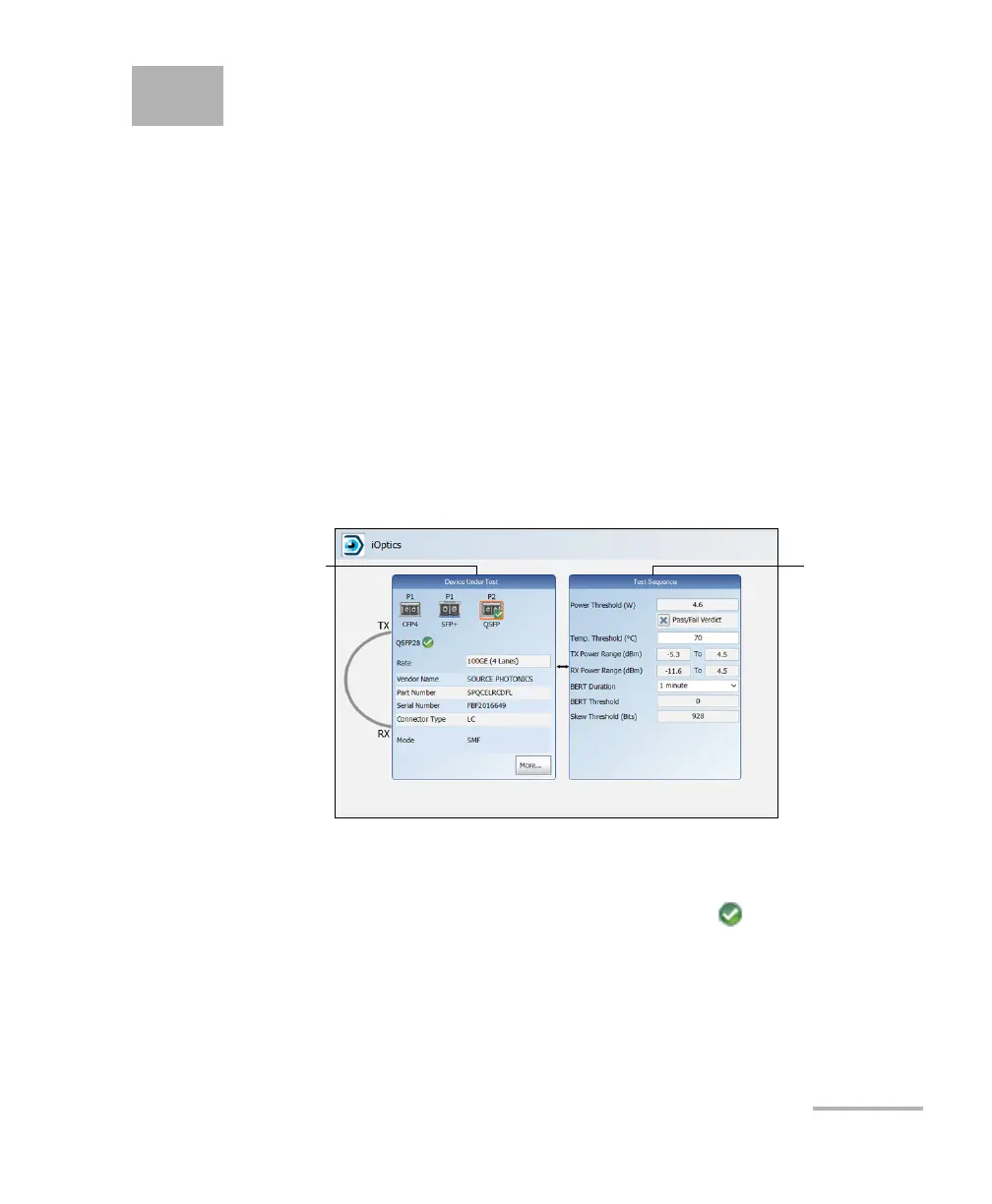
To select, configure, and start iOptics:
1. From the test menu, tap Setup.
2. From the Test Applications tab, under Intelligent Apps, tap the
iOptics icon.
3. From the Test Configurator tab select the interface/port and its rate.
3a. From the Optical Device Under Test block, tap the desired port
icon.
3b. Once the transceiver is correctly detected , select its rate.
3c. From the Test Sequence block, select the test parameters and
thresholds (refer to Test Sequence (iOptics) on page 367).
Note: The iOptics test application uses Internal timing for clock synchronization.
Tes t S eq ue nc e
Block
Optical Device
Under Test Block













 To Next Page