Chapter 3 Cutting Function
20
3.6 Back to Reference Function
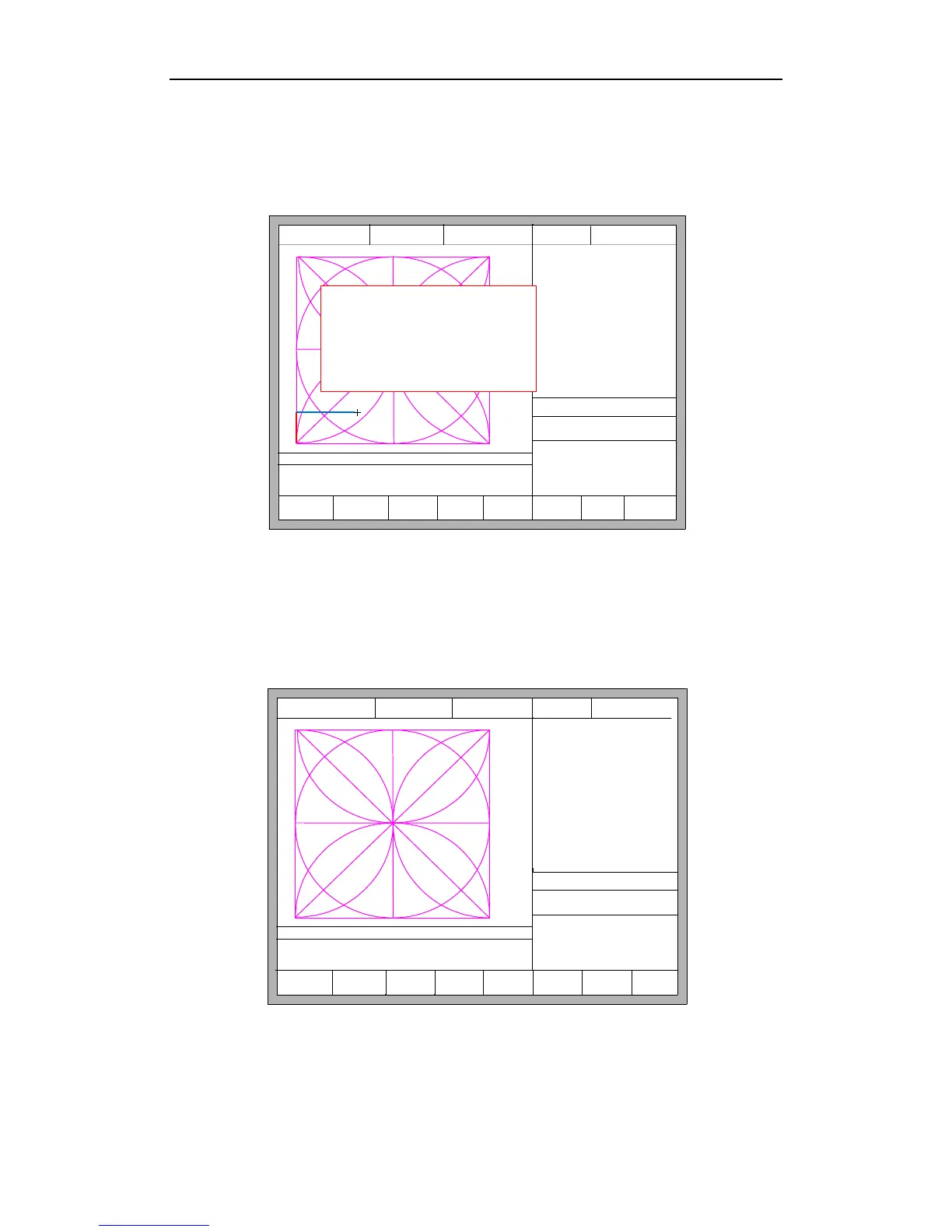
Pause in the processing, if press the 【F3】, then the system will prompt:
F1 Back F2 Demo F3 GoBack
F4
Speeddown
F5
Speedup
F6
Preheatdown
F7
Preheatup
F8
JumptoPierce
FLSK F2200T
Version 3.3.71.1
Speed:
00000
File:
SHAPE_43.TXT
Status:
Stop
Current Line/Hole:
00000/00000
+X:500.00 -X:0.00 +Y:500.00 -Y:0.00
1:(TEST PATTERN)
2:G92
X:+000000.0
Y:+000000.0
Manual 【F】 keepMov
StepDis【G】 5.00 Flame Cu 【M】
CutSpeed 【X】1000.00 Kerf【N】1.20
ManualSpeed【Y】3000.00 Angle 0.00
Are you sure to return?
ENTER: sure ESC: cancel
●Ignition s
●LowHeat s
●HighPreheat s
●Pierce1 s
●Pierce2 s
●Pierce3 s
●TorchUp s
●TorchDn s
●THC En
●Blow s
Fig. 3.4 Return reference prompt
Press the Enter key, the system will automatically return to the starting point of
the work piece, and then the system automatically switches to processing the main
interface, and waits for further user action.
F1 ShapeLib F2 Files
F3
PartOption
F4 Setups F5 Diagnose F6 ZoomIn
F7
ManualMove
F8 Zero
FLSK F2200T
Version 3.3.71.1
Speed:
00000
File:
SHAPE_43.TXT
Status:
Stop
Current Line/Hole:
00000/00000
+X:500.00 -X:0.00 +Y:500.00 -Y:0.00
1:(TEST PATTERN)
2:G92
X:+000000.0
Y:+000000.0
Manual 【F】 ContiMov
StepDis【G】 5.00 Flame Cu 【M】
CutSpeed 【X】1000.00 Kerf【N】1.20
ManualSpeed【Y】3000.00 Angle 0.00
●Ignition s
●LowHeat s
●HighPreheat s
●Pierce1 s
●Pierce2 s
●Pierce3 s
●TorchUp s
●TorchDn s
●THC En
●Blow s
Fig. 3.5 main process interface
During the return process, the user can press the "Stop" button to stop the
operation, and can continue to return operation after pressing of 【F3】. Number of



 To Next Page