Chapter 5 Manual Function
40
Chapter 5 Manual Function
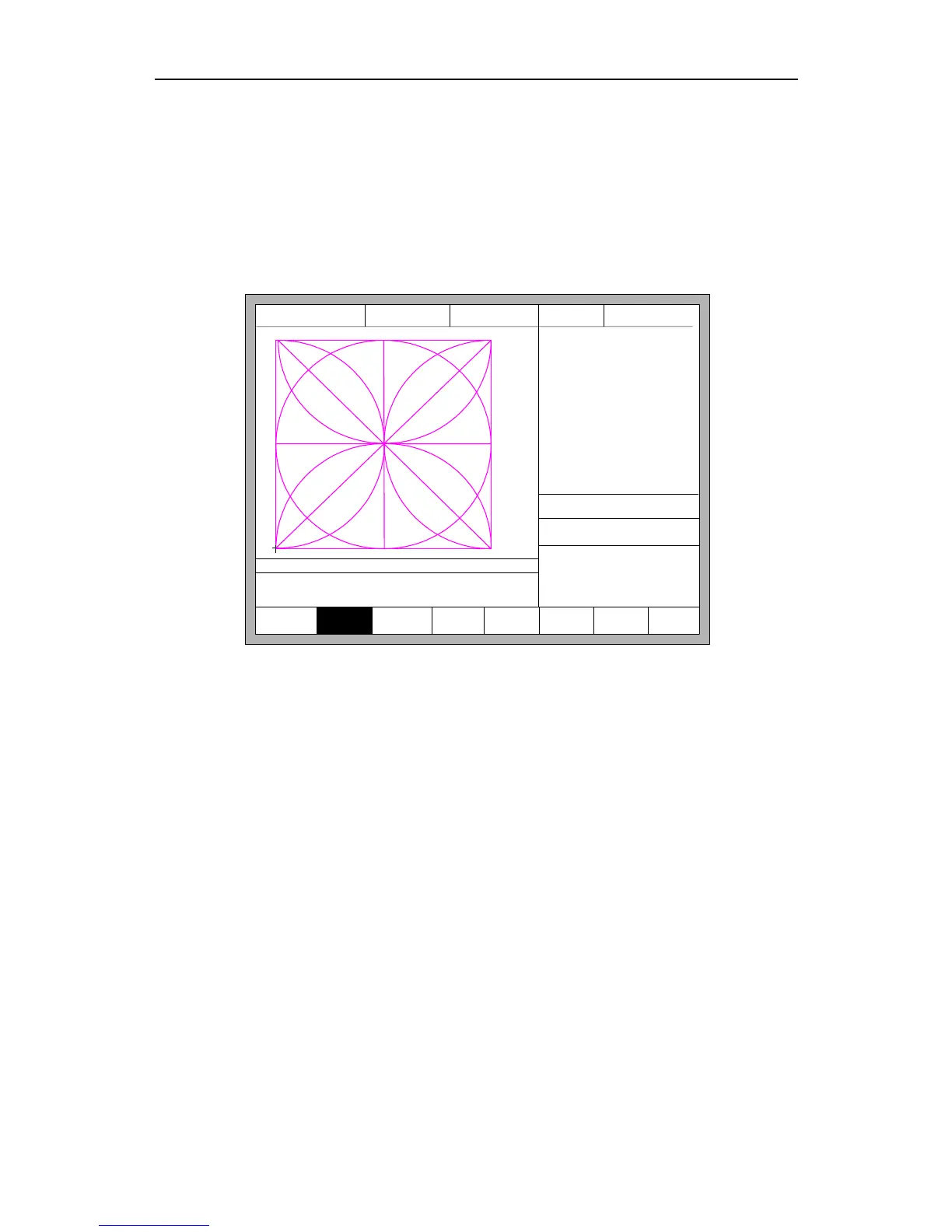
In the automatic interface, press 【F7】(Manual) to enter manual function interface,
shown as Fig 5.1:
F1 KeepMov
F2
ContiMove
F3 StepMove
F4
Speeddown
F5 Speedup
F7
Recover
FLSK F2200T
Version 3.3.71.1
Speed:
00000
File:
SHAPE_43.TXT
Status:
Stop
Current Line/Hole:
00000/00000
+X:500.00 -X:0.00 +Y:500.00 -Y:0.00
X:+000000.0
Y:+000000.0
7:G01 X500.00 Y0
8: G01 X0 Y-500.00
●Ignition s
●LowHeat s
●HighPreheat s
●Pierce1 s
●Pierce2 s
●Pierce3 s
●TorchUp s
●TorchDn s
●THC En
●Blow s
CutSpeed 【X】1000.00 Kerf【N】1.20
ManualSpeed【Y】3000.00 Angle 0.00
Manual 【F】 ContiMov
StepDis【G】 5.00 Flame Cu 【M】
Fig 5.1 Manual function interface
The speed in the manual status is controlled by the manual moving parameters.
During the process of fixed moving function, you can adjust speed by acceleration or
deceleration key. In the manual interface, press numeric key, the cutting speed changes to
ratio which is 10 times of the corresponding figure of the speed limit you have set, for
example press 【3】, change the cutting speed to 30% of the speed limit you have set, press
【8】, change the cutting speed to 80% of the speed limit you have set.
5.1 Fixed Moving Function
When you enter into the manual interface, the default option is continuous moving
function. Press key 【F1】 to go for the fixed moving function. At this moment, the system
will move toward the specified direction if any directory key is pressed, and when the
directory key is released, the system will stop.



 To Next Page