Chapter 4 Part Option
39
F1 Back F2 Demo F3 GoBack
F4
Speeddown
F5
Speedup
F6
Preheatdown
F7
Preheatup
F8
JumptoPierce
FLSK F2200T
Version 3.3.71.1
Speed:
00000
File:
SHAPE_43.TXT
Status:
Pause
Current Line/Hole:
00003/00000
+X:500.00 -X:0.00 +Y:500.00 -Y:0.00
7:G01 X500.00 Y0
8: G01 X0 Y-500.00
X:+000000.00
Y:+000048.70
[X] Offset cutting
[Y] Only return
●Ignition s
●LowHeat s
●HighPreheat s
●Pierce1 s
●Pierce2 s
●Pierce3 s
●TorchUp s
●TorchDn s
●THC En
●Blow s
CutSpeed 【X】1000.00 Kerf【N】1.20
ManualSpeed【Y】3000.00 Angle 0.00
Manual 【F】 keepMov
StepDis【G】 5.00 Flame Cu 【M】
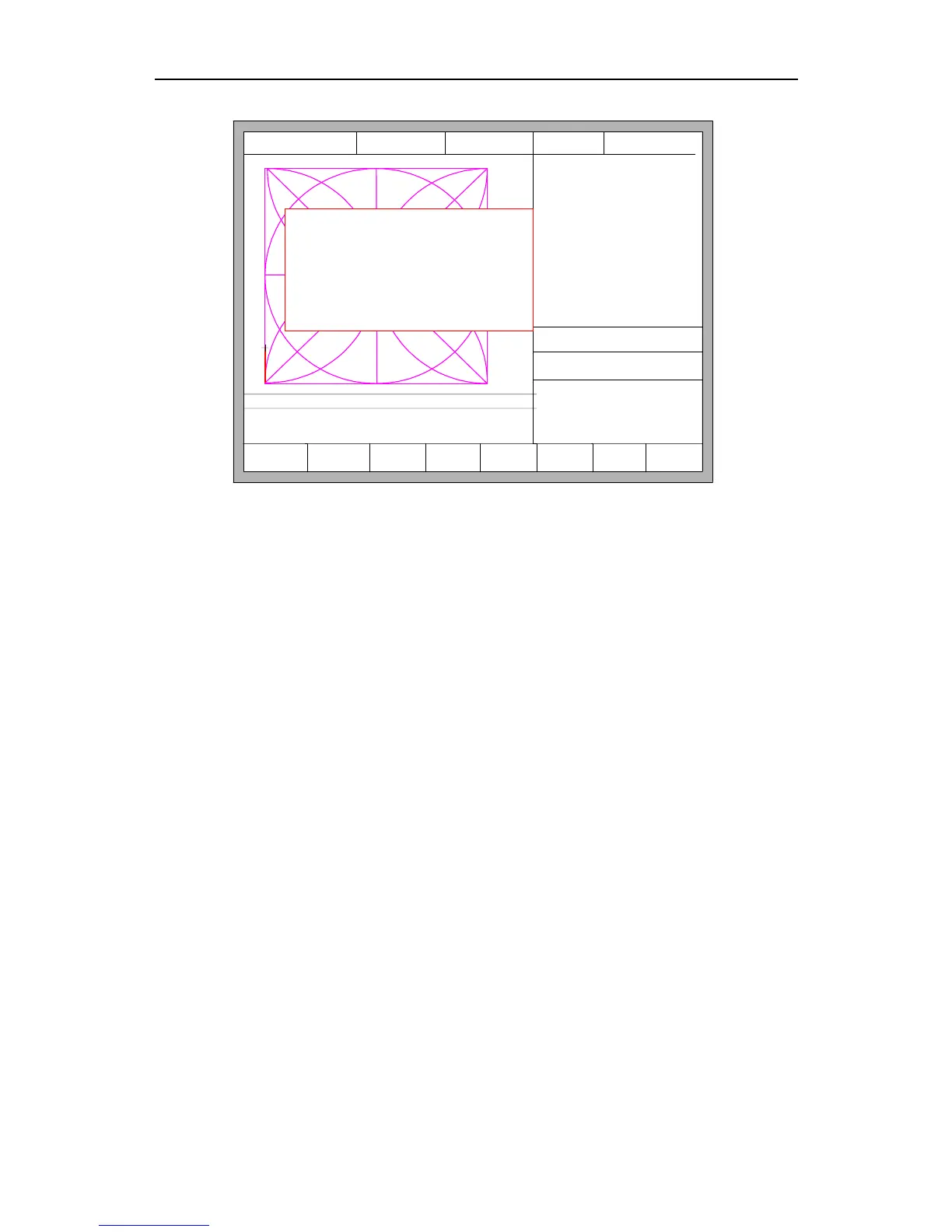
Fig 4.19 Operation after selecting row/number
2.Cutting from the current position
After the prompt of Fig 4.19, press 【X】, then the system will start cutting from
current position. Press 【Y】, the system will also directly move to the selected row and
number, then pause and wait for the next operation.
4.7 Restore
If you want to cancel all of operations with graphics including mirror, rotation, adjust,
scale and array, press 【F7】 in the part options menu, the system automatically revert to
original state of the graphics.



 To Next Page