Chapter 4 Part Option
29
Chapter 4 Part Option
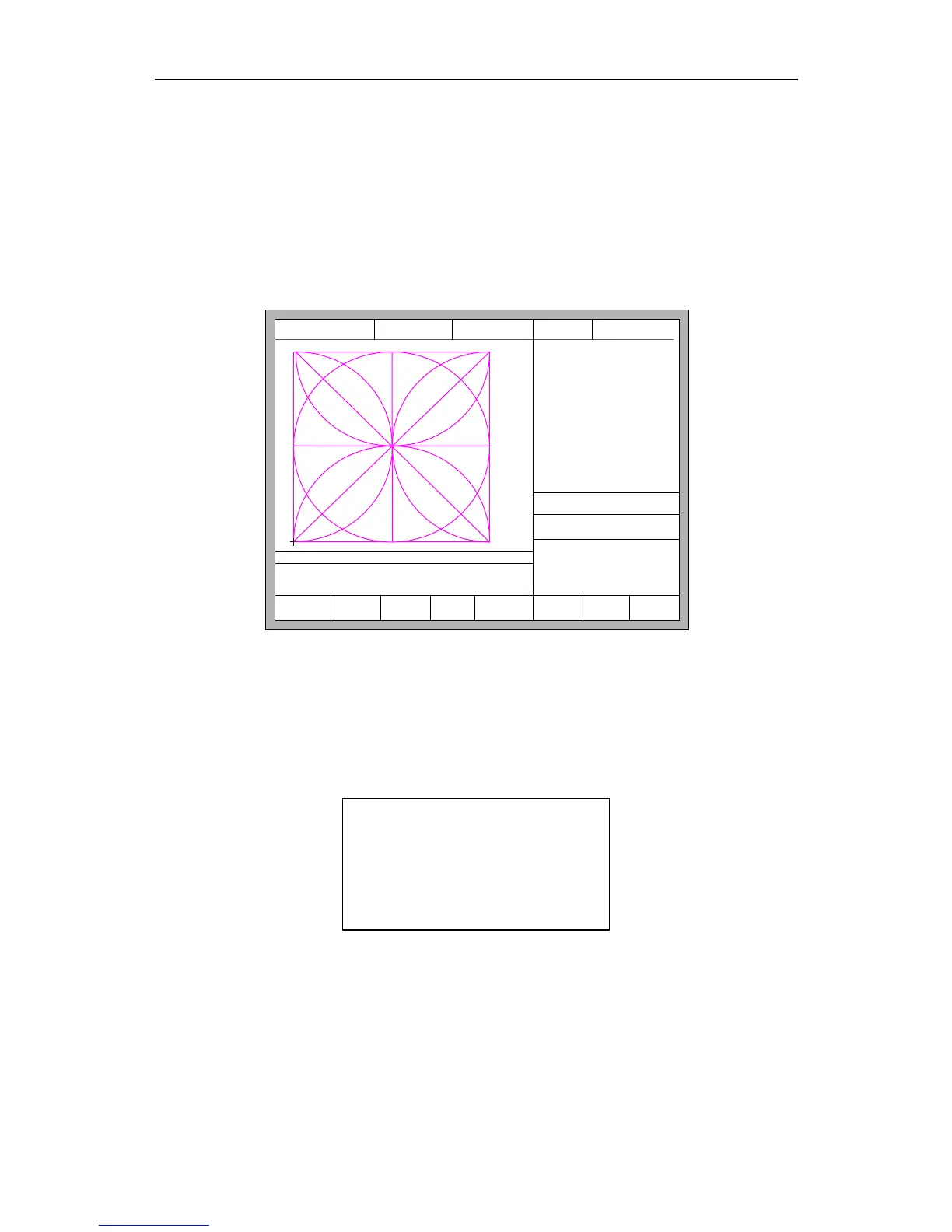
Before starting cutting, you can use “F3 Part Option” in the main interface. Press F3
to enter part options menu:
F2 Angle F3 Array F4 Scale
F5
SelLinePierce
F6 EditFile F7 Revert
FLSK F2200T
Version 3.3.71.1
Speed:
00000
File:
SHAPE_43.TXT
Status:
Stop
Current Line/Hole:
00000/00000
Operate Mode:
PartOption
X:+000000.0
Y:+000000.0
Manual 【F】 keepMov
StepDis【G】 5.00 Flame Cu 【M】
CutSpeed 【X】1000.00 Kerf【N】1.20
ManualSpeed【Y】3000.00 Angle 0.00
【X】 Xmirror
【Y】 Ymirror
F1
StartPoint
F8 OK
+X:500.00 -X:0.00 +Y:500.00 -Y:0.00
Fig 4.1 Part options
4.1 XY Mirror
In the interface of part option, the system will prompt:
【X】 Xmirror
【Y】 Ymirror
Press X to mirror along the horizontal axis(X axis)
Press Y to mirror along the vertical axis(Y axis)
4.2 Start Point Selection
After press 【F1】, System will prompt to select start point:



 To Next Page