Chapter 4 Part Option
37
4.6 Select Row/Number
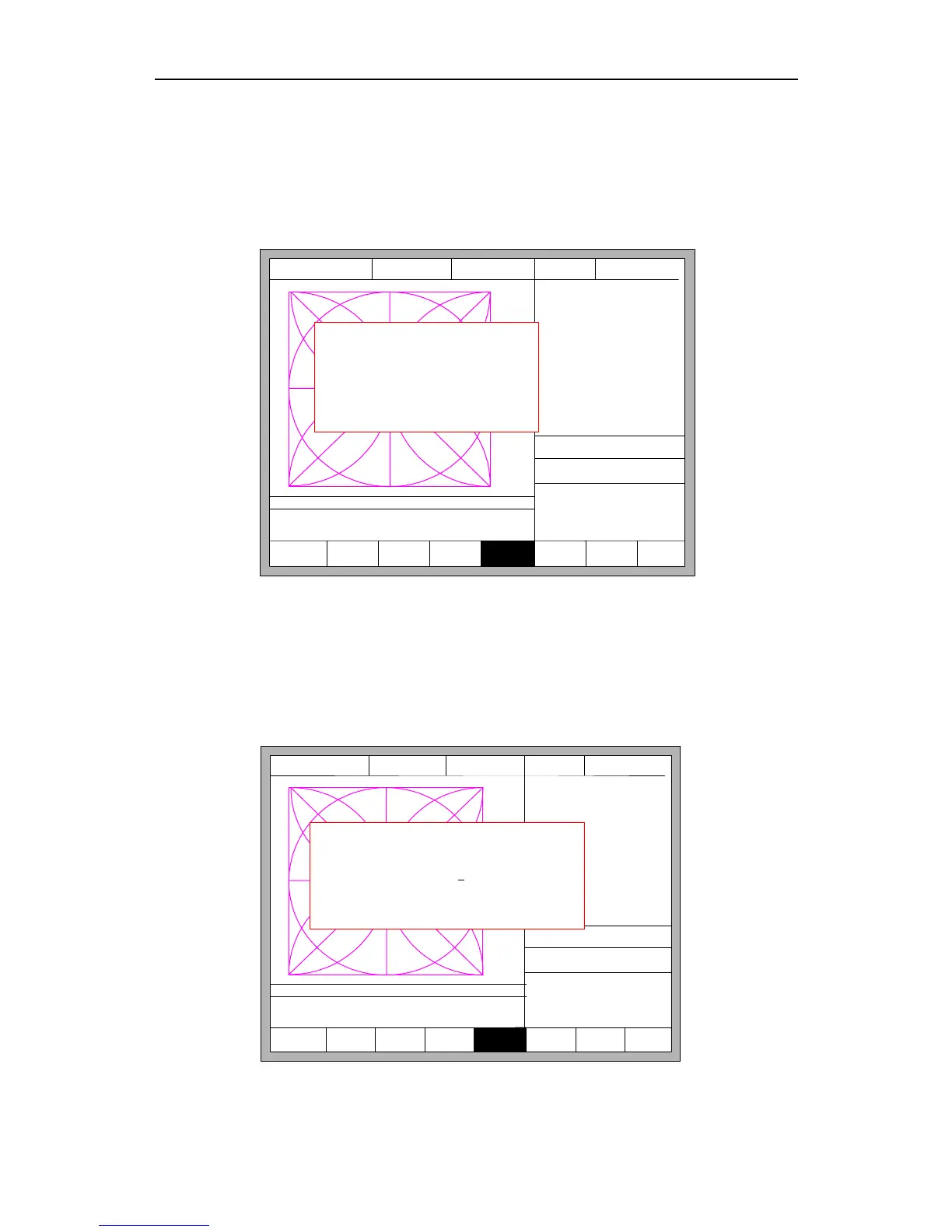
In part options menu, press【F5】to enter selecting row/number, the system will
prompt:
F5
SelLinePierce
F6 EditFile F7 Revert
FLSK F2200T
Version 3.3.71.1
Speed:
00000
File:
SHAPE_43.TXT
Status:
Stop
Current Line/Hole:
00000/00000
+X:500.00 -X:0.00 +Y:500.00 -Y:0.00
Operate Mode:
PartOption
X:+000000.0
Y:+000000.0
F1 Select line
F2 Select pierce
F8 OK
【X】 Xmirror
【Y】 Ymirror
F1
StartPoint
F2 Angle F3 Array F4 Scale
CutSpeed 【X】1000.00 Kerf【N】1.20
ManualSpeed【Y】3000.00 Angle 0.00
Manual 【F】 keepMov
StepDis【G】 5.00 Flame Cu 【M】
Fig 4.15 Select Line/Pierce
4.6.1 Select Row
Press【F1】to select the number of row to start cutting with, the system prompts:
F5
SelLinePierce
F6 EditFile F7 Revert
FLSK F2200T
Version 3.3.71.1
Speed:
00000
File:
SHAPE_43.TXT
Status:
Stop
Current Line/Hole:
00000/00000
+X:500.00 -X:0.00 +Y:500.00 -Y:0.00
Operate Mode:
PartOption
X:+000000.0
Y:+000000.0
F8 OK
【X】 Xmirror
【Y】 Ymirror
F1
StartPoint
F2 Angle F3 Array F4 Scale
CutSpeed 【X】1000.00 Kerf【N】1.20
ManualSpeed【Y】3000.00 Angle 0.00
Manual 【F】 keepMov
StepDis【G】 5.00 Flame Cu 【M】
Input no. of Rows:
Press <- -> select Rows
0
F8 OK
Fig 4.16 Prompt to select row



 To Next Page